Chapter 9 VG-870/871 SYSTEM SETTINGS
425
9.1.14 Mouse speed setting
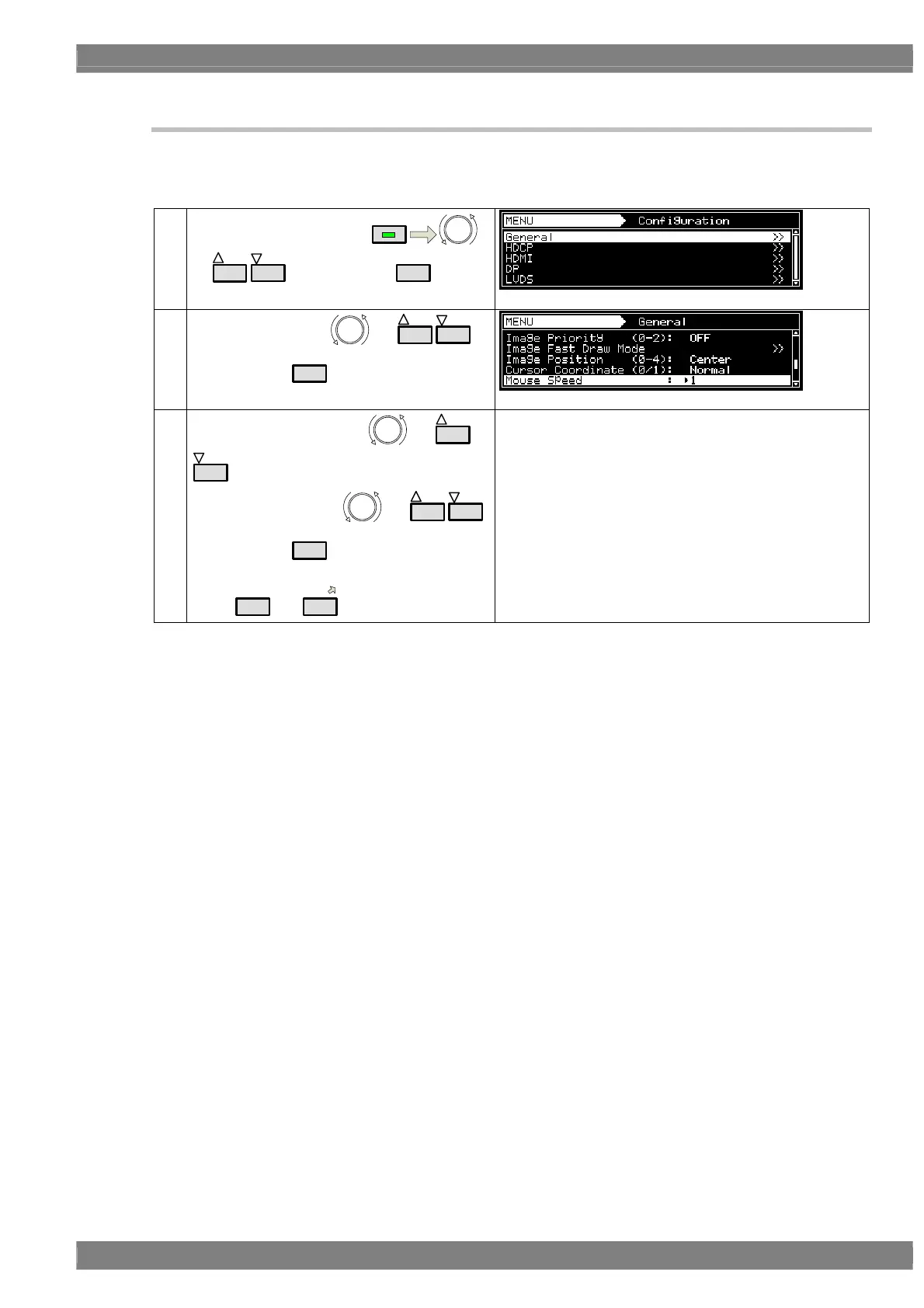
The movement speed at which to move the cursor using the USB mouse can be set.
For details on the On or Off setting procedure for the coordinate display, refer to “6.12.1 Cursor settings.”
(1)
Select Configuration using
MENU
or
INC
DEC
, and then press
SET
.
(2)
Select General using
or
INC
DEC
,
and then press
SET
.
(3)
Select Mouse Speed using
or
INC
DEC
.
Select the setting using or
INC
DEC
,
and then press
SET
.
Alternatively, select the setting using the number
keys (
0/STATUS
to
9/F
).
Setting range: 0 (fastest) to 9 (slowest)
The factory speed setting is “1.”



 To Next Page