Chapter 9 VG-870/871 SYSTEM SETTINGS
431
9.1.20 AVMUTE operation mode settings
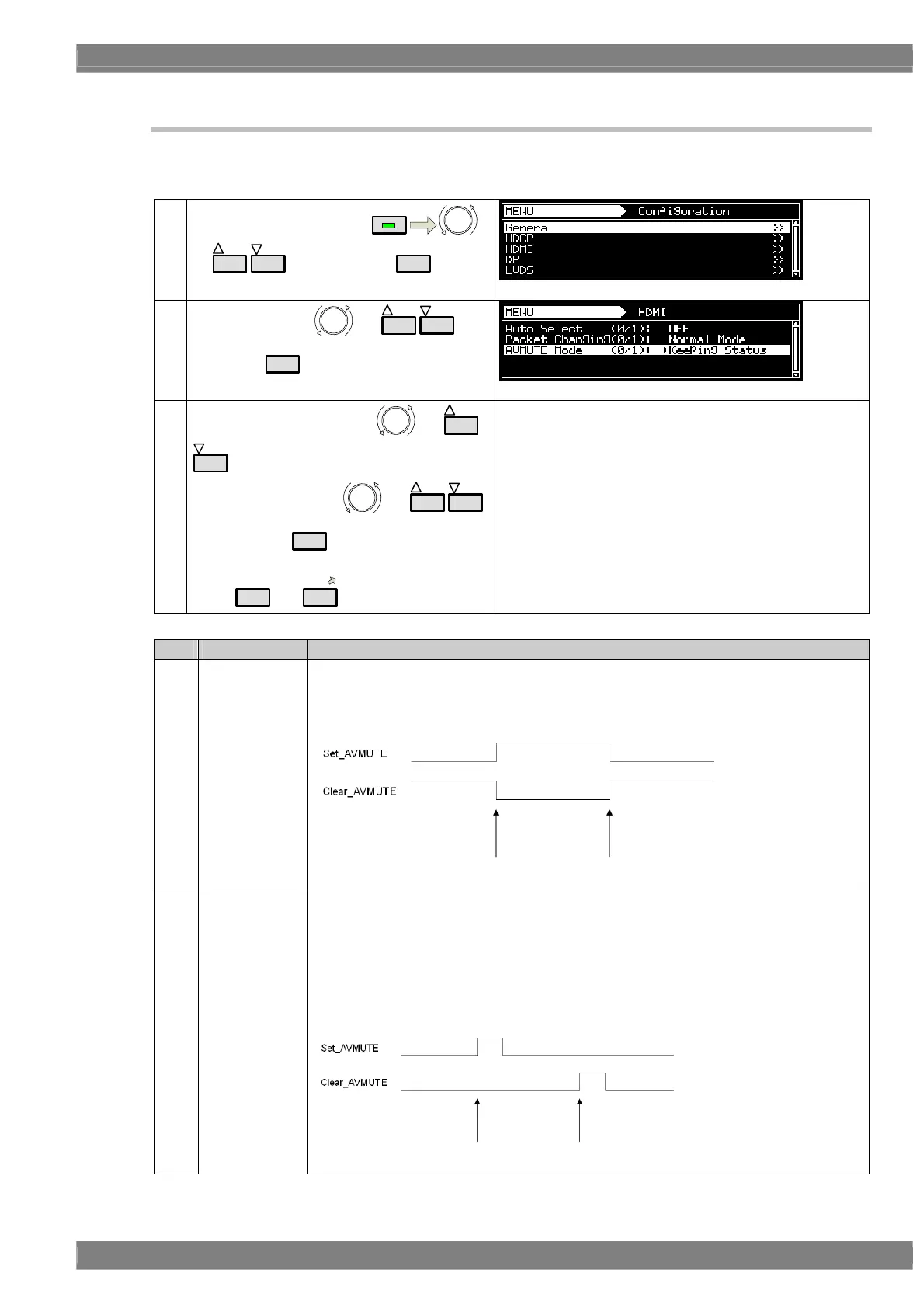
It is possible to select the method used to set the Set_AVMUTE and Clear_AVMUTE flags in the General Control
Packet when executing AVMUTE (set/clear) operations.
Note) HDMI 300MHz unit VM-1823 does not support this function. It always works as “Keeping Status” .
(1)
Select Configuration using
MENU
or
INC
DEC
, and then press
SET
.
(2)
Select HDMI using
or
INC
DEC
, and
then press
SET
.
(3)
Select AVMUTE Mode using
or
INC
DEC
.
Select the setting using or
INC
DEC
,
and then press
SET
.
Alternatively, select the setting using the number
keys (
0/STATUS
to
9/F
).
For details on the settings, refer to the table below.
Key LCD display Description
0 Keeping Status
The status is always sent with ON set for the Set_AVMUTE flag when executing AVMUTE
operations.
When AVMUTE is released (when images are output), the status is always sent with ON
set for the Clear_AVMUTE flag.
1 Pulse
The pulses are normally sent with OFF set for both the Set_AVMUTE and Clear_AVMUTE
flags.
When AVMUTE is executed, OFF is sent after several frames have been sent with ON set
for the Set_AVMUTE flag.
When AVMUTE is released, OFF is sent after several frames have been sent with ON set
for the Clear_AVMUTE flag.
* Select these modes when executing HDMI CTS Test-ID 8-16 using the SP-8870 HDMI
CTS Tool.
AVMUTE executed AVMUTE released
AVMUTE executed AVMUTE released



 To Next Page