41
4
4
INTERFACE SETTINGS
4.1 Output settings
The following items are set as settings common to multiple video and audio output interfaces.
• Output interface on/off setting
• Sync signal on/off and polarity setting
• Level mode setting
• Aspect ratio setting
• Pattern drawing bit length (gray scale) setting
• RGB/YPbPr selection and color difference coefficient setting
• Analog level setting
• Digital level setting
• Audio sweep setting
• Audio level setting (temporary settings)
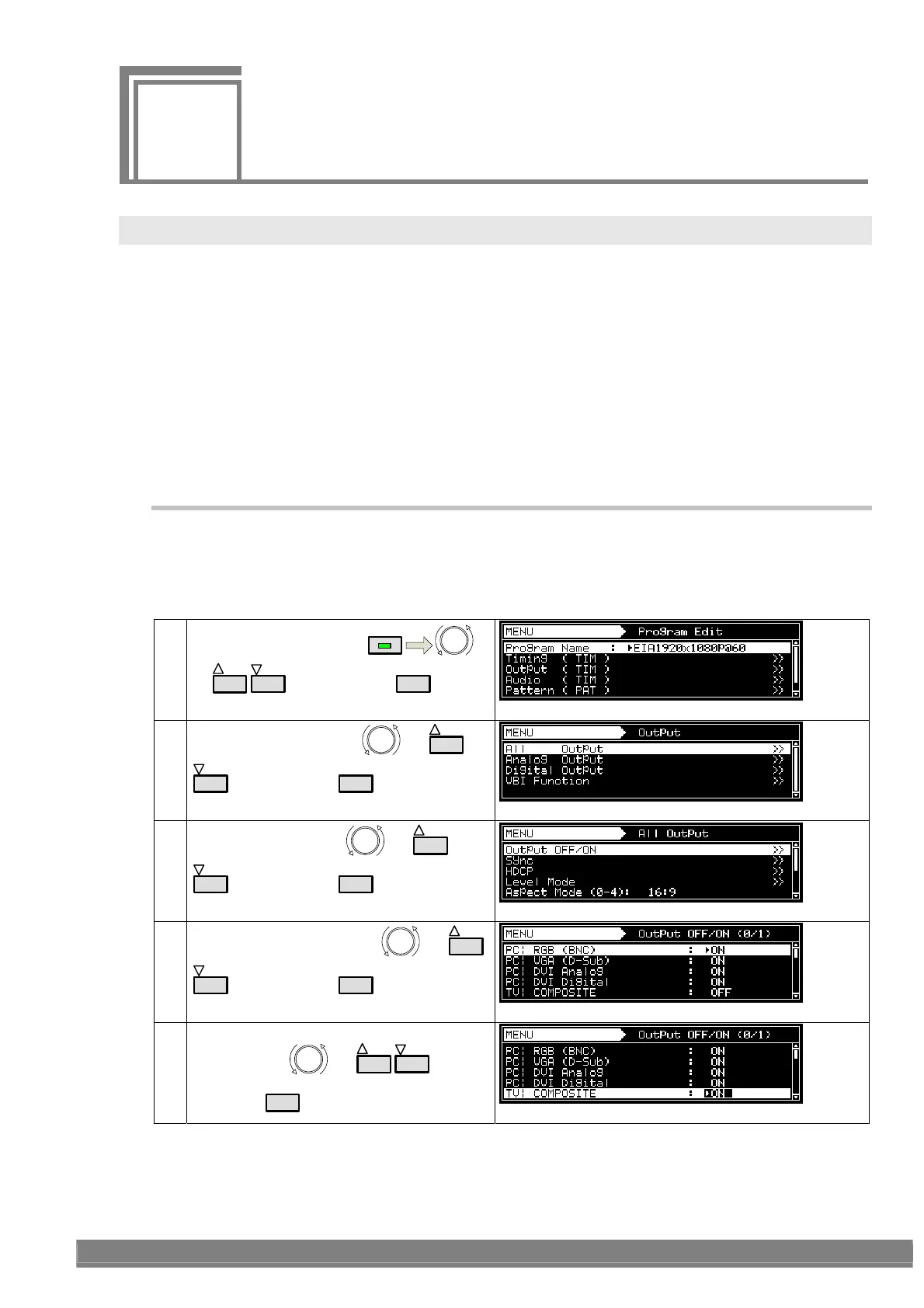
4.1.1 Setting the output interfaces to ON or OFF
“Output” (ON) or “not output” (OFF) can be selected for each output interface whether video or audio interface. It is
set to ON for the internal sample timing data unless the ratings or specifications of the generator prevent this.
Example: In the case of EIA 1920 × 1080i@59.94, the COMPOSITE and Y/C signals are set to OFF, but the HDMI
and analog component signals are set to ON.
(1)
Select Program Edit using
MENU
or
INC
DEC
, and then press
SET
.
(2)
Select Output (TIM) using
or
INC
DEC
, and then press
SET
.
(3)
Select All Output using
or
INC
DEC
, and then press
SET
.
(4)
Select Output OFF/ON using
or
INC
DEC
, and then press
SET
.
PC, TV, etc. are types of interfaces.
(5)
Select the interface whose settings are to be
changed using
or
INC
DEC
, and
then press
SET
.



 To Next Page