Chapter 5 FUNCTIONS AVAILABLE WITH TV STANDARD SIGNALS
271
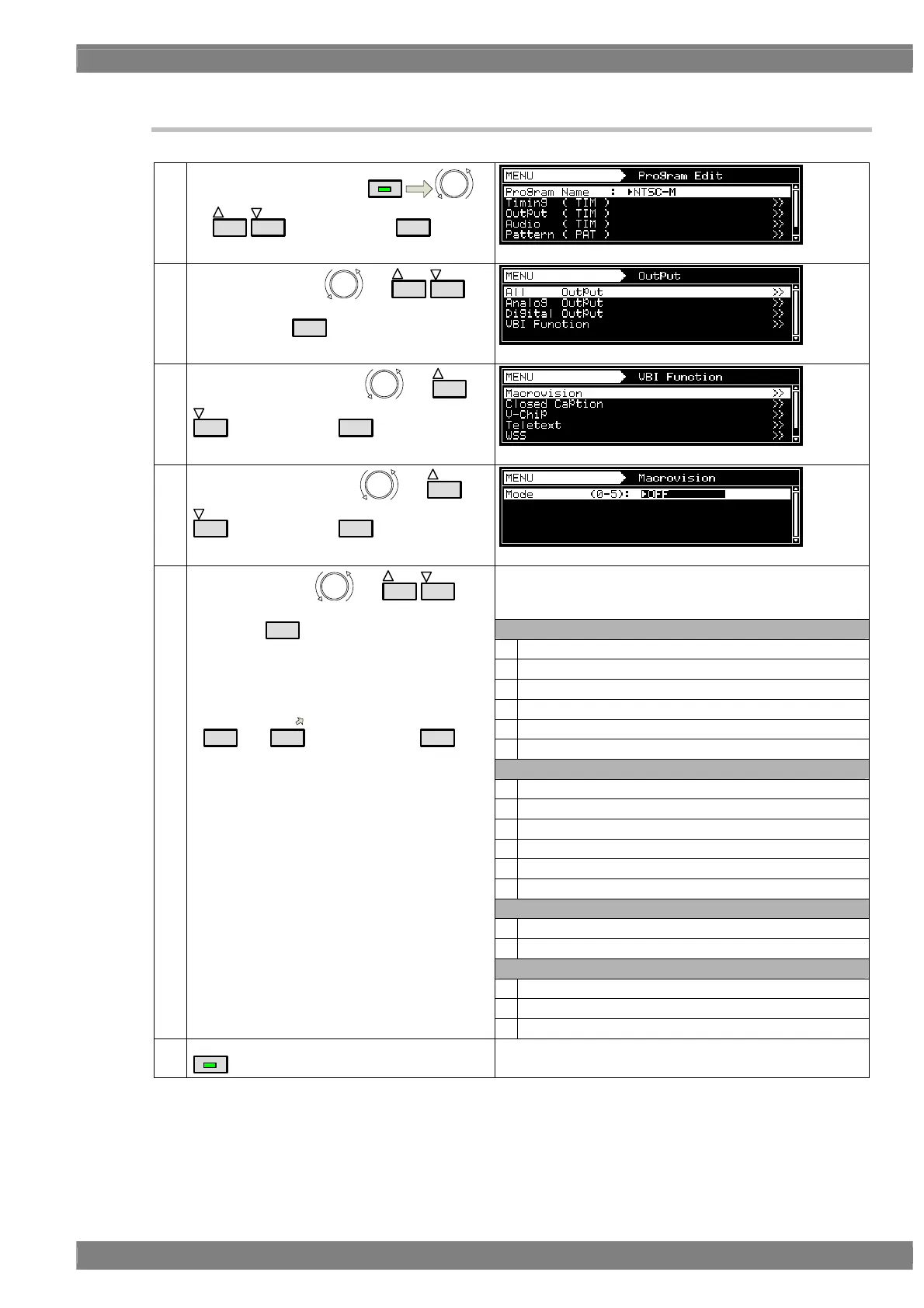
5.1.2 Setting procedure
(1)
Select Program Edit using
MENU
or
INC
DEC
, and then press
SET
..
(2)
Select Output using
or
INC
DEC
,
and then press
SET
.
(3)
Select VBI Function using
or
INC
DEC
, and then press
SET
.
(4)
Select Macrovision using
or
INC
DEC
, and then press
SET
.
The selection options for Mode differ depending on the TV
signals.
(OFF is set for any timing format not listed below.)
NTSC-M
0 OFF
1 Type1 (AGC only)
2 Type2 (AGC + 2Line Colorstripe)
3 Type3 (AGC + 4Line Colorstripe)
4 VHS USA
5 VHS US obs.
NTSC-J
0 OFF
1 Type1 (AGC only)
2 Type2 (AGC + 2Line Colorstripe)
3 Type3 (AGC + 4Line Colorstripe)
4 VHS Japan1
5 VHS Japan2
NTSC-443, PAL-60, PAL-M
0 OFF
1 Type1,2,3 (AGC only)
PAL, PAL-N, PAL-Nc, SECAM
0 OFF
1 Type1,2,3 (AGC only)
(5)
Select Mode using
or
INC
DEC
, and
then press
SET
.
Alternatively:
Make the selections using the number keys
(
0/STATUS
to
9/F
), and then press
SET
.
2VHS
MENU
Display returns to the initial screen.



 To Next Page