Chapter 5 FUNCTIONS AVAILABLE WITH TV STANDARD SIGNALS
283
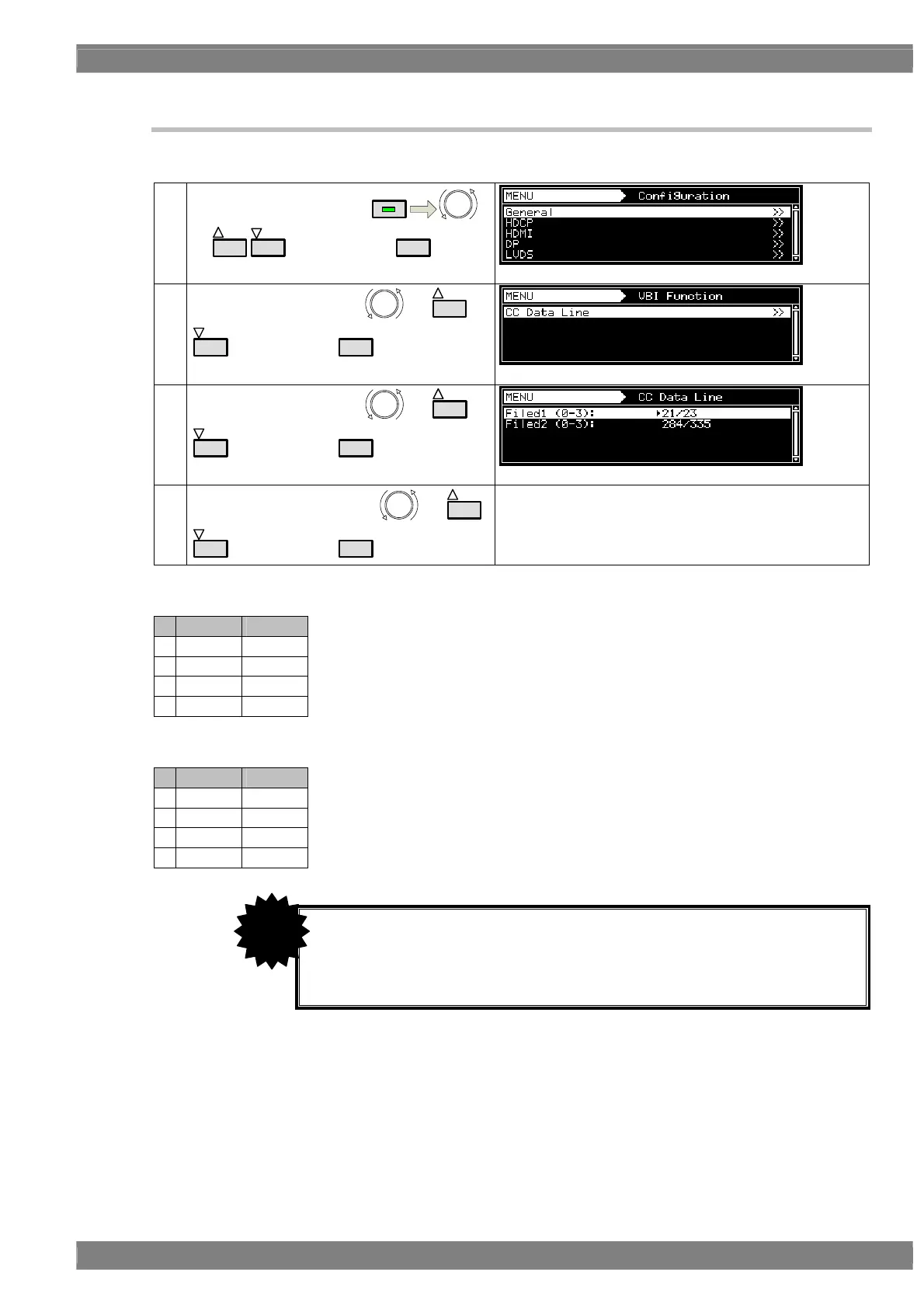
5.2.4 Changing the data superimposing line
It is possible to change the line where the closed captions or V-chip data is to be superimposed.
(1)
Select Configuration using
MENU
or
INC
DEC
, and then press
SET
.
(2)
Select VBI Function using
or
INC
DEC
, and then press
SET
.
(3)
Select CC Data Line using
or
INC
DEC
, and then press
SET
.
(4)
Select Field1 or Field2 using
or
INC
DEC
, and then press
SET
.
Select the line where the data is to be superimposed.
For details, refer to the tables below.
<525 line system timing (NTSC-M, NTSC-J, NTSC-443, PAL-60 and PAL-M)>
Field1 Field2
0 19 lines 282 lines
1 20 lines 283 lines
2 21 lines 284 lines
3 22 lines 285 lines
<625 line system timing (PAL, PAL-N and PAL-Nc)>
Field1 Field2
0 21 lines 333 lines
1 22 lines 334 lines
2 23 lines 335 lines
3 24 lines 336 lines
• Lines cannot be set separately for each program.
• It is possible to change the line while closed captions or V-chip data is being
executed, but it takes time for the setting to be reflected in the output.
• VM-1812-B can not use this function.
CAUTION



 To Next Page