Chapter 6 PATTERN SETTINGS
337
6.10.1 Color settings
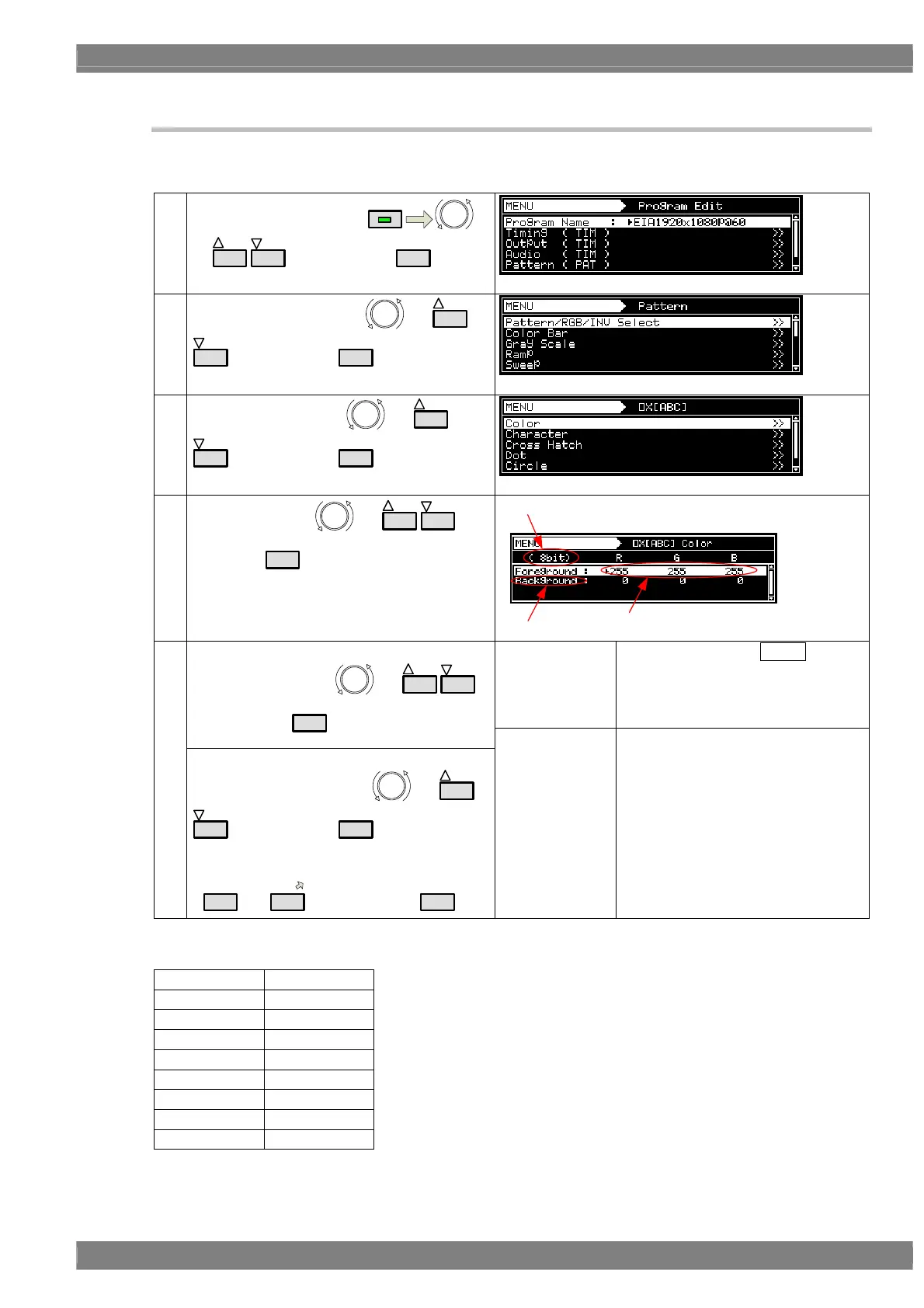
The colors of the ( × ABC patterns themselves and their background colors can be set.
(1)
Select Program Edit using
MENU
or
INC
DEC
, and then press
SET
.
(2)
Select Pattern (PAT) using
or
INC
DEC
, and then press
SET
.
(3)
Select × [ABC] using
or
INC
DEC
, and then press
SET
.
(4)
Select Color using
or
INC
DEC
, and
then press
SET
.
Bit Length
Level
Part
Foreground
The colors of the × ABC pattern
are set here (in the order of RGB from
the left).
The setting range differs depending on
the color depth.
<Setting the items>
Select the items using or
INC
DEC
,
and then press
SET
.
(5)
<Setting the parameters>
Select the parameters using
or
INC
DEC
, and then press
SET
.
Alternatively:
Select the parameters using the number keys
(
0/STATUS
to
9/F
), and then press
SET
.
Background
The background color is set here (in the
order of RGB from the left).
The setting range differs depending on
the color depth.
Setting ranges by color depth
8 BIT
0 to 255
9 BIT
0 to 511
10 BIT
0 to 1023
11 BIT
0 to 2047
12 BIT
0 to 4095
13 BIT
0 to 8191
14 BIT
0 to 16383
15 BIT
0 to 32767
16 BIT
0 to 65535



 To Next Page