322
6.9.2 Option and image patterns setting
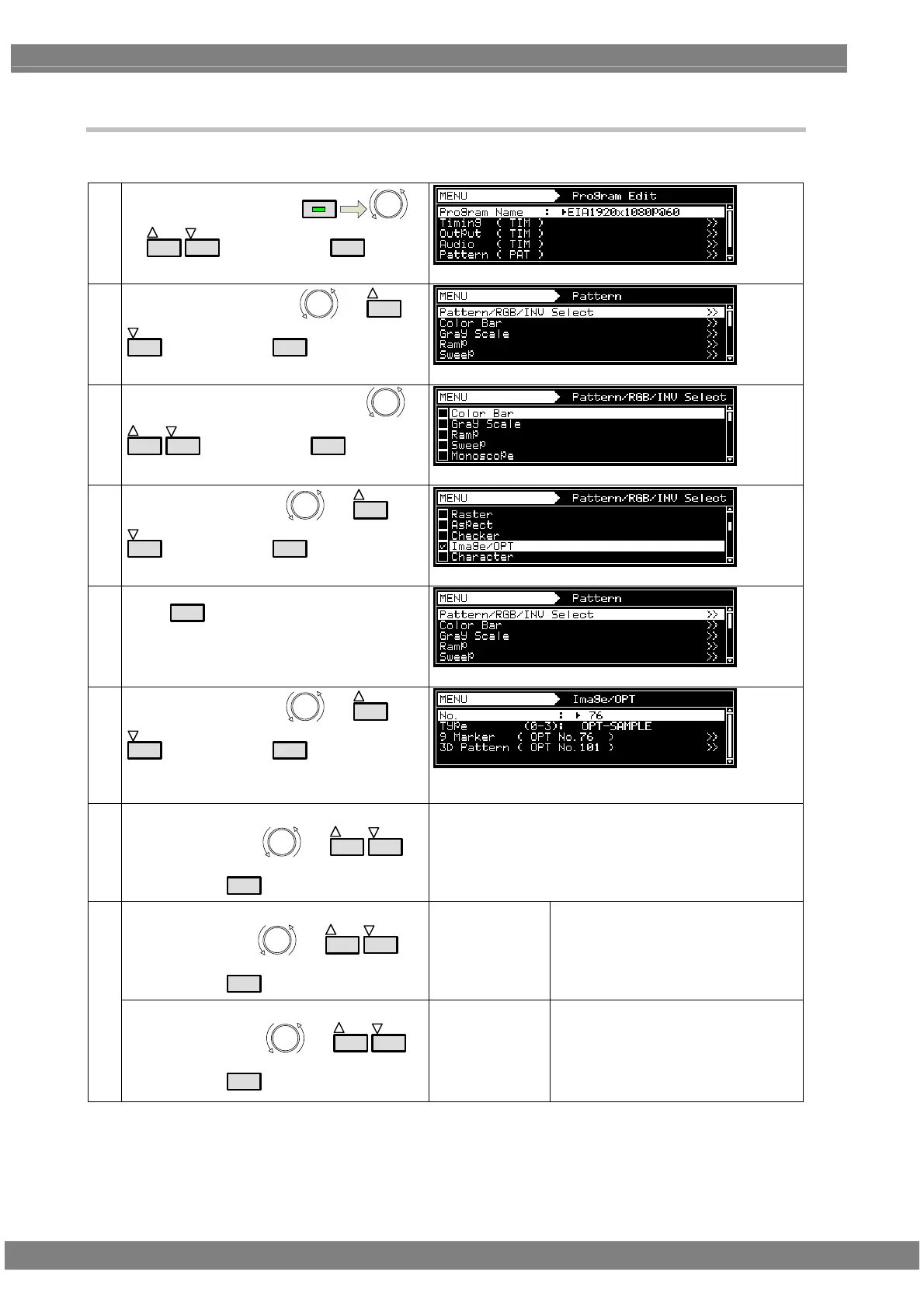
The procedure for setting optional and image patterns is described below.
(1)
Select Program Edit using
MENU
or
INC
DEC
, and then press
SET
.
(2)
Select Pattern (PAT) using
or
INC
DEC
, and then press
SET
.
(3)
Select Pattern/RGB/INV select using
or
INC
DEC
, and then press
SET
.
(4)
Select Image/OPT using
or
INC
DEC
, and then press
SET
.
(5)
Press
ESC
.
(6)
Select Image/OPT using
or
INC
DEC
, and then press
SET
.
* 3D Pattern can be executed only when the requisite
license has been registered.
(7) <Selecting the items>
Select the item using
or
INC
DEC
,
and then press
SET
.
<Setting the No.>
Select the No. using
or
INC
DEC
,
and then press
SET
.
No.
Specific numbers are allocated to the
option and image patterns. The number
of the pattern to be displayed is set in
No.
Setting range: 1 to 200
(8)
<Setting the Type>
Select the Type using
or
INC
DEC
,
and then press
SET
.
Type
* For further details on the patterns,
refer to “6.9.1 Types of Image/OPT.”
* When MOV-IMAGE is selected,
refer to “6.9.3 Moving images
settings (option)” for the detailed
procedures.



 To Next Page