436
10.1.3 Copying user optional patterns
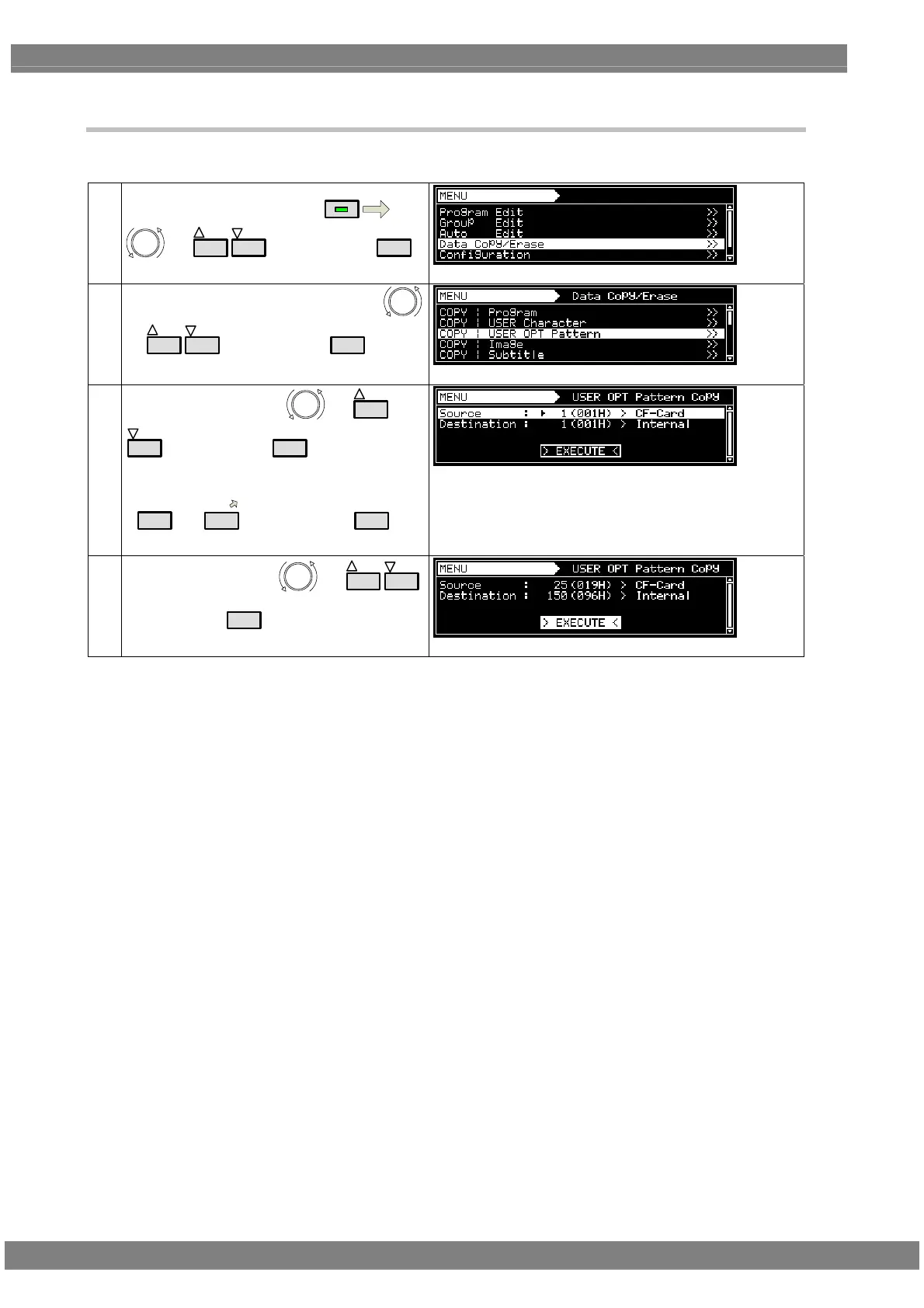
User optional pattern data can be copied.
(1)
Select Data Copy/Erase using
MENU
or
INC
DEC
, and then press
SET
.
(2)
Select COPY: USER OPT Pattern using
or
INC
DEC
, and then press
SET
.
(3)
Select the patterns using
or
INC
DEC
, and then press
SET
.
Alternatively:
Select the patterns using the number keys
(
0/STATUS
to
9/F
), and then press
SET
.
Source:
Select the copy source pattern number and the media.
Destination:
Select the copy destination pattern number and the media.
(4)
Select EXECUTE using
or
INC
DEC
,
and then press
SET
to complete the copying.



 To Next Page