446
10.2 Short-cut keys
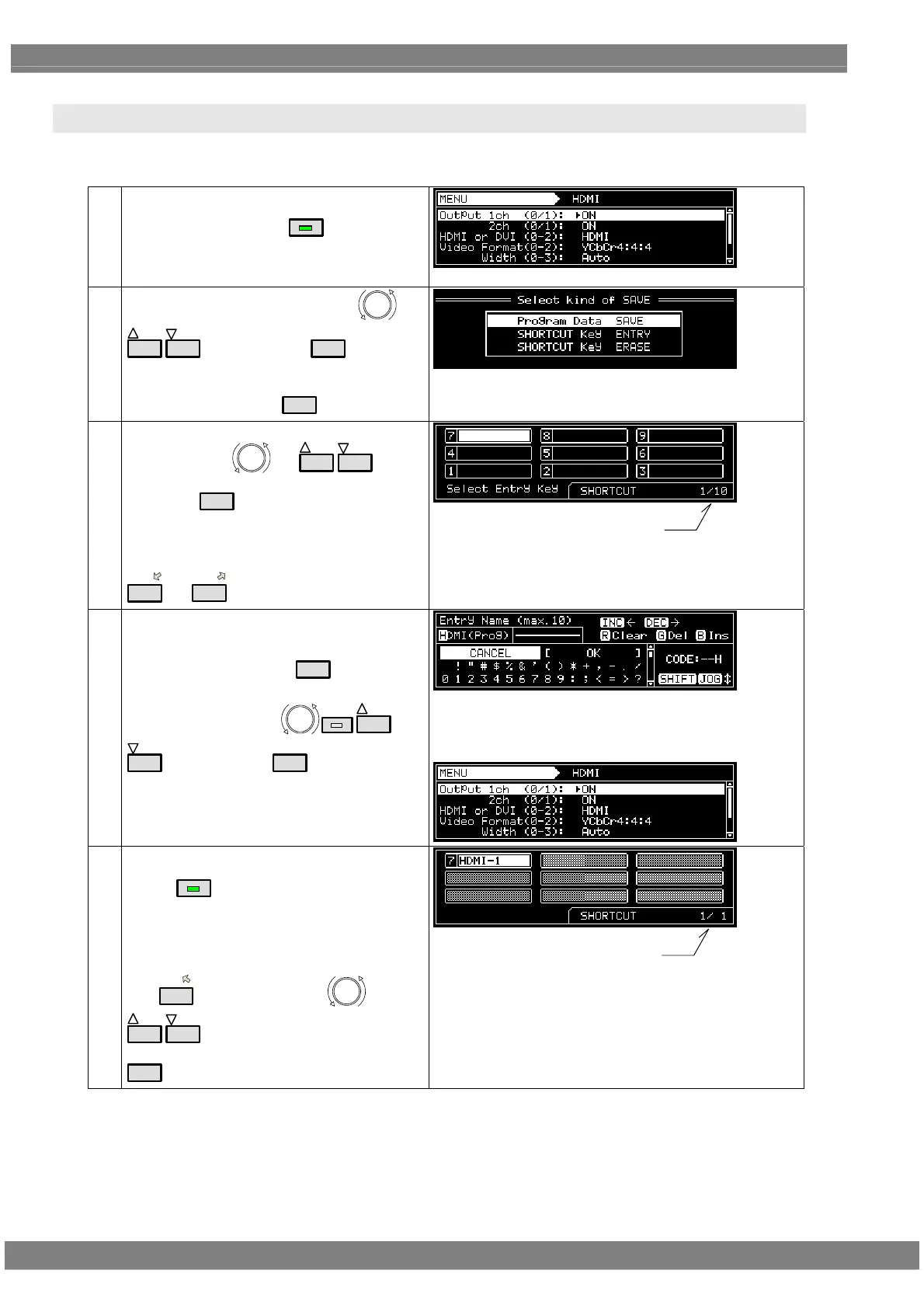
It is possible to set up to any of 90 frequently used screens so that they can be called by pressing the short-cut keys.
(1)
Display the screen which is to be registered as a
short-cut, and then press
SAVE
.
In the example given here, the HDMI setting
screen is registered.
(2)
Select ShortCUT Key ENTRY using
or
INC
DEC
, and then press
SET
.
To erase the selection, select SHORTCUT Key
ERASE, and then press
SET
.
(3)
Select the position where the screen is to be
registered using
or
INC
DEC
, and
then press
SET
.
In this example, the screen is saved in 7 in the
first page.
* The selected positions 1 to 9 correspond to
1
to
9/F
.
current page/total pages
(4) Set the name of the screen registered.
If the name already displayed is acceptable,
select OK, and then press
SET
.
To change the name:
Change the name using
SHIFT
INC
DEC
, and then press
SET
.
The new name in this example is HDMI-1.
When the setting is saved, “Save Completed” is
displayed and the registered screen is returned
to the display in step (1) above.
(5)
<Calling a menu screen with SHORTCUT>
When
SHORT CUT
is pressed, the SHORTCUT
screen is displayed.
HDMI-1, which is the registered screen, is now
registered in shortcut 7 in the first page.
Use
7/D
, or alternatively use or
INC
DEC
(for page selection) and then press
SET
to display the HDMI setting screen,
current page/total registered pages



 To Next Page