Chapter 6 PATTERN SETTINGS
323
6.9.3 Moving images settings (option)
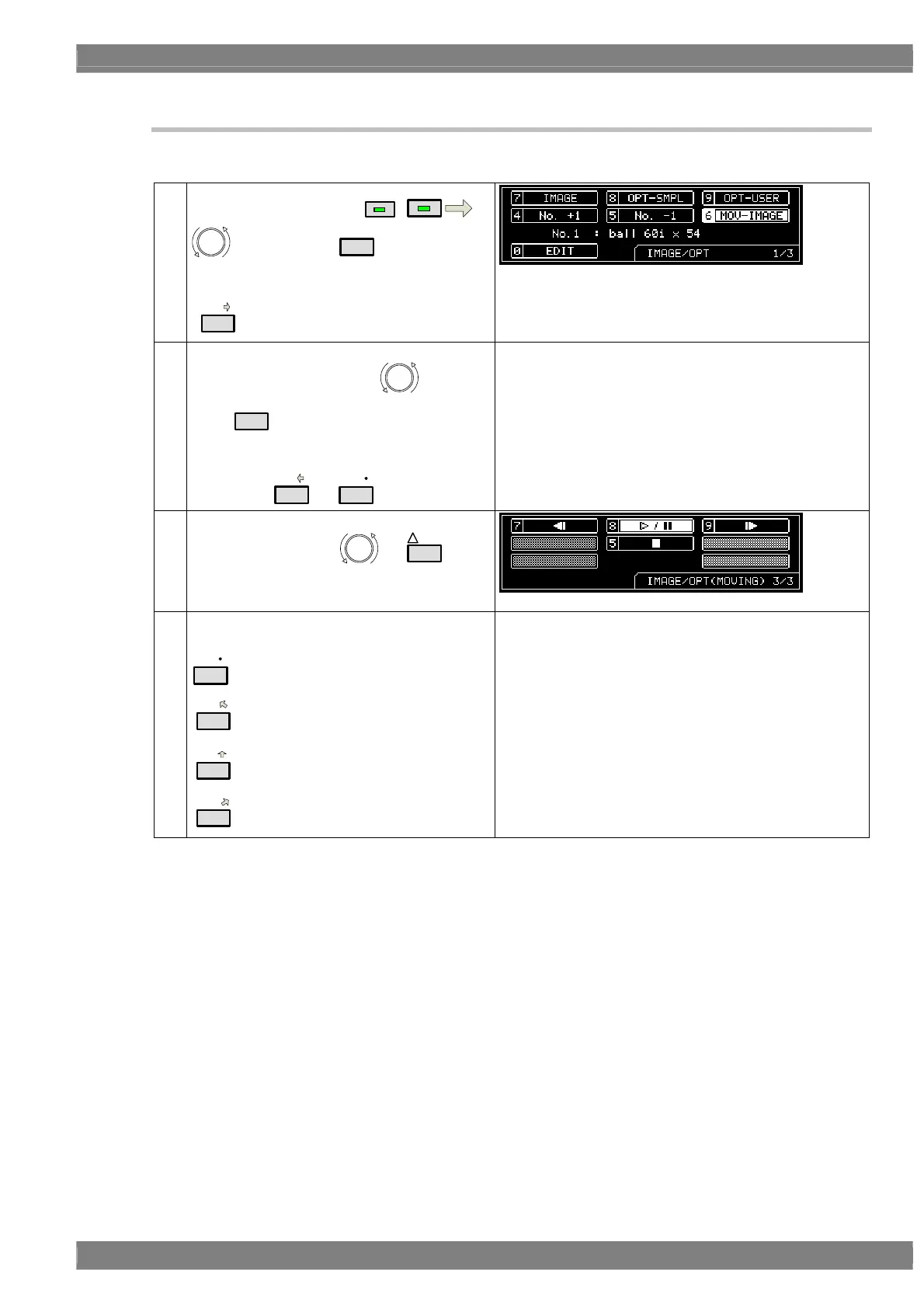
The procedure for setting moving images is described below.
(1)
Select MOV-IMAGE using
IMAGE/OPT
DETAIL
, and then press
SET
.
Alternatively:
Select the moving image using the number key
(
6/C
).
(2) <Setting the No. of the moving image>
Select No. +1 or No. -1 using , and then
press
SET
.
Alternatively:
Select the No. of the moving image using the
number key (
4/A
or
5/B
).
The registered moving images are output.
Setting range: 1 to 200
* The size of the memory in the moving image module is
4GB.
It takes approximately 5 minutes to read 4GB of data.
* The reading of the No.1 moving image starts
automatically when the power is turned on.
(3) <Scrolling the screen>
Scroll the screen using
or
INC
.
<Scrolling the screen>
Press the following keys;
* While the data is being read, “Loading...” is displayed,
and none of the keys can be operated.
5/B
: Stop * Stop: The first image is displayed.
7/D
: Rewind * Rewind: The previous image is displayed.
8/E
: Resume/pause
* Resume/pause: The moving image display is resumed
or paused.
(4)
9/F
: Fast forward * Fast forward: The next image is displayed.
* For details on the playback times of moving images, refer to section 11.1.10.
* The moving image data is registered using the SP-8870. For the recording format,
conversion tools and other details, refer to the SP-8870 instruction manual.
* Use the CF card provided with the moving image module for moving image data registration.



 To Next Page