16
2.1.2 Selecting the timing data
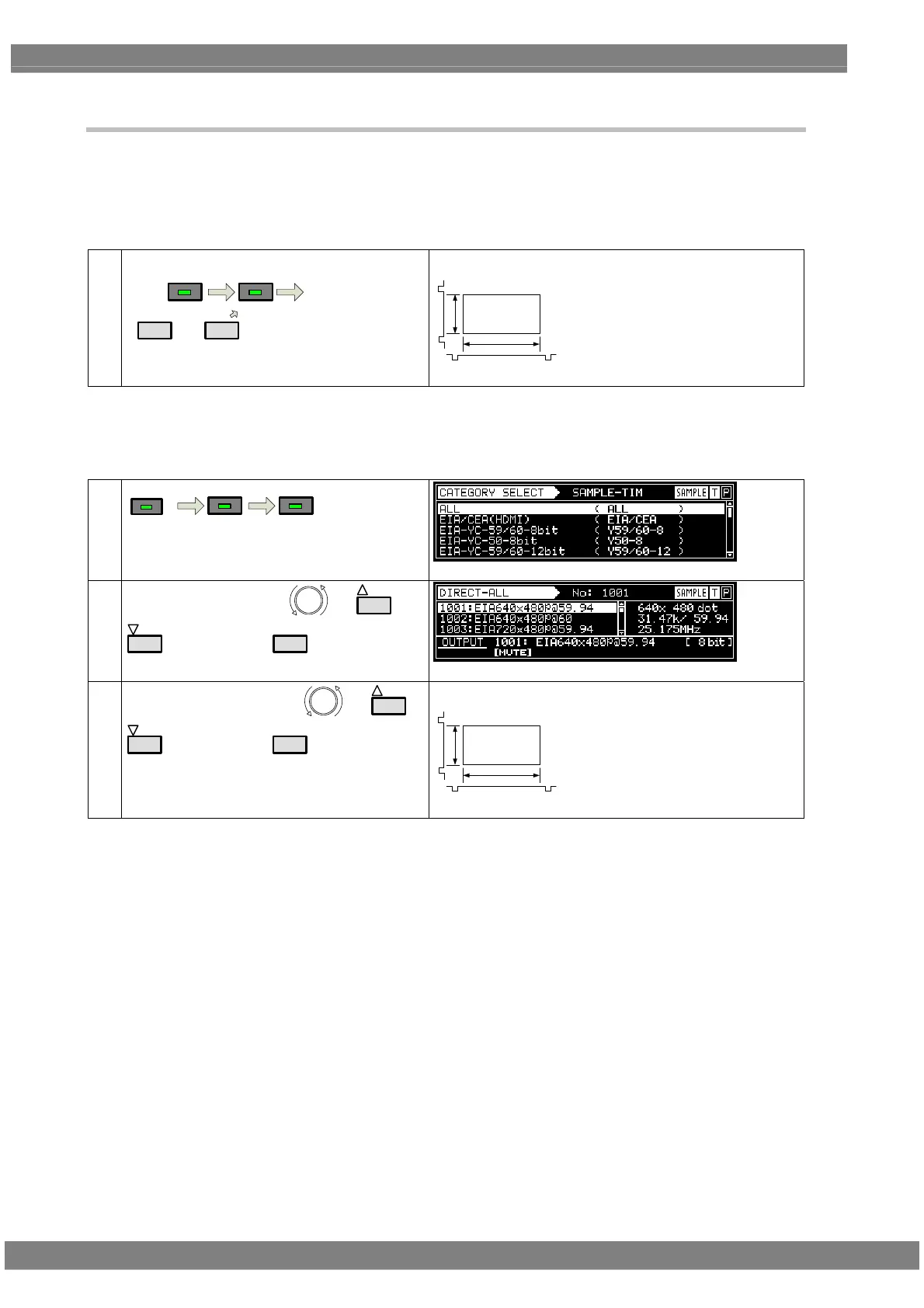
There are two ways to select the timing data.
1) Input the timing data numbers directly.
2) Select the timing data from the categories.
1) Input the timing data numbers directly.
(1)
Input the timing data number (1001 to 1999)
using
SAMPLE
TIM
number keys
(
0/STATUS
to
9/F
).
Video timing data output
Video
V-SYNC
H-SYNC
The display patterns are not changed.
2) Select the timing data from the categories.
The timing data of the internal sample data is classified by category such as EIA or VESA (PC). Select the
desired timing data from the category which contains it.
(1)
CATE GORY
SAMPLE
TIM
(2)
Select the category using
or
INC
DEC
, and then press
SET
.
(3)
Select the timing data using
or
INC
DEC
, and then press
SET
.
Video timing data output
Video
V-SYNC
H-SYNC
The display patterns are not changed.



 To Next Page