409
9
9
VG-870B/871B/873/874 SYSTEM
SETTINGS
9.1 System settings
9.1.1 Beep setting
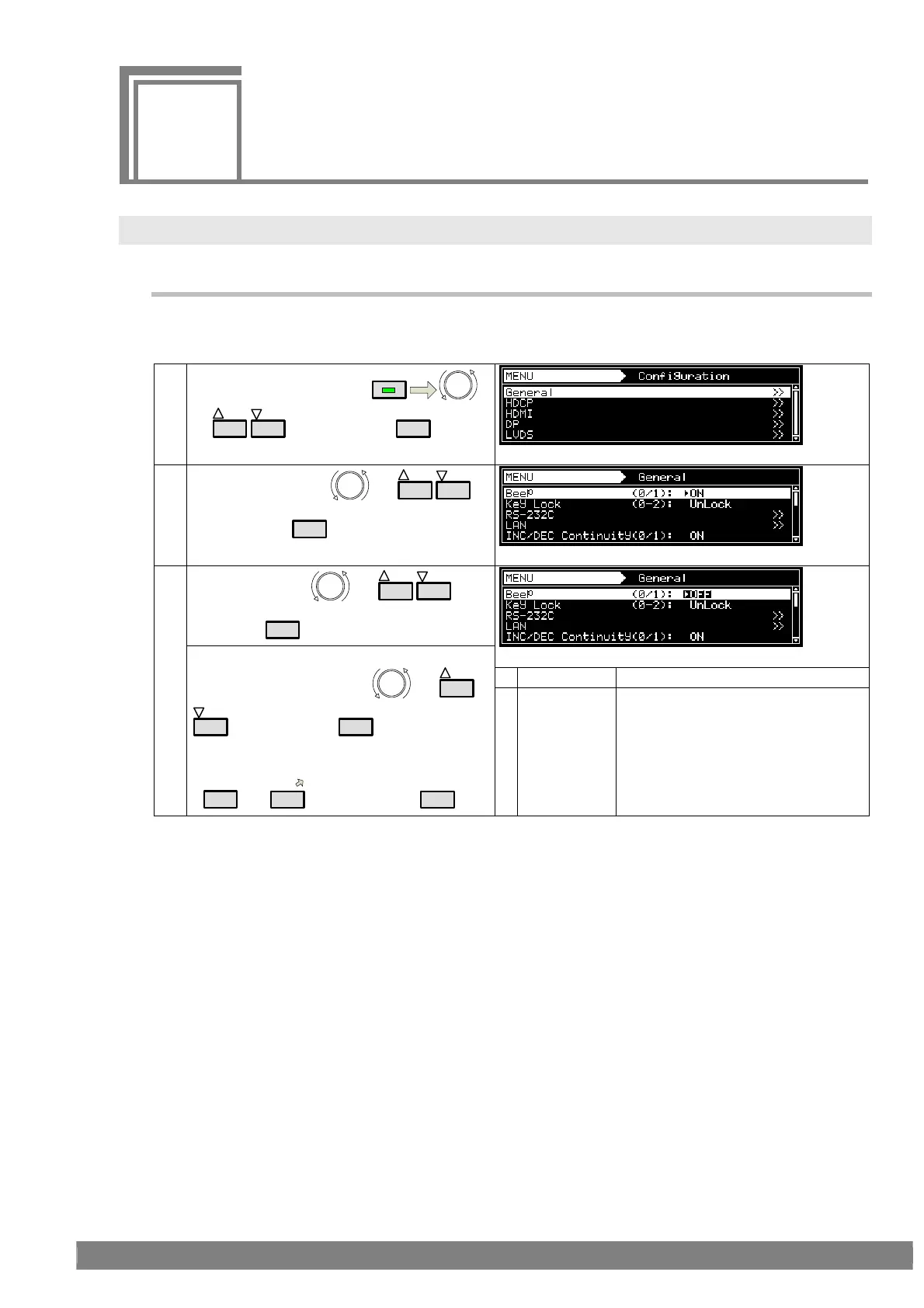
The buzzer which sounds when any of the keys on the front panel of the VG-870B/873 (or on the RB-1870 or
RB-1871) are pressed can be turned on or off.
(1)
Select Configuration using
MENU
or
INC
DEC
, and then press
SET
.
(2)
Select General using
or
INC
DEC
,
and then press
SET
.
Select Beep using or
INC
DEC
, and
then press
SET
.
Whether the buzzer is to beep is set here.
0 OFF The buzzer is turned off.
<Inputting the parameters>
Select the parameters using
or
INC
DEC
, and then press
SET
.
Alternatively:
Select the parameters using the number keys
(
0/STATUS
to
9/F
), and then press
SET
.
1 ON The buzzer is turned on.



 To Next Page