Chapter 4 INTERFACE SETTINGS
53
4.1.9 Audio sweep settings
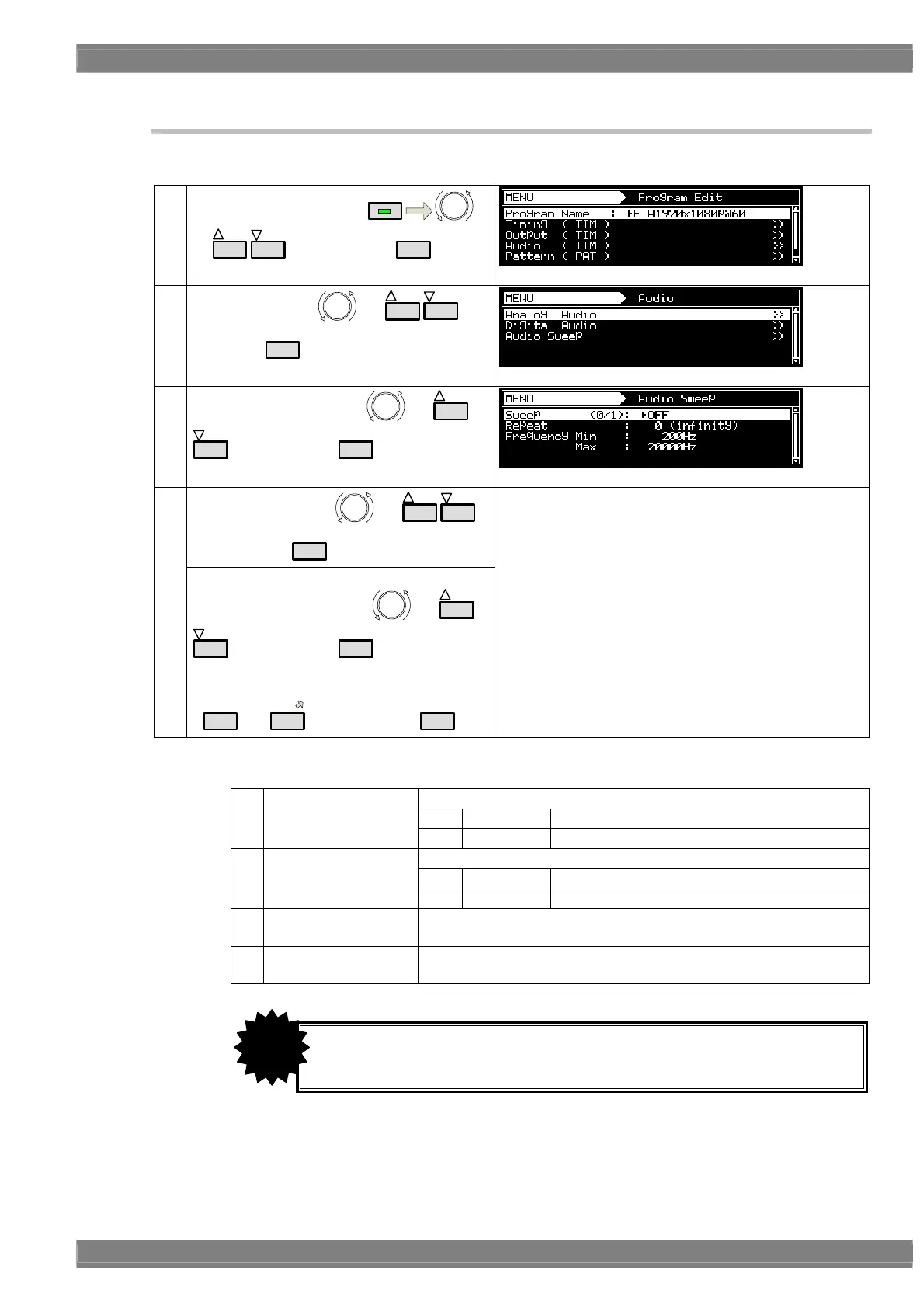
The audio output frequency can be raised or lowered at the set interval.
(1)
Select Program Edit using
MENU
or
INC
DEC
, and then press
SET
.
(2)
Select Audio using
or
INC
DEC
, and
then press
SET
.
(3)
Select Audio Sweep using
or
INC
DEC
, and then press
SET
.
Select the items using or
INC
DEC
,
and then press
SET
.
(4)
<Inputting the parameters>
Select the parameters using
or
INC
DEC
, and then press
SET
.
Alternatively:
Select the parameters using the number keys
(
0/STATUS
to
9/F
), and then press
SET
.
For further details, refer to <Audio sweep setting
parameters>.
<Audio sweep setting parameters>
Used to enable or disable the sweep function.
0
OFF
Disable
(1)
Sweep (0/1)
1
ON
Enable
Used to set the number of repeats.
0
Infinity
Repeated indefinitely.
(2)
Repeat (0-15)
1-15
Repeated for the set number of times only.
(3)
Frequency Min
Used to set the minimum frequency.
Setting range: 200 Hz to 20000 Hz
(4)
Frequency Max
Used to set the maximum frequency.
Setting range: 200 Hz to 20000 Hz
• When using the function with HDMI, select Internal PCM as the Digital Audio
> Source setting.
CAUTION



 To Next Page