410
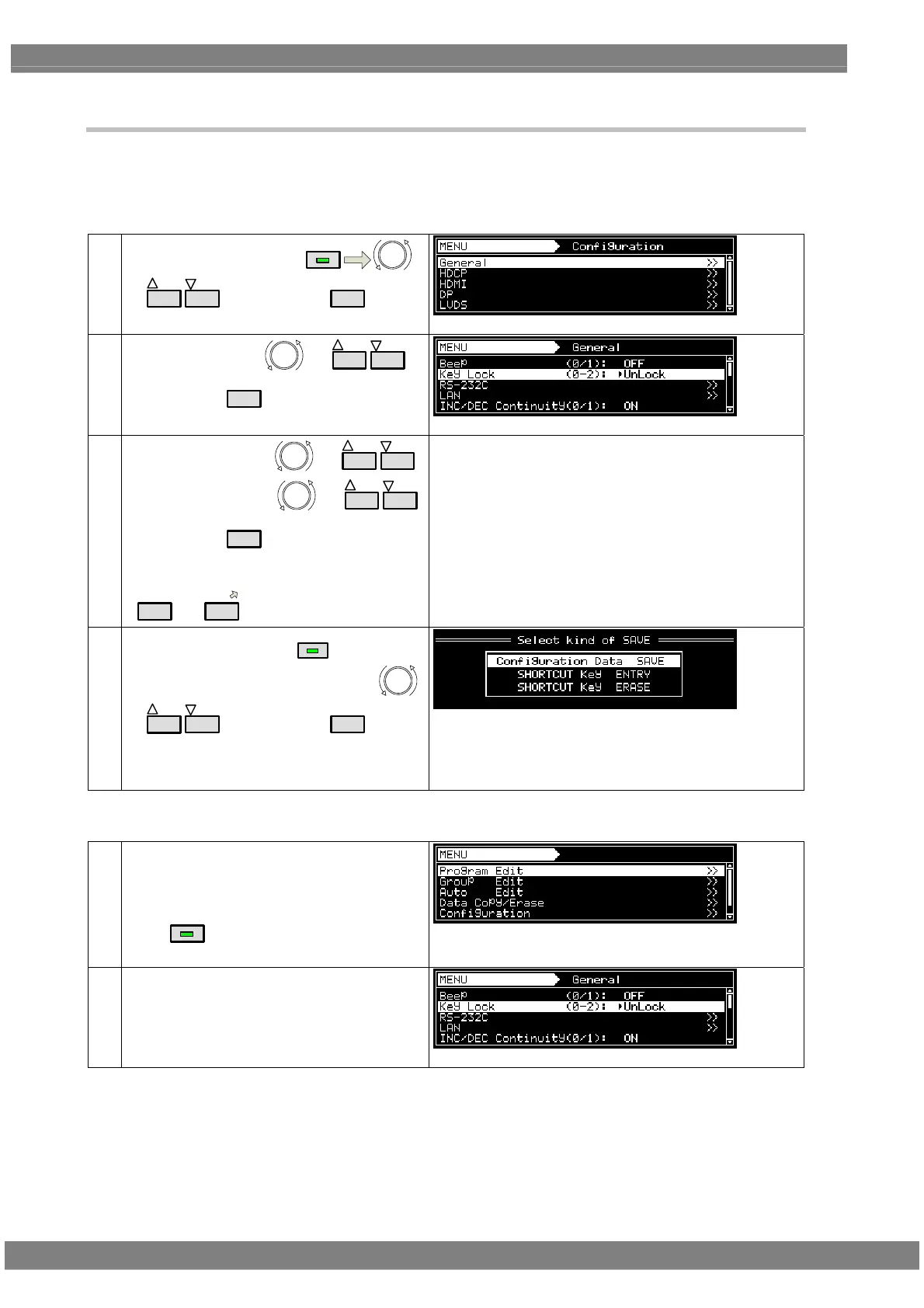
9.1.2 Key lock setting
The keys on the VG-870B/871B/873/874 main unit can be locked.
<Key lock setting>
(1)
Select Configuration using
MENU
or
INC
DEC
, and then press
SET
.
(2)
Select General using
or
INC
DEC
,
and then press
SET
.
(3)
Select Key Lock using
or
INC
DEC
.
Select the setting using
or
INC
DEC
,
and then press
SET
.
Alternatively:
Select the setting using the number keys
(
0/STATUS
to
9/F
).
UnLock:
Key lock is not set.
Lock:
The keys set by the SP-8870 are locked.
* For details on the settings, refer to the instruction
manual of the SP-8870 software.
ALL Lock:
All the keys are locked.
(4)
Call the SAVE menu using
SAVE
.
Select Configuration Data SAVE using
or
INC
DEC
, and then press
SET
.
After saving the data, the key lock setting takes
effect when the power is turned off and then
turned back on.
<Key lock release and unlock settings>
(1)
After performing the key lock setting, the setting
takes effect when the power of the generator is
turned on.
To release the key lock setting:
Press
MENU
for about 5 seconds.
Key lock is released, and MENU is opened.
(2)
Save the Unlock setting by following steps (1) to
(4) for the key lock setting.
* Unless the Unlock setting is saved, the key lock setting will take effect when the generator is turned on.



 To Next Page