Chapter 4 INTERFACE SETTINGS
259
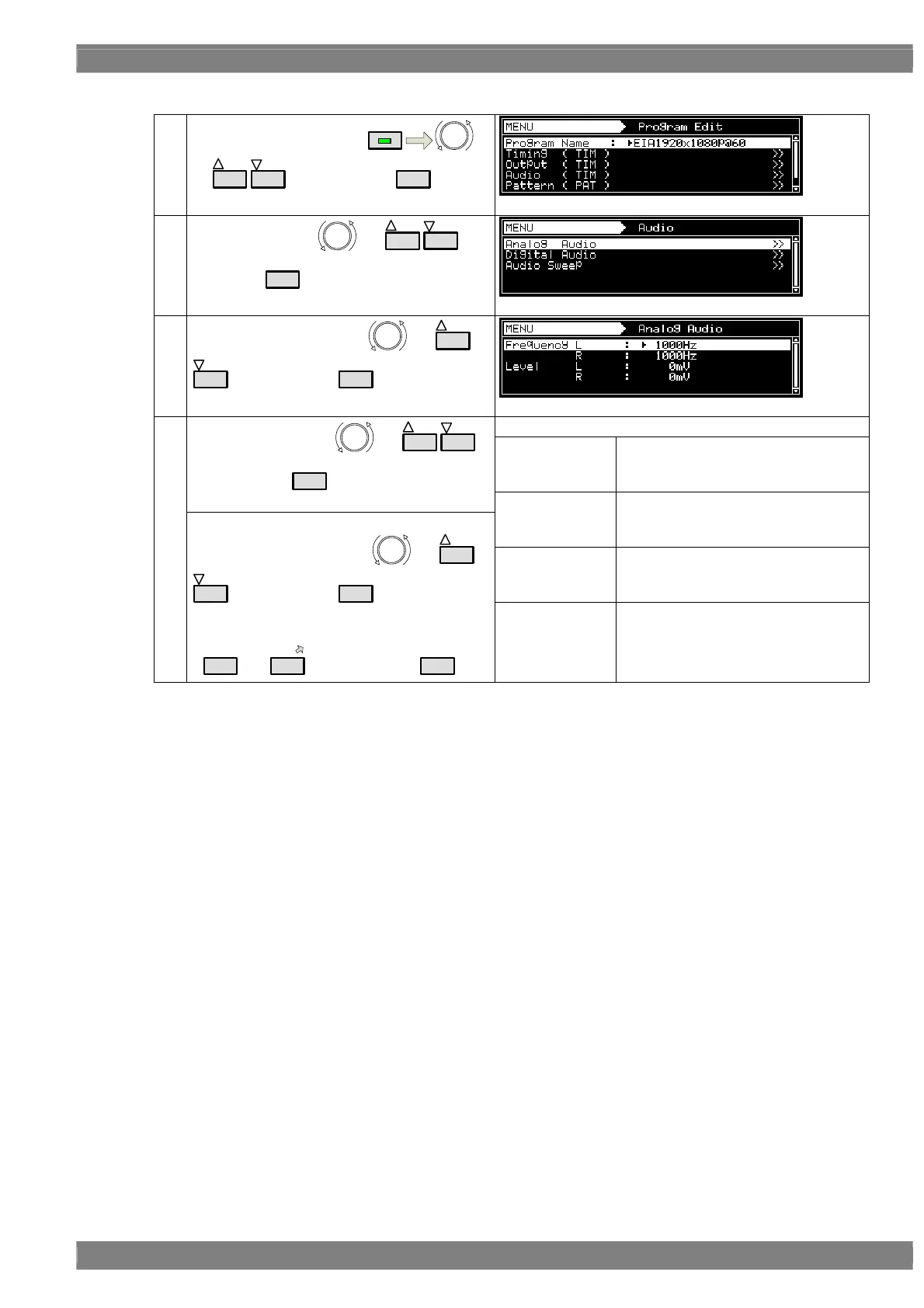
b) Setting the sound source, frequency, level, etc.
(1)
Select Program Edit using
MENU
or
INC
DEC
, and then press
SET
.
(2)
Select Audio using
or
INC
DEC
, and
then press
SET
.
(3)
Select Analog Audio using
or
INC
DEC
, and then press
SET
.
Set the frequency and level.
Frequency L
The left channel frequency is set.
Setting range: 20 Hz to 20,000 KHz
(20 Hz Step)
Select the items using or
INC
DEC
,
and then press
SET
.
Frequency R
The right channel frequency is set.
Setting range: 20 Hz to 20,000 KHz
(20 Hz Step)
Level L
The left channel level is set.
Setting range: 0 to 4,000 [mV]
(50 mV Step)
(4)
<Inputting the parameters>
Select the parameters using
or
INC
DEC
, and then press
SET
.
Alternatively:
Select the parameters using the number keys
(
0/STATUS
to
9/F
), and then press
SET
.
Level R
The right channel level is set.
Setting range: 0 to 4,000 [mV]
(50 mV Step)



 To Next Page