262
Ext. I2S Non L-PCM
Option.
The L-PCM input from the I2S connector is output.
For further details, refer to <Ext. I2S Non L-PCM setting parameters>.
* When selecting Ext.Optical or Ext.Coaxial as the sound source setting, select the setting after inputting stable
signals. (Check the sampling frequency of the input audio signals only after selecting the setting.)
Described below are the setting parameters associated with each sound source.
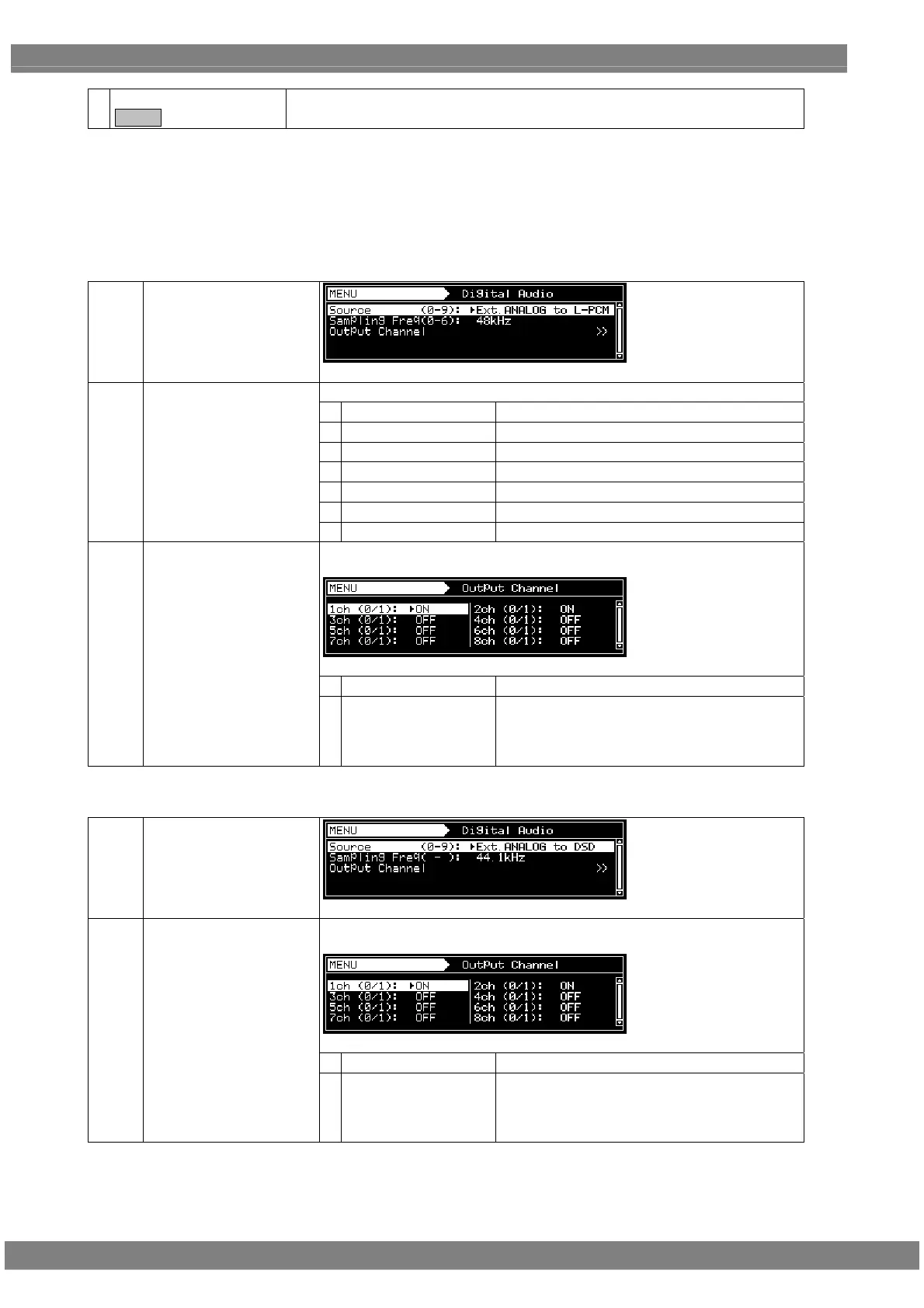
<Ext. Analog to L-PCM setting parameters>
Setting menu display
Set the sampling frequency.
0
32 KHz
This is for sampling at a 32 kHz frequency.
1
44.1 KHz
This is for sampling at a 44.1 kHz frequency.
2
48 KHz
This is for sampling at a 48 kHz frequency.
3
88.2 KHz
This is for sampling at a 88.2 kHz frequency.
4
96 KHz
This is for sampling at a 96 kHz frequency.
5
176.4 KHz
This is for sampling at a 176.4 kHz frequency.
(1) Sampling Frequency
(0-6)
6
192 KHz
This is for sampling at a 192 kHz frequency.
Whether to set ON or OFF for channel 1 to 8 of the embedded audio is set
here.
0
OFF
No output.
(2)
Output Channel
1
ON
With channels 1, 3, 5 and 7:
The left-channel input is output.
With channels 2, 4, 6 and 8:
The right-channel input is output.
<Ext. Analog to DSD setting parameters>
Setting menu display
Whether to set ON or OFF for channel 1 to 8 of the embedded audio is set
here.
0
OFF
No output.
(1)
Output Channel
1
ON
With channels 1, 3, 5 and 7:
The left-channel input is output.
With channels 2, 4, 6 and 8:
The right-channel input is output.



 To Next Page