350
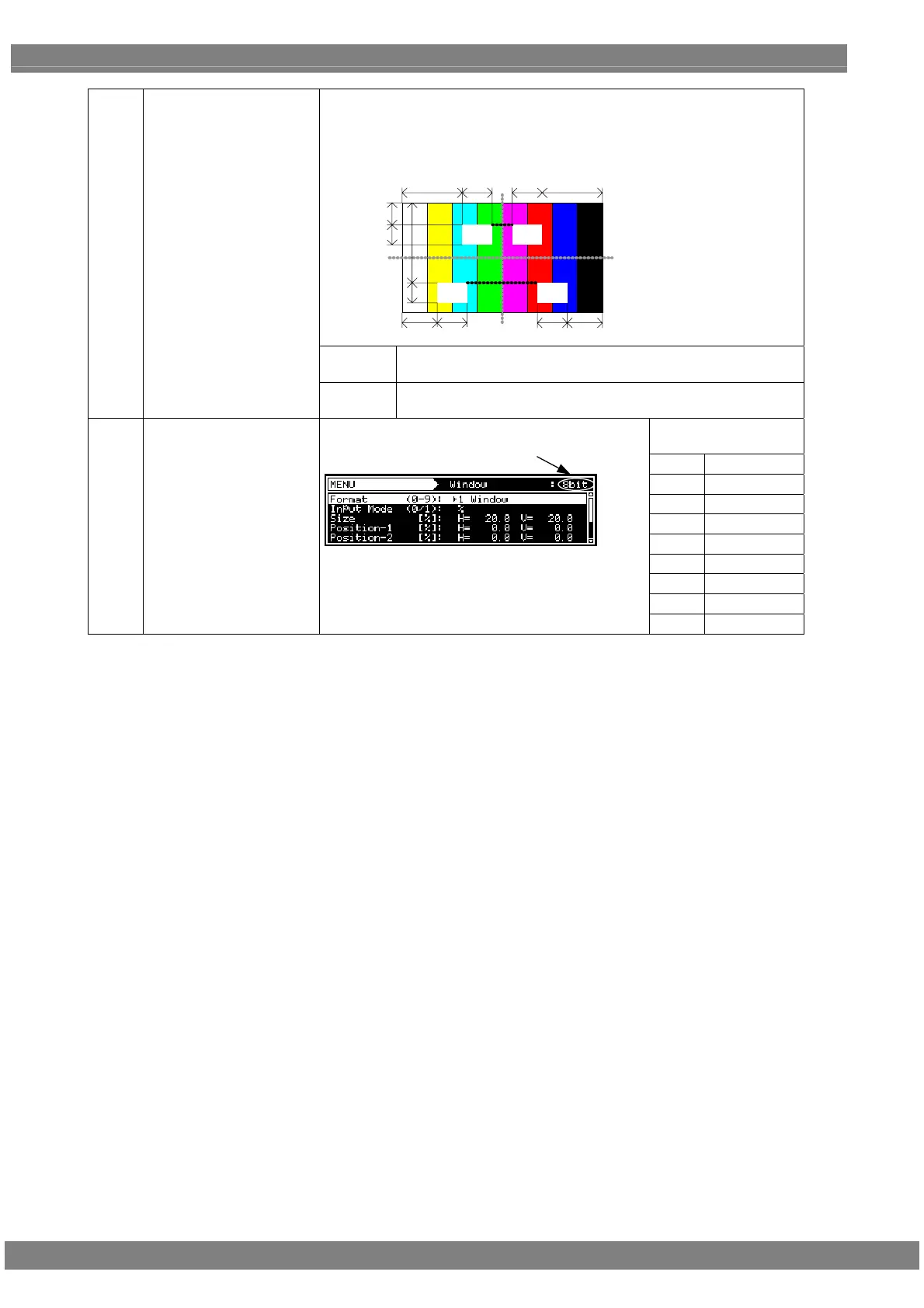
Specify the coordinates of the window when format 8 (User Pos Center) or
format 9 (User Pos Corner) has been selected. When Position-2 is set, the
window is displayed at the reverse mirror positions of Position-1 and
Position-2. In other words, when Position-2 is set, four windows are
displayed at the same time.
Position-1:H
Position-1:V
Size:H
Size:V
Size:H Position-1:H
Position-2:V
Size:V
Position-2:H Size:H Size:H Position-2:H
H =
The window center position or horizontal direction of its start
position is set here.
(4)
Position-1
Position-2
V =
The window center position or vertical direction of its start
position is set here.
Setting ranges by
color depth
8 BIT
0 to 255
9 BIT
0 to 511
10 BIT
0 to 1023
11 BIT
0 to 2047
12 BIT
0 to 4095
13 BIT
0 to 8191
14 BIT
0 to 16383
15 BIT
0 to 32767
(5)
Color R G B
The window colors and level are set here.
Bit Length
The setting range differs depending on the color
depth.
16 BIT
0 to 65535



 To Next Page