394
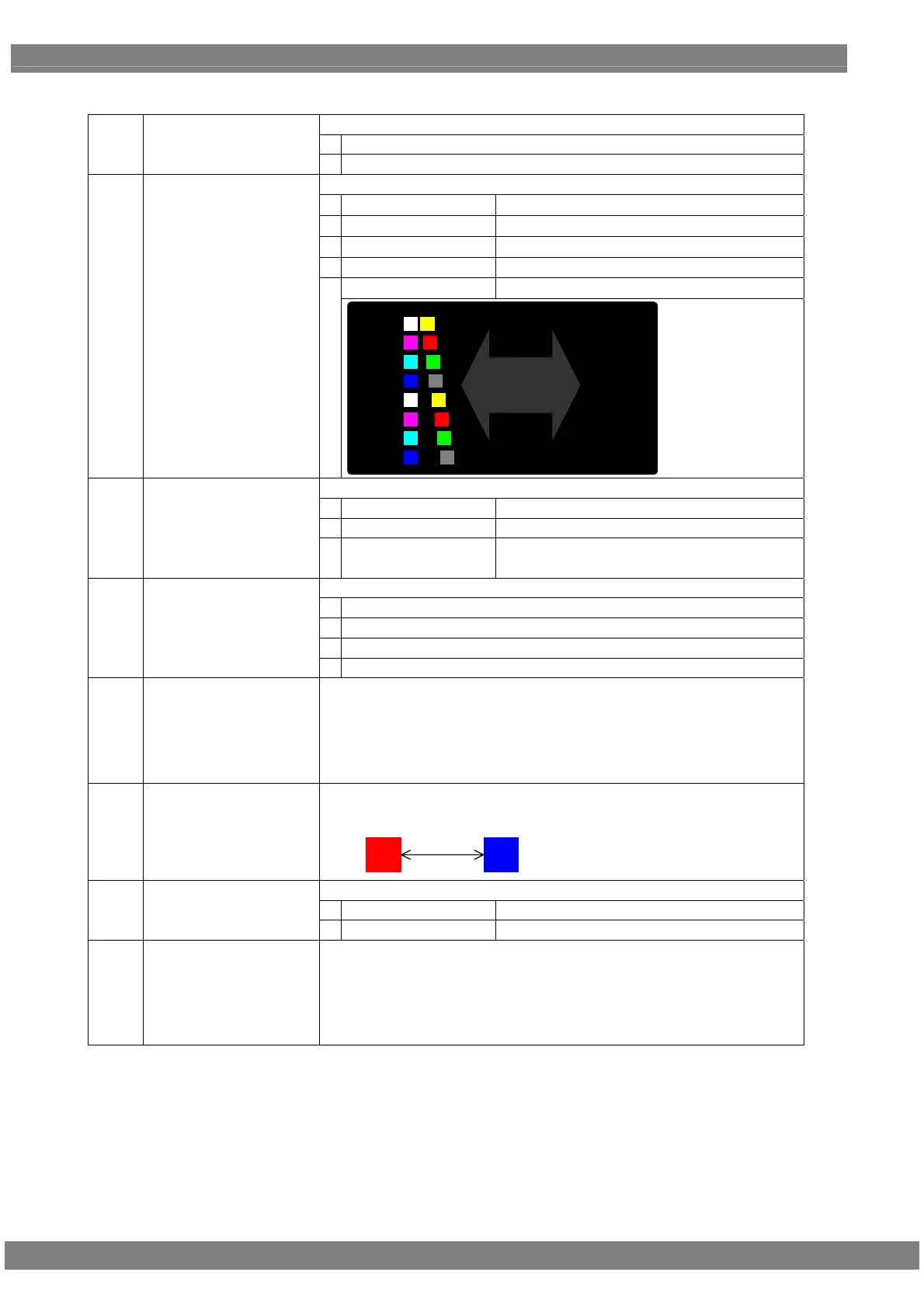
<Table of motion blur setting items>
This is used to set the motion blur function to ON or OFF.
0
OFF
(1)
OFF/ON (0/1)
1
ON
The direction of the pattern movement is specified here.
0
Top-L<->Bottom-R
Top left ⇔ bottom right
1
Left<->Right
Left ⇔ right
2
2:Up<->Down
Up ⇔ down
3
Random
Random
Left<->Right Pair
Left ⇔ right pair
(2)
Direction (0-4)
4
ペア 1
パターン 1~16
2
3
4
5
6
7
8
1 2
15 16
13 14
11 12
9 10
7 8
5 6
3 4
The shape of the pattern is specified here.
0
Circle
Circle
1
Square
Square
2
USER Character
User character
(3)
Pattern Type (0-2)
Setting range: E0h - FFh
The size of the pattern is specified here. (dot)
0
8 × 8
1
16 × 16
2
32 × 32
(4)
Pattern Size (0-3)
3
64 × 64
(5)
Pattern Number
The number of patterns to be displayed is set here.
Setting range: 1 - 16
* The Direction >Left<->Right Pair setting is available only when 2, 4, 8, or
16 is specified as the number of patterns. Even if a number other than 2,
4, 8, or 16 is specified, the number of patterns will be 2, 4, 8, or 16.
(6)
Distance
When the Direction >Left<->Right Pair setting is selected, the pattern interval
for each pair is specified here.
Setting range: 0 to 255 [dot]
ペア 1
パターン
1
パターン
2
Distance 1
The step setting method is specified here.
0
All
All the patterns are set together.
(7)
Step InpMode (0/1)
1
Separate
The patterns are set individually.
(8)
Step (/1 V)
The amount of pattern movement per 1 V (progressive scanning: frame;
interlaced scanning: field) is set here.
Setting range: 1 - 255 [dot]
* When the Direction >Left<->Right Pair setting is selected, the amount of
movement is specified for each pair (pair 1 to 8).
Pair 1
Pattern
1
Pattern
2



 To Next Page