418
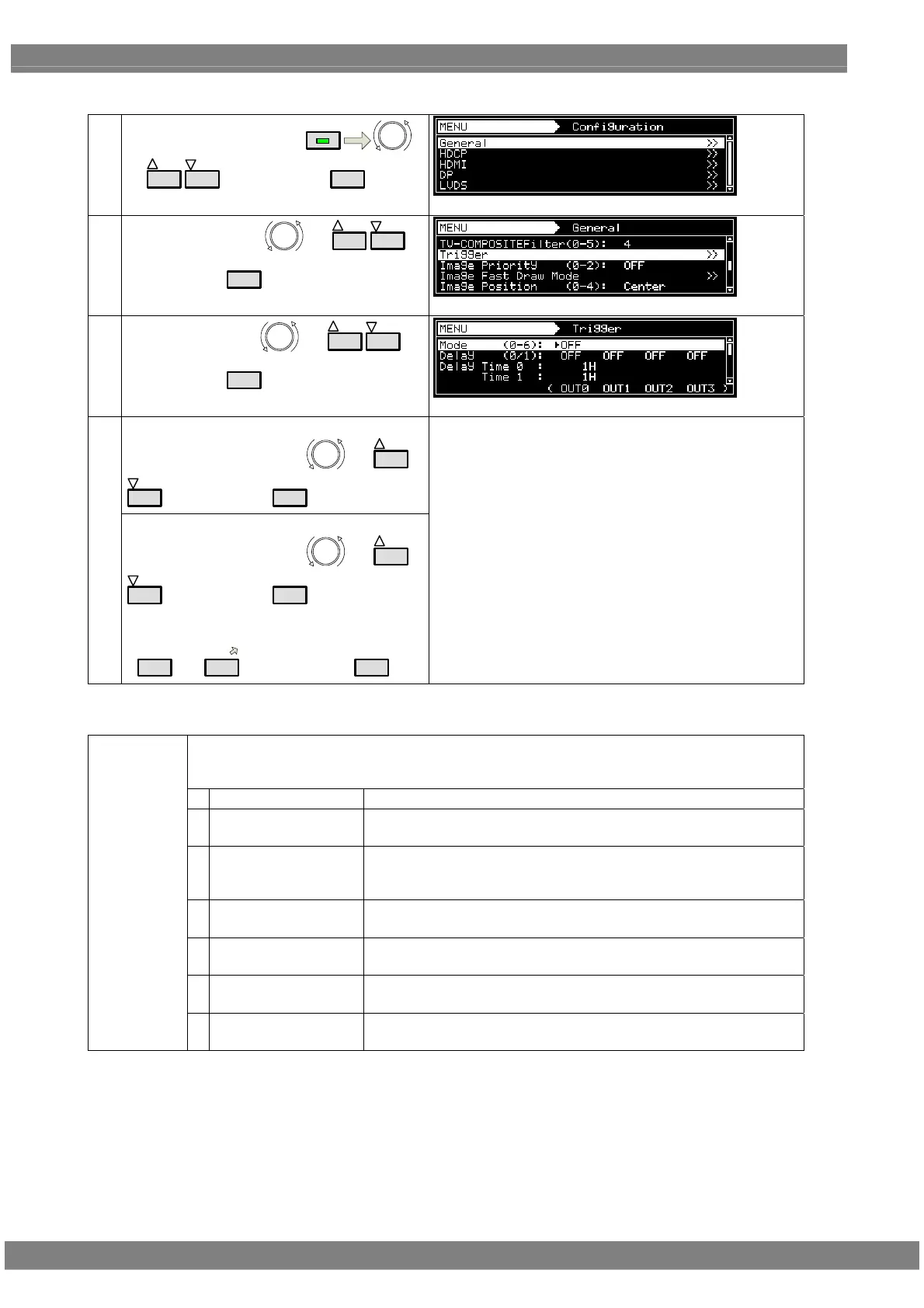
<Setting procedure>
(1)
Select Configuration using
MENU
or
INC
DEC
, and then press
SET
.
(2)
Select General using
or
INC
DEC
,
and then press
SET
.
(3)
Select Trigger using
or
INC
DEC
,
and then press
SET
.
<Selecting the items>
Select the parameters using or
INC
DEC
, and then press
SET
.
(4)
<Setting the parameters>
Select the parameters using
or
INC
DEC
, and then press
SET
.
Alternatively:
Select the parameters using the number keys
(
0/STATUS
to
9/F
), and then press
SET
.
For details, refer to <Table of common trigger setting
items> and <Table of simple moving image frame
trigger setting items>.
<Table of common trigger setting items>
The trigger functions are selected here.
* Frame Trigger, Frame+VSync Trigger and Scroll Trigger are optional functions. For further
details, contact your dealer or an ASTRODESIGN sales representative.
0 OFF At this setting, the trigger output is set to OFF.
1 TriggerA Window trigger A is output.
The trigger is encoded in line with the set time, and output.
2 TriggerB Window trigger B is output.
The trigger is output in line with the set time only for the T0-T3
duration.
3 VSync Trigger The VSync trigger is output.
The trigger is encoded in line with the VSync signal, and output.
4 Frame Trigger
*
The simple moving image frame triggers are output.
The triggers are output at the specified frames.
5 Frame+VSync Trigger
*
The simple moving image frame triggers (OUT1-3) and VSync trigger
(OUT0) are output.
Mode (0-6)
6 Scroll Trigger
*
The scroll trigger is output.
The trigger is output in line with the scroll setting.



 To Next Page