PAGE 31
Windows PC Software
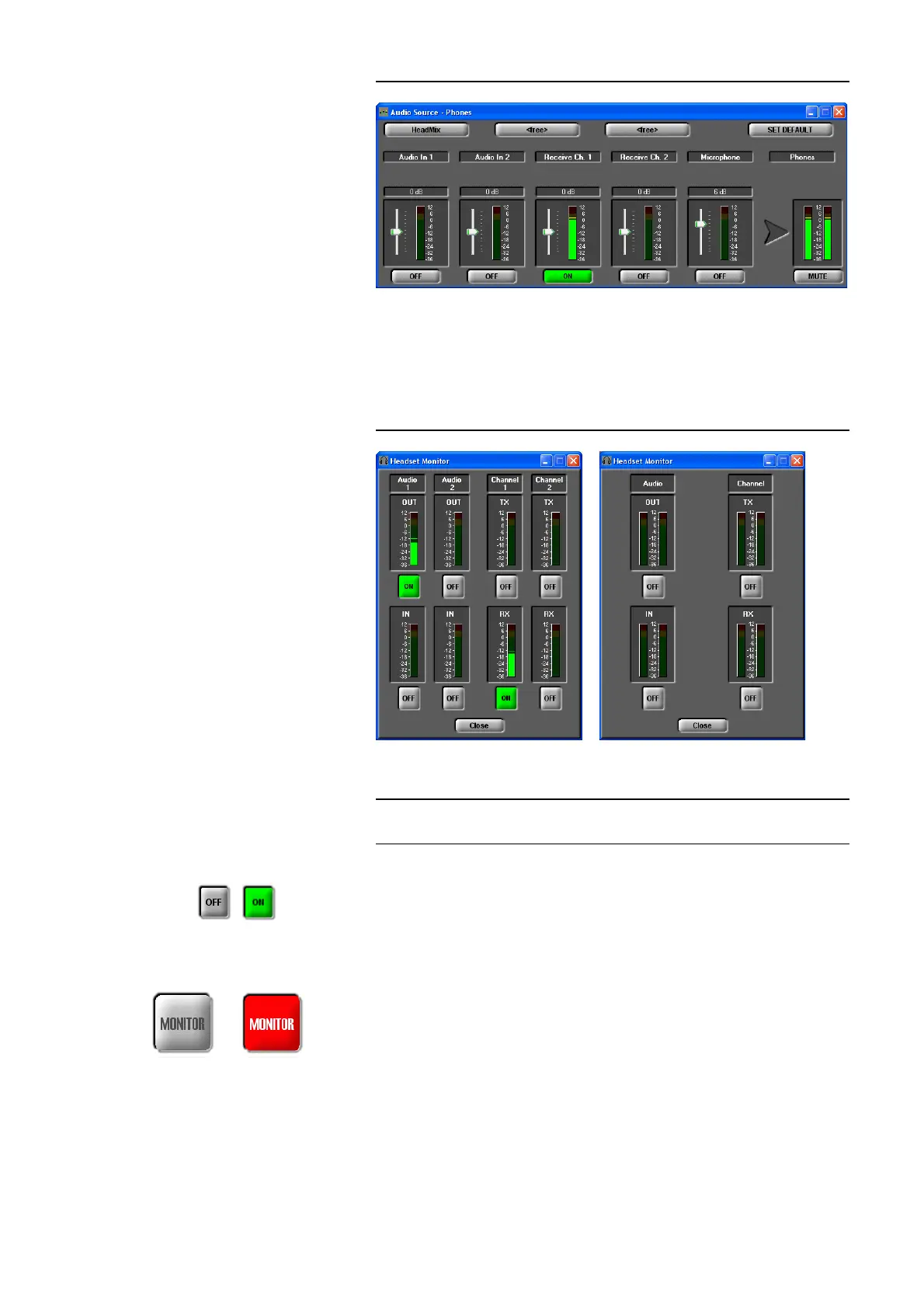
FIG. 12 AUDIO MIXER HEADPHONES OUTPUT
Monitor
By pressing the MONITOR button the window Headset Monitor is opened
with which you can monitor all Audio inputs and outputs.
FIG. 13 HEADSET MONITOR
Depending on the selected transmission mode the display is adjusted (see
Fig. 13). With the ON/OFF button you can activate/deactivate monitoring for
a signal.
With Close you can close the window.
When the Headset Monitor window is opened, the MONITOR button is dis-
played in red to indicate that currently you are not listening to the Audio si-
gnal which you have selected for the headphones under PHONES OUT (see
PAGE 30) If the window is closed the button is displayed in grey.
NOTE
If the fee-based option Mixer Tool Plug-In (order number 430201) is not ena-
bled for your system, you can only monitor one signal at a time.
Display with two
independent mono channels
Display during a
stereo transmission



 To Next Page