59
THESOLARPANEL
Absorption phase
Thechargingcurrentiskeptforaperiodof2
hours.Attheendofthisperiod,itchangesto
theoatphase.
Float phase
The charging voltage is set to 13.8v. The
chargingcurrentdropstothevaluenecessary
to compensate the self-consumption of
the battery. Power is still supplied to the
consumers.If the consumedcurrentexceeds
the available solar charging current, the
chargingprocesscannolongerbemaintained.
If the battery voltage drops below 13.3v,the
device automatically switches to the bulk
phase, if there is adequate solar charging
current.
Equalisation charging phase (only for AGM
and liquid electrolyte battery type)
The equalisation charging phase serves to
compensatethecellvoltagesandcanreduce
any sulphation. If the voltage of the battery
dropsbelow11.1v,itisassumedthatthebattery
has deep-discharged. The device is switched
to the equalisation charging phase for 2
hours. At the end of this period, it changes
automaticallytotheoatphase.
!
Deep-dischargedbatteriescanbe
permanentlydamaged.Equalisation
chargingcannotrepairthis.Usea
Trumabatterymonitortoprevent
deep-discharging.
•Liquid electrolyte batteries can create
explosive gases, so ensure there is
adequateventilation.
•Checktheliquid level atregularintervals.
Overcharging can damage your battery;
checkthetechnicaldataforyourbattery.
•Equalisation charging increases the
charging voltage; this may damage the
consumer. Ensure that all consumers are
designedforthesevoltages.
Parallel mode
Ifloadcurrentisconsumedwhilethebatteryis
beingcharged,itisservedfromtheavailable
solar charging current. If the consumed
current exceeds the available solar charging
current,thedevicecannotchargethebattery.
Thedevicestartschargingautomaticallyonce
anadequateamountofsolarchargingcurrent
isavailableagain.
Settings;
Operation
The display H6 shows different system
settings.Pressthekey(T)toswitchbetween
LEDH3,H4andH5anddisplaythisinH6.If
thekeyispressedagain,thesystemstartsat
LEDH3again.
Battery type
Thebatterytypecanonlybesetforbattery1;
battery2isassumedtobethesamebattery
type.
Query
•Press (T) until LED H3 illuminates; the
savedvalueisshownindisplayH6.
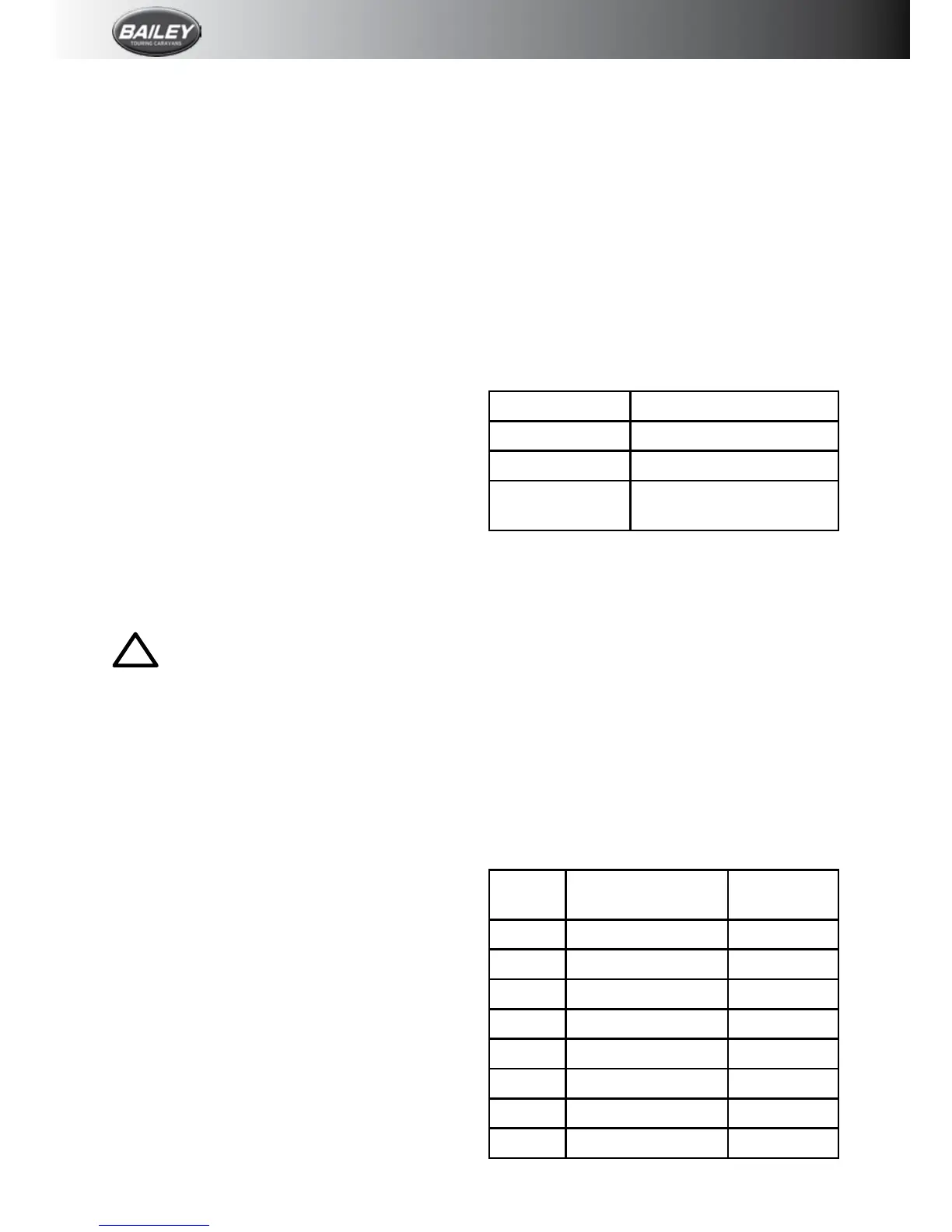
Display H6 Battery Type
1 Gel(pre-setting)
2 AGM
3 Liquid(liquidelectrolyte)
Change
•Presskey(T)for5secondsuntilthedisplay
H6ashes.
•Pressthekey(T)tosettherequiredvalue.
•Ifthekeyisnotpressedfor5seconds,the
displayedvalue will be savedandashing
stops.
Charging current distribution
The charging current distribution between
battery 1 and battery 2 can be set. The
followingdistributionscanbeselected.
Query
•Press (T) until LED H4 illuminates; the
savedvalueisshownindisplayH6.
Display
H6
Battery 1 Battery 2
0 0% 100%
1 10% 90%
2 20% 80%
3 30% 70%
4 40% 60%
5 50%(pre-setting) 50%
6 60% 40%
7 70% 30%








 To Next Page