52
THECONTROLPANELS
Programming the Timer,
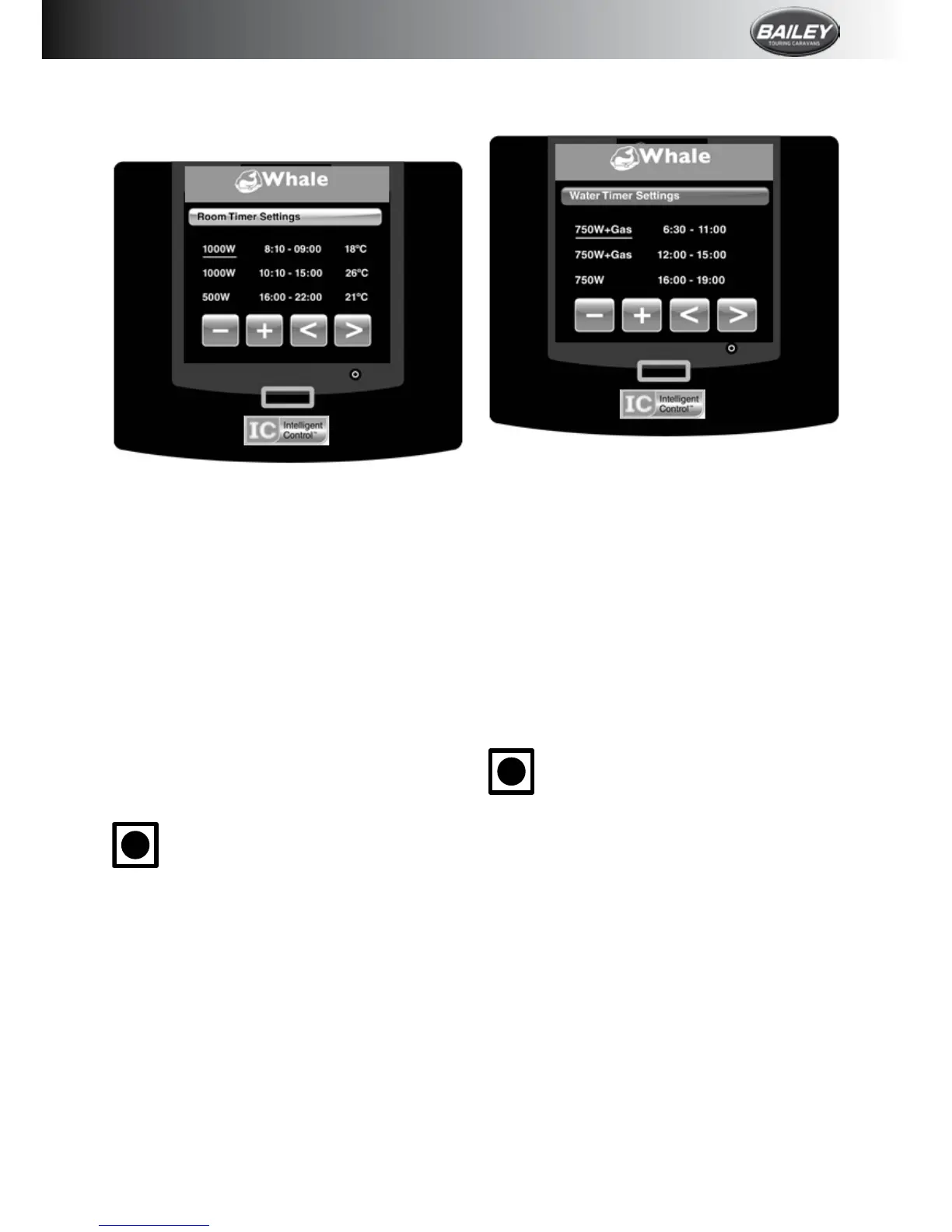
Space Heater Timer:
Tosetthetimer,touchthespannericononthe
homescreenthentouchRoomTimer.
TheSpaceHeatertimermaybeprogrammed
upto3timesduringa24-hourperiod.
Touchthearrowkeystomovethecursoralong
eachofthe3programmabletimes.Usethe+
and-toselecttheonandofftime,thedesired
temperature and the desired power setting.
Thethermostatrangesfrom18°Cto35°C.
Availablepowersettingsare:
•GasOnly
•FanOnly
•Gasand1000W
•500W
•1000W
•2000W
•Off
i
Thetimerfunctionmustbeadjusted
sothatthestarttimeisbeforethe
nishtime.
Toactivatethetimers,pressthehome
button and touch the timer icon. The
timer icon will turn red to show that
timersareactivated.
Turning the Timer Off:
Todeactivatethetimers,onthehomescreen
touch the red timer icon. The icon will turn
bluetoshowthatthetimerfunctionhasbeen
deactivated.
Water Heater Timer:
Tosetthetimer,touchthespannericononthe
homescreenthentouchWaterTimer.
TheWaterHeatertimermaybeprogrammed
upto3timesduringa24-hourperiod.
Touchthearrowkeystomovethecursoralong
eachofthe3programmabletimes.Usethe+
and— to select the on and off time, and the
desiredpowersetting.
Availablepowersettingsare:
•GasOnly
•750W
•1500W
•750WandGas
•1500WandGas
•Off
i
Thetimerfunctionmustbeadjusted
sothatthestarttimeisbeforethe
nishtime.
Toactivatethetimers,pressthehome
button and touch the timer icon. The
timer icon will turn red to show that
timersareactivated.
Turning the Timer Off:
Todeactivatethetimers,onthehomescreen
touch the red timer icon. The icon will turn
bluetoshowthatthetimerfunctionhasbeen
deactivated.
Quick Timer Settings:
The iVan Control Panel will store the last
programmed settings. To quickly activate
thepreviouslysettimersforbothSpaceand
Water Heater, touch the timer icon on the
homescreen. Theiconwill turn fromblue to









 To Next Page