87
HEATINGSYSTEMS
i
Thetimerremainsactive,evenfor
severaldays,untilitisdeactivated
(OFF).
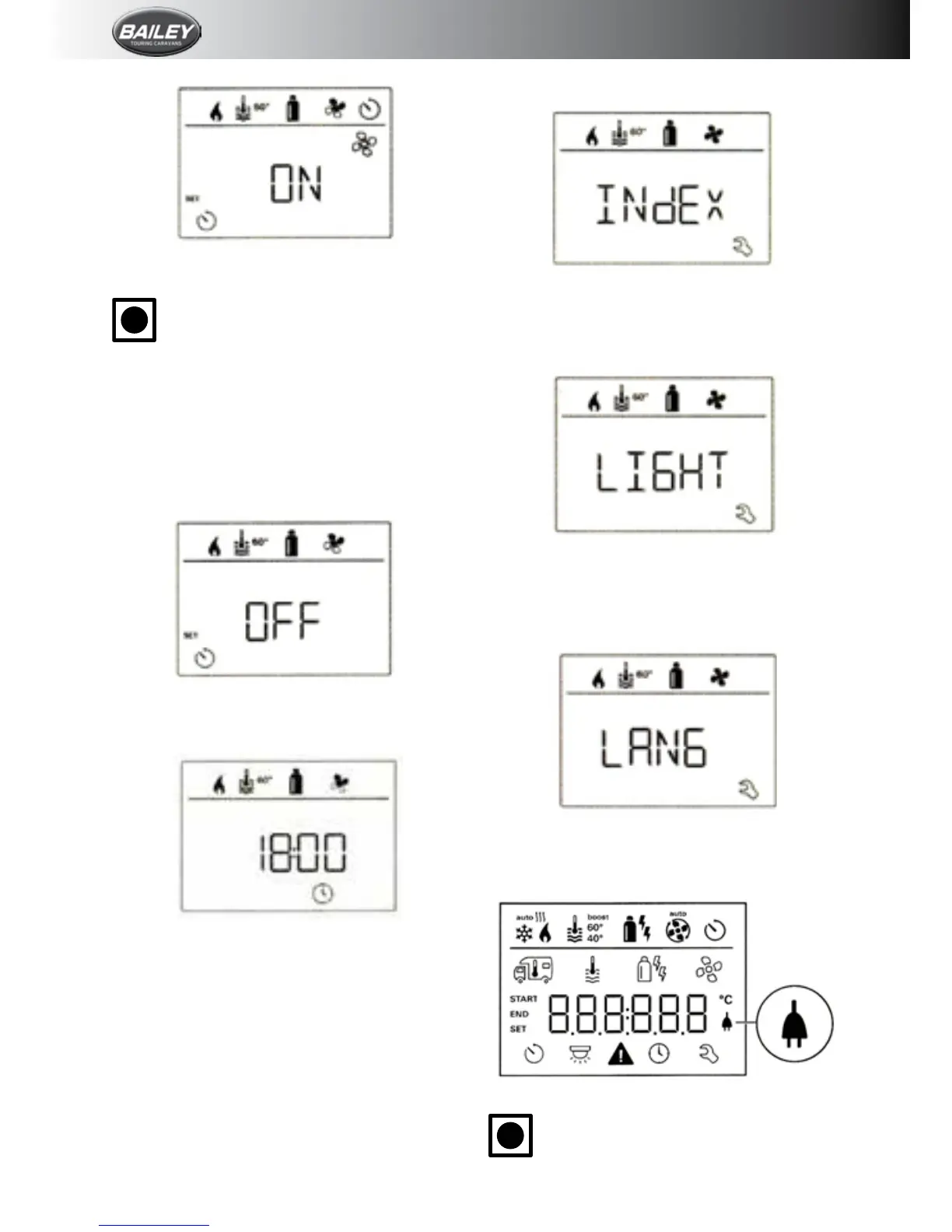
Deactivate the timer (OFF)
• Clicktochangetothesettinglevel.
• Use the control knob/push button to
deactivatethetimer(OFF).
• Click the control knob/push button to
conrmthevalue.
Set time
•
Thehourdisplayashes.
• Use the control knob/push button to set
the(24hmode).
• Afterclickingthecontrolknob/pushbutton
again,theminutedisplaywillash.
• Use the control knob/push button to set
theminutes.
• Click the control knob/push button to
conrmthevalue.
Service Menu
Query the index status of a connected device
Change the background lighting of the control
panel
There are 5 background lighting levels to
choosefrom.
Change language
Select the required language from those
available(e.g.English,German,French,Italian).
Display mains voltage 230v
Thesymbolindicatesthat230Vmainsvoltage
(shorepower)isavailable.
i
Intheeventofawarning,awarning
symbolappearstoindicatethatan








 To Next Page