86
HEATINGSYSTEMS
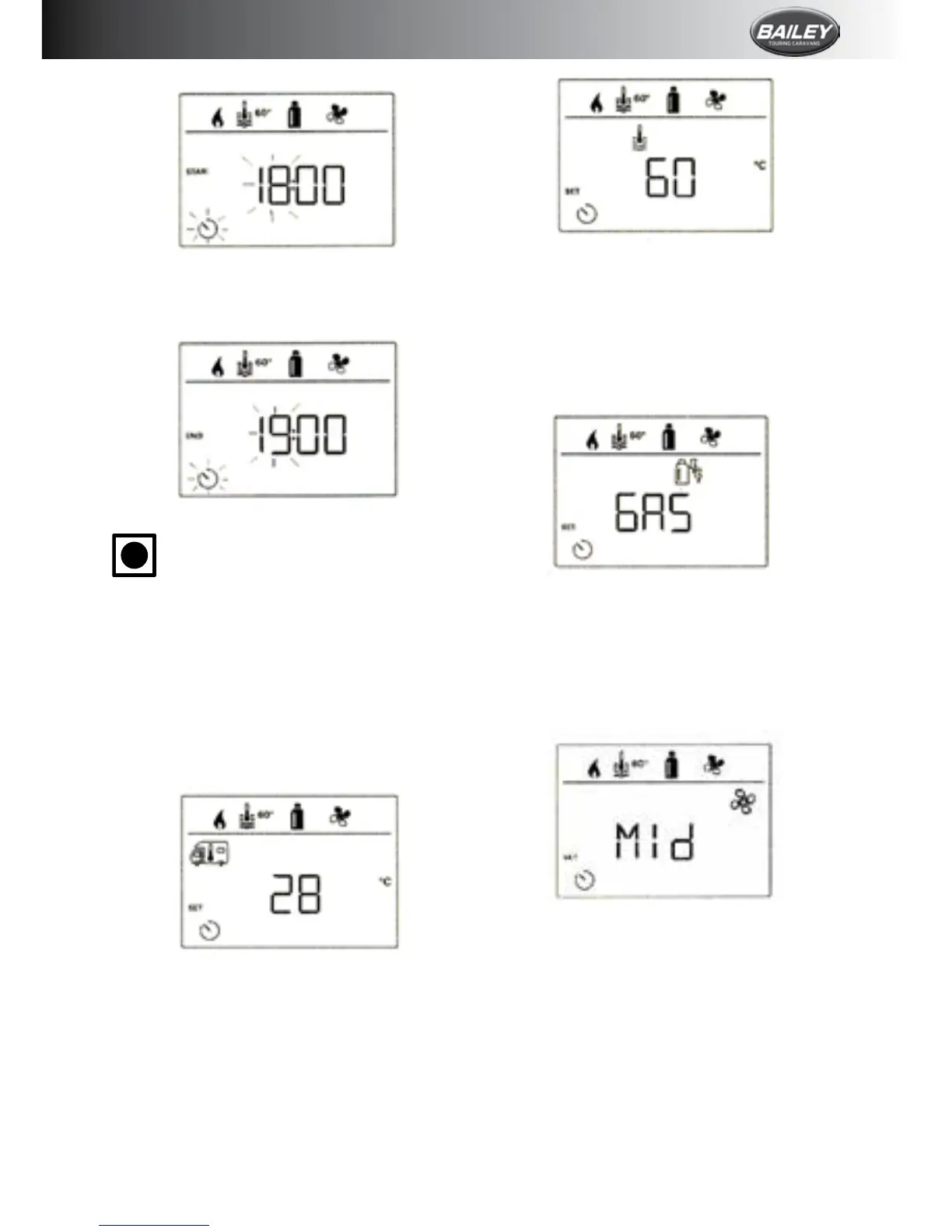
Select power type
• Clicktochangetothesettinglevel.
• Usethecontrolknob/pushbuttontoselect
thepowertype.
• Click the control knob/push button to
conrmthevalue.
Select fan level
• Clicktochangetothesettinglevel.
• Usethecontrolknob/pushbuttontoselect
therequiredfanlevel.
• Click the control knob/push button to
conrmthevalue.
Activate the timer (ON)
• Clicktochangetothesettinglevel.
• Use the control knob/push button to
activatethetimer(ON).
• Click the control knob/push button to
conrmthevalue.
Enter end time point
• Use the control knob/push button to set
thehours,thentheminutes.
i
Ifthestarttimehaspassedwhen
entered,theoperatingparametersare
onlytakenintoconsiderationwhen
thenextstart/endtimesarereached.
Untilthen,theoperatingparameters
setoutsidethetimerremainvalid.
Set the room temperature
• Clicktochangetothesettinglevel.
• Usethecontrolknob/pushbuttontoselect
therequiredroomtemperature.
• Click the control knob/push button to
conrmthevalue.
Set the warm water level
• Clicktochangetothesettinglevel.
• Usethecontrolknob/pushbuttontoselect
therequiredwarmwaterlevel.
• Click the control knob/push button to
conrmthevalue.








 To Next Page