Bed Frame Features
Progressa+ Bed Instructions for Use (216321 REV 2) 89
GCI Indicators
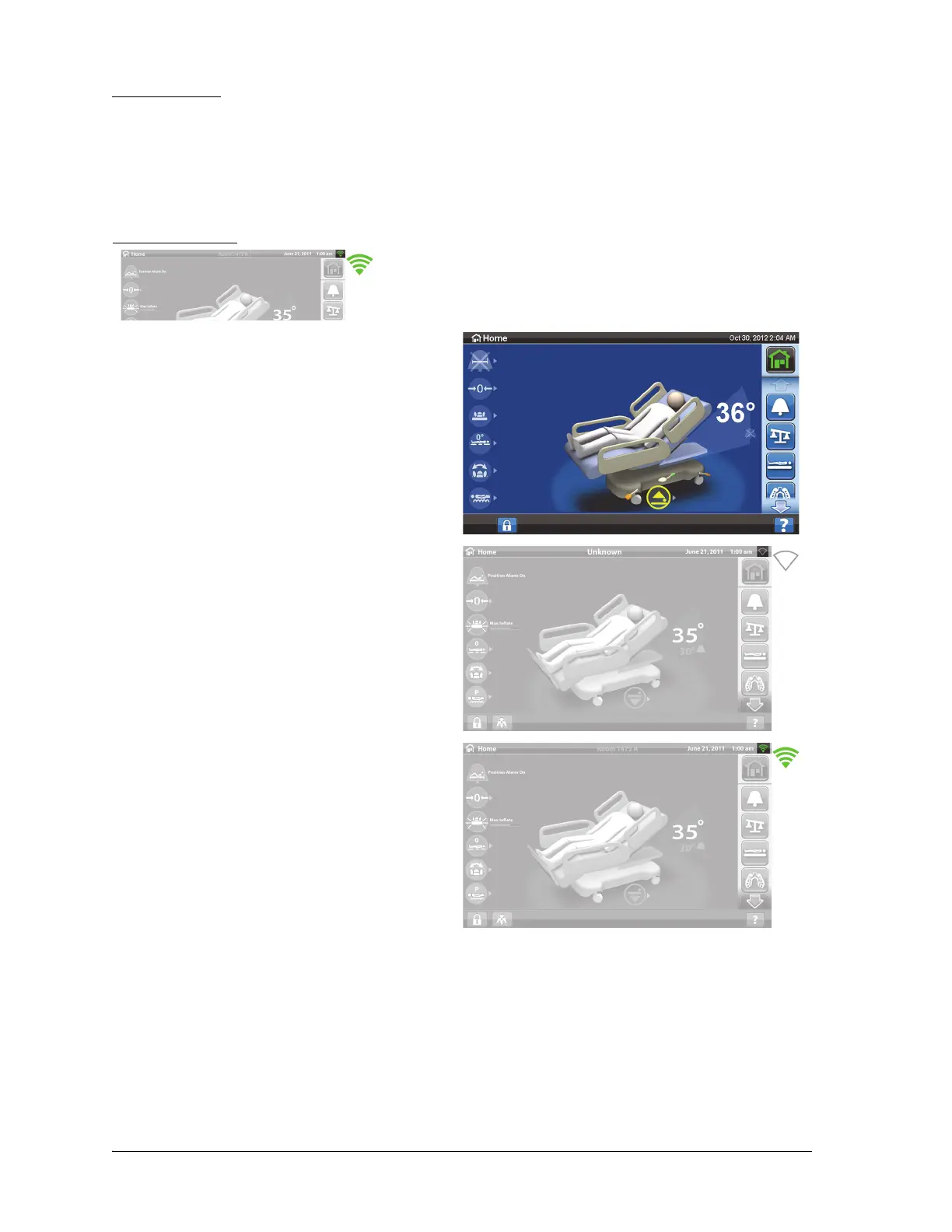
The wireless status shows on the GCI screen.
When you plug the bed into AC power, the color of the Wireless Status indicator on the GCI screen will
identify the wireless connectivity status. The Bed Location will also show for beds with the wireless
module.
If the bed is receiving AC power, the initialization process is complete (at least 3 minutes have passed
since power was connected), and the Wireless indicator has a white outline, there is a network
connection issue. If the Wireless indicator does not show, there is a software issue. If either of these
conditions occur, contact your IT or Service department.
Wireless Status
• No indicator—the wireless module is not
operating correctly or it is not receiving
power.
• White outline—the wireless module is
operating correctly, but it is not connected to
the wireless network or it has not been
configured.
• Green bars—the wireless module is
operating correctly and is connected the
wireless network.













 To Next Page