Graphical Caregiver Interface (GCI) Controls
Progressa+ Bed Instructions for Use (216321 REV 2) 33
If you want Bed Exit set during a pulmonary therapy (Rotation or Percussion and Vibration), Bed Exit
must be initiated before starting the therapy. Only Out of Bed Mode will work during a pulmonary
therapy.
Turn OFF the Alert
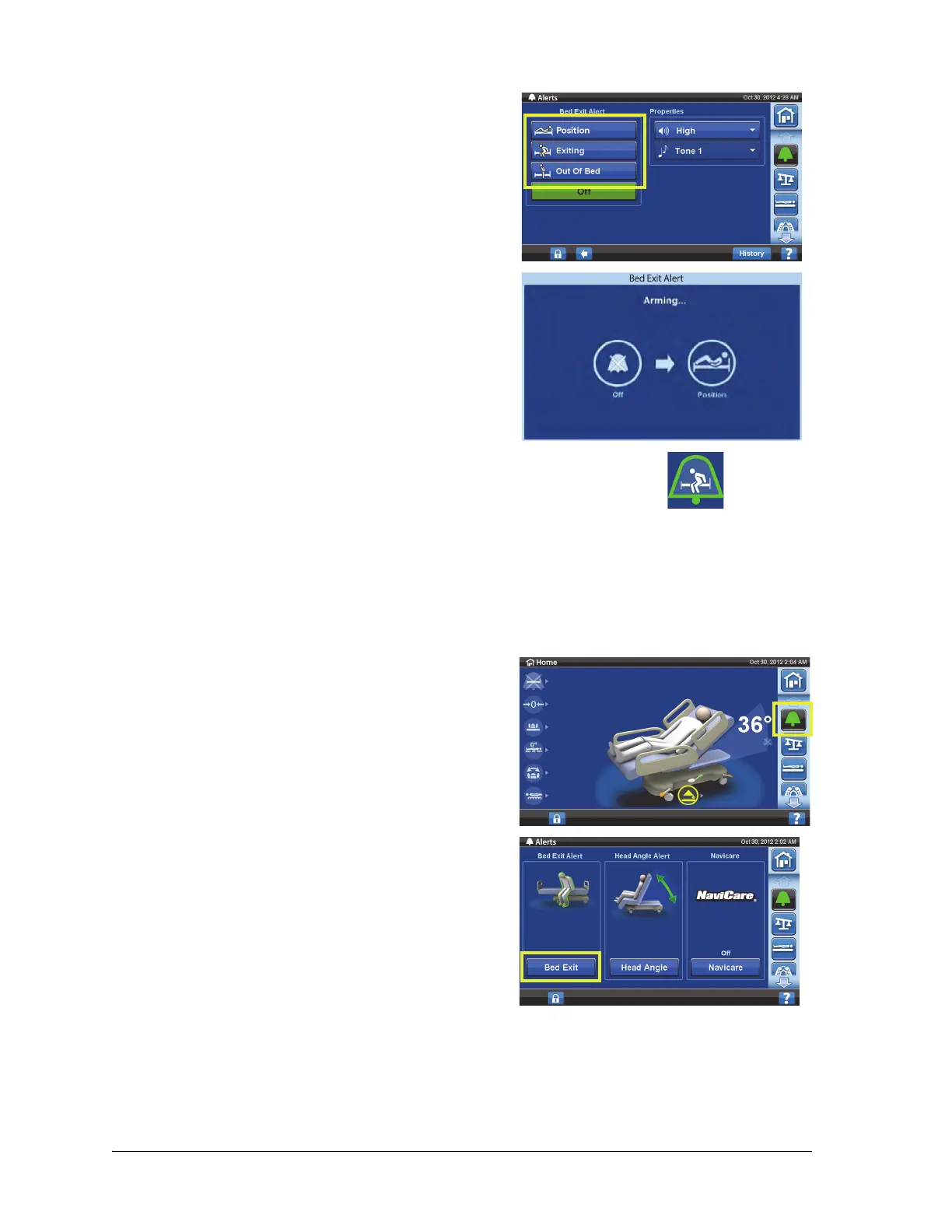
4. Press one of these:
•Position
•Exiting
•Out of Bed
Only one bed exit mode can be active at a time.
An Arming message will show on the GCI screen.
The system will beep one time and a message will show
when the bed exit alert is armed/active.
– When armed, the alert indicator will turn green on the home screen
and the center of the indicator will show the selected mode of
sensitivity.
1. Press the Alerts menu control.
2. Press Bed Exit.













 To Next Page