Graphical Caregiver Interface (GCI) Controls
36 Progressa+ Bed Instructions for Use (216321 REV 2)
Change the Alert Tone
Contact your facility maintenance personnel to change the alert tone.
HEAD ANGLE ALERT
The head angle alert allows the caregiver set an alert to sound if the head section is lowered below 30°
or 45°. A message will show on the GCI screen when the head section goes below the angle setting.
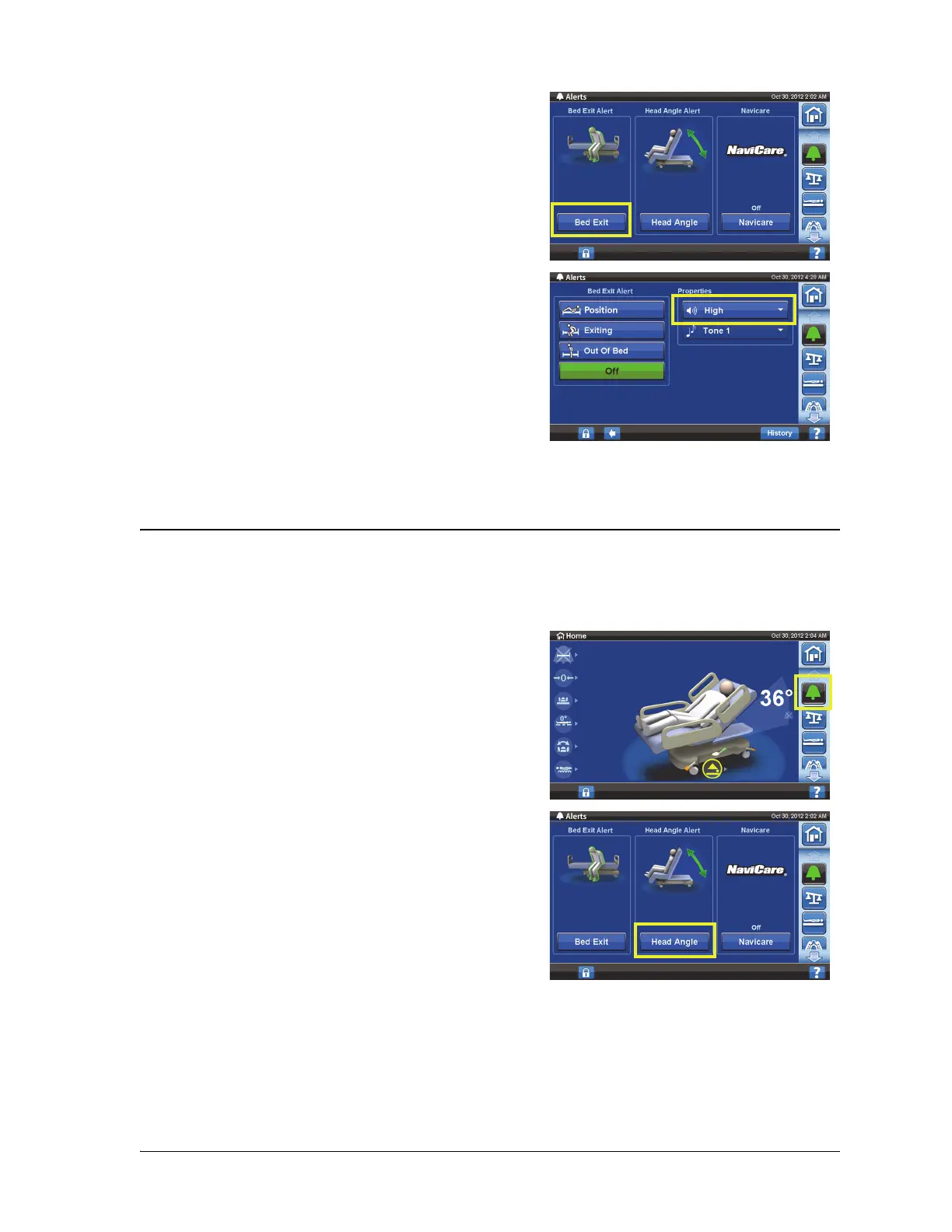
2. Press Bed Exit.
3. Press the volume drop down menu to select the
desired volume.
To Activate
1. Raise the head section to the desired position above
30° or 45°.
2. Press the Alerts menu control.
3. Press Head Angle.













 To Next Page