Graphical Caregiver Interface (GCI) Controls
Progressa+ Bed Instructions for Use (216321 REV 2) 31
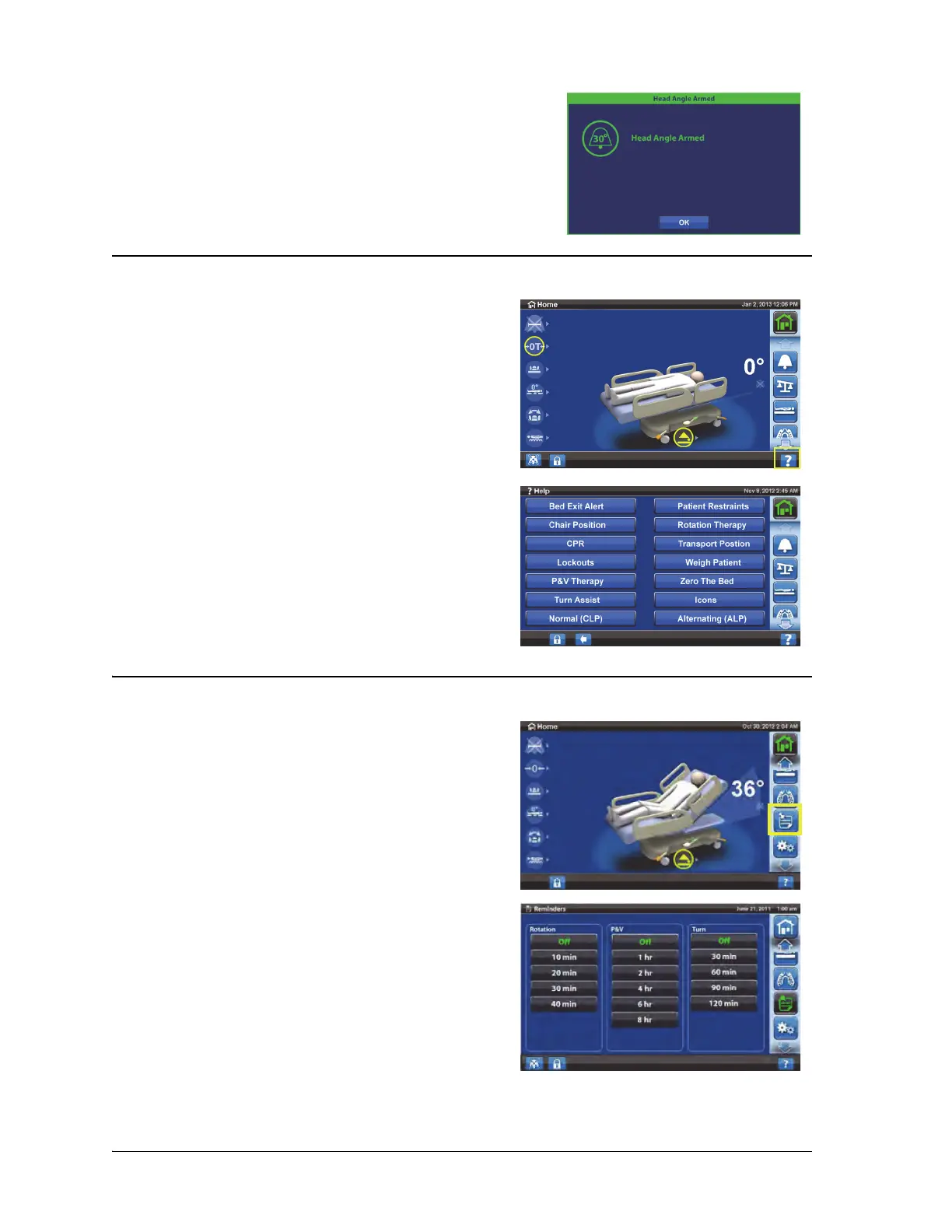
HELP (?) MENU
REMINDERS
• Green = task was successful
Through the Help menu control at the bottom right of the
screen, you can access additional instruction for many of
the bed functions and features.
1. Press the Help control.
2. Press the control for the subject that you want to view.
Not all controls are available on all beds.
Reminders can be set to do these:
•Rotation
• Percussion and Vibration (P&V)
• Turn the patient
1. Press the Reminders menu control.
2. Select the applicable reminder.













 To Next Page