Power Conservation
Progressa+ Bed Instructions for Use (216321 REV 2) 105
MAIN BATTERY
Replace the battery if any of these conditions exist (refer to the Progressa and Progressa+ Bed Service
Manual (171748):
• The battery indicator does not come on within 3 minutes of bed connection to AC mains.
• The battery indicator does not increase the number of illuminated LEDs within 12 hours of bed
connection to AC mains.
INTELLIDRIVE TRANSPORT SYSTEM BATTERIES
Replace the batteries if the IntelliDrive Transport System automatically shuts down power before the
final battery charge indication LED flashes (refer to the Progressa and Progressa+ Bed Service Manual
(171748)).
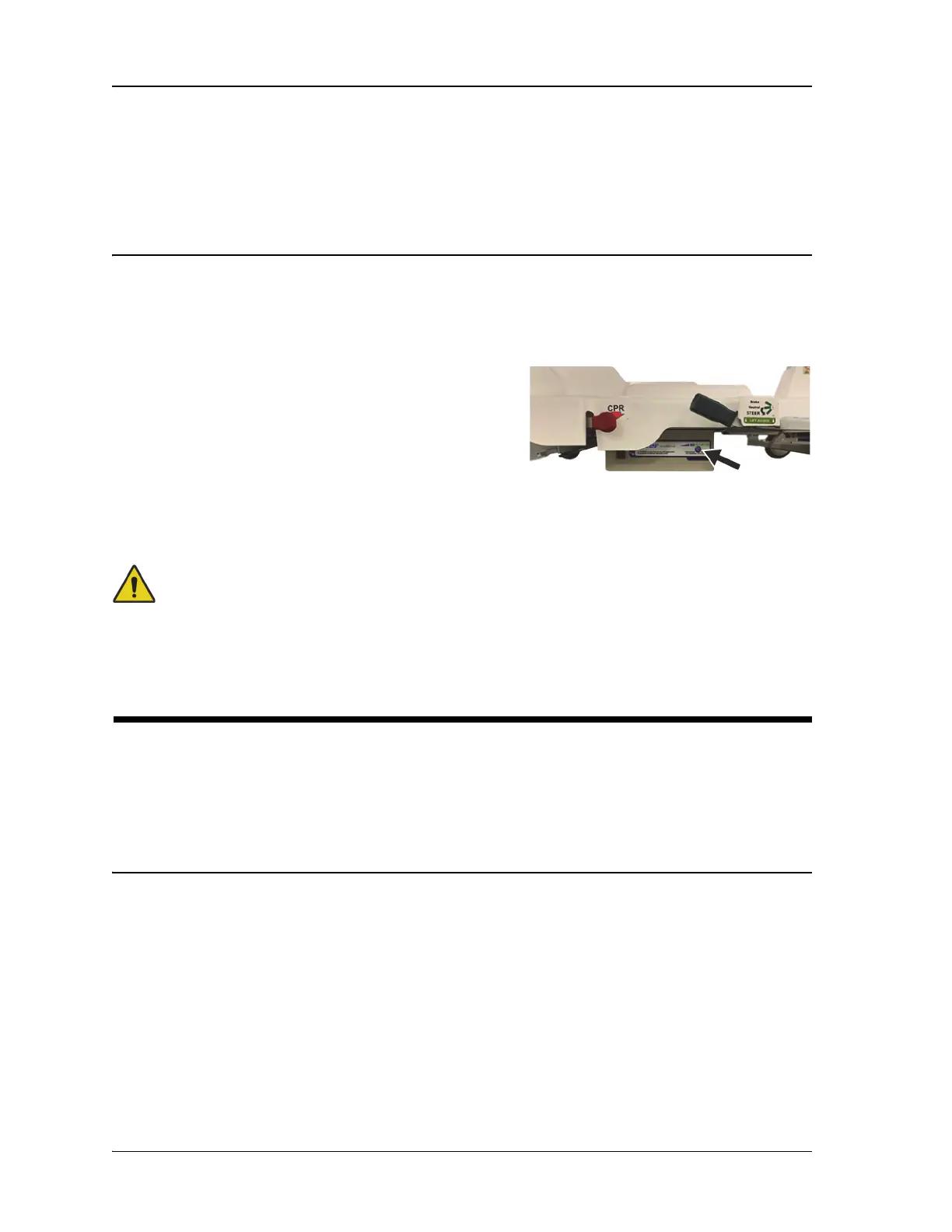
Press the power control button on the right side of the drive
box to disable the battery if the bed will be stored for an
extended period of time.
After replacing the batteries, charge the batteries a
minimum of 20 hours before use.
Follow instructions on the batteries for proper disposal or recycling.
Troubleshooting
Warning—Only facility-authorized personnel should troubleshoot the Progressa+ Bed.
Troubleshooting by unauthorized personnel could cause injury or equipment damage.
Always check the battery charge status on the siderail. The bed may not be functioning due to the
battery being drained. Plug the bed into its appropriate power source.
POWER CONSERVATION
The Progressa+ Bed has the means to reduce the use of electricity. The GCI screen automatically dims
to reduce the use of electricity, and when there is no patient on the bed, the compressor will not cycle
power as often.
The bed can also be placed in a transport mode to conserve AC power.
TRANSPORTATION MODE
When the transportation mode is activated, the articulation controls are disabled on battery power.
To Activate
1. On the intermediate siderail controls, press and hold the Lockout control for approximately 10
seconds. A triple beep sounds and the Service Required indicator illuminates to let you know the
bed is in service mode.
2. On the patient controls (inside of the siderail), press and hold the Knee Up and Knee Down controls
at the same time. A click will sound to let you know the bed is in transportation mode.






 To Next Page