Graphical Caregiver Interface (GCI) Controls
44 Progressa+ Bed Instructions for Use (216321 REV 2)
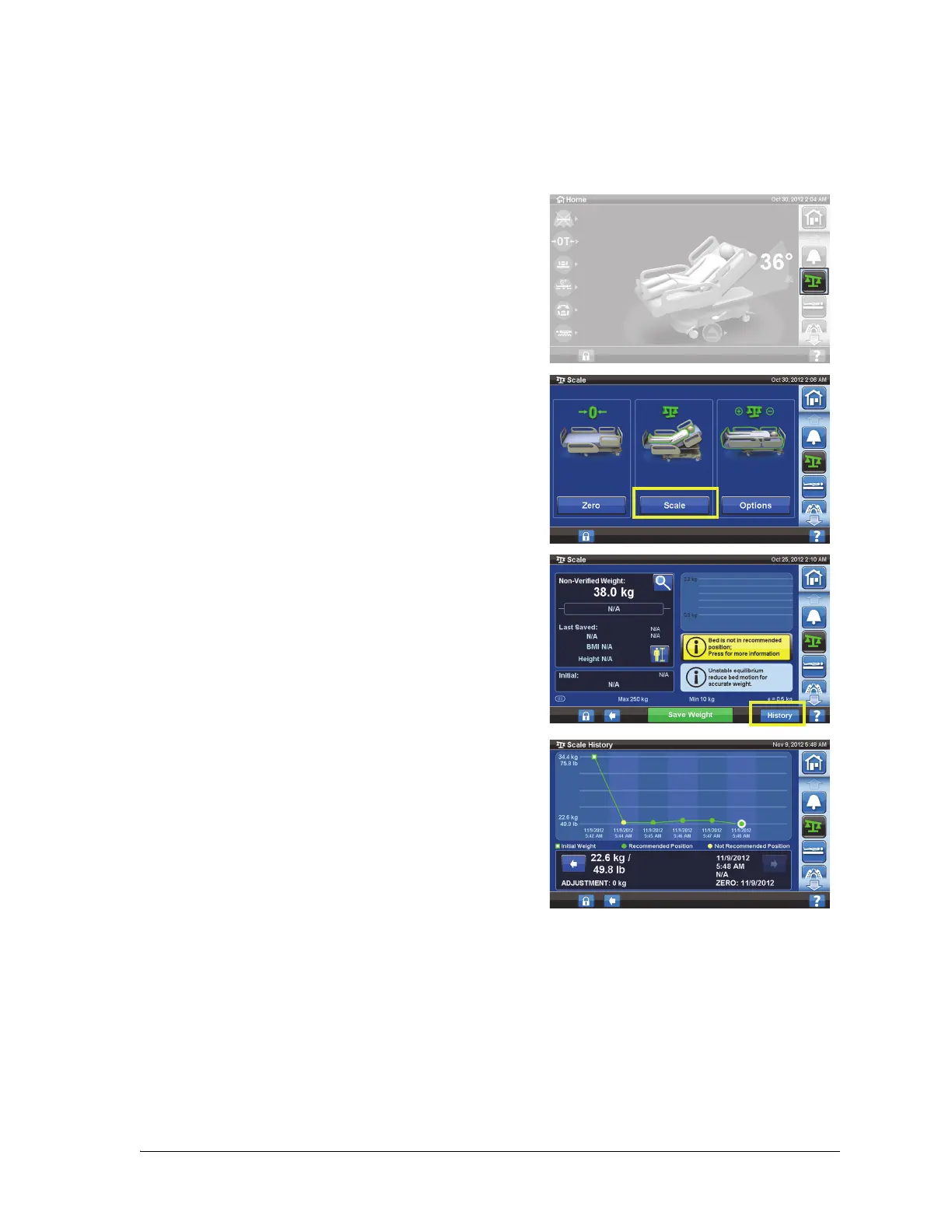
View Weight History
The GCI screen will show the initial weight of the patient and will allow you to view at least 21 weights
that were taken. The screen will show the date and time, last zero, the weight, and how much weight
was adjusted.
1. Press the Scale menu control.
2. Press Scale.
3. Press History.
If the weight was taken in a Not Recommended Position,
an icon will appear, which shows the status of the bed
when the weight was taken.
Use the arrows or touch a dot to see different weights.













 To Next Page