Graphical Caregiver Interface (GCI) Controls
Progressa+ Bed Instructions for Use (216321 REV 2) 35
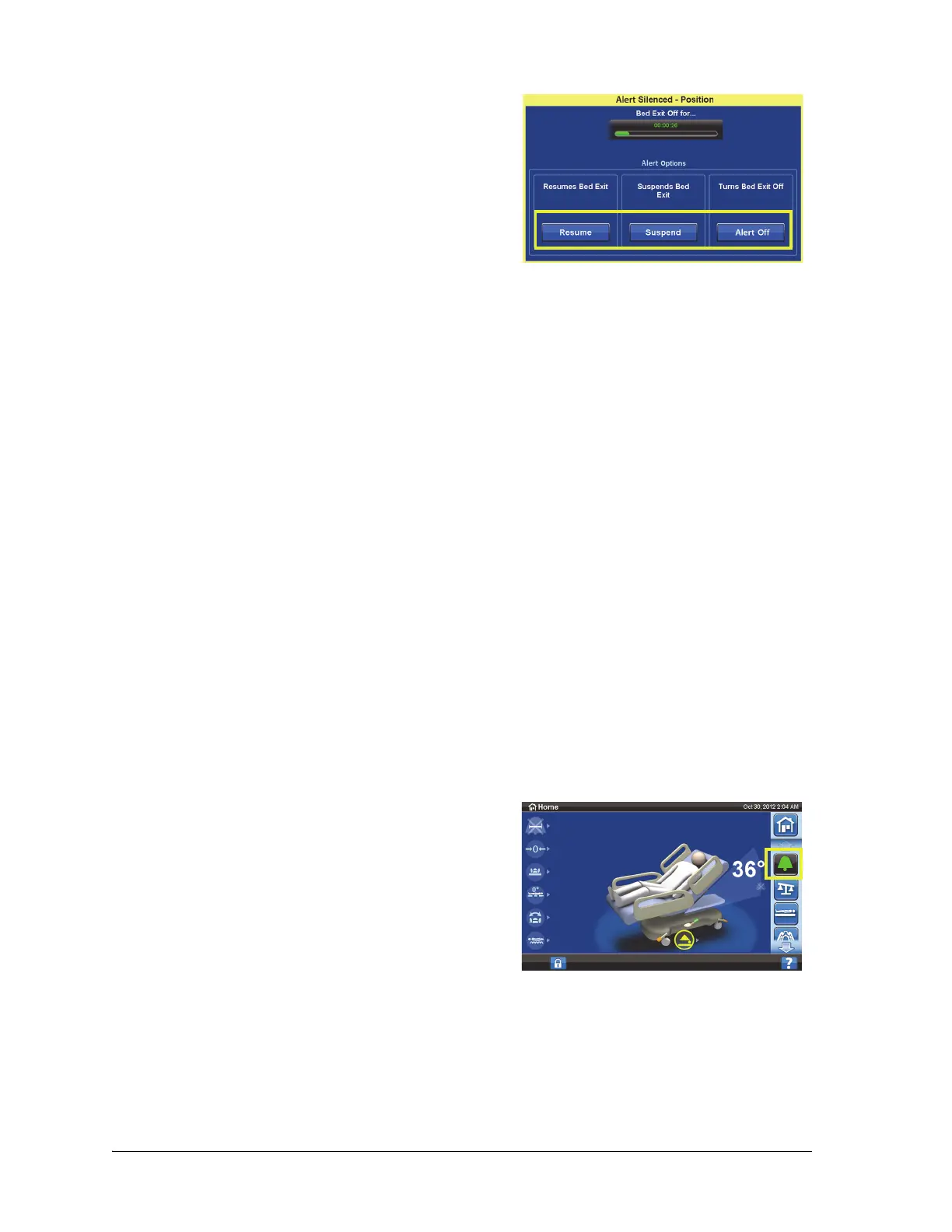
If nothing is selected on this screen, the system will wait 30 seconds to allow the caregiver time to help
the patient out of the bed. For example, the patient needs to use the bathroom.
After the system has been in Silence mode for 30 seconds, the system will try to re-arm in the previously
set mode. The system will not be able to re-arm in the Exiting or Position Modes unless the patient is in
the center of the bed.
NOTES:
• If you finish the task before the silence timer has expired, press Resume to reactivate the Bed
Exit Alert. Do not leave the patient unattended until Resume is pressed and the Bed Exit system
is reactivated. The Bed Exit Alert will not be active and will not convey its status until it has been
reactivated or the timer has ran out.
• A low volume of four long beeps repeating for one second repeating triple beep will occur
every 10 seconds to remind you that the Bed Exit is silenced and should be resumed before you
leave the room.
• For the Position and Exiting modes, center the patient in the bed before you resume the Bed
Exit monitoring.
• For the Out of Bed mode, the bed will resume the Bed Exit monitoring when the patient sits in
the bed.
Change the Alert Volume
The alert volume can be changed from the default value to something softer.
2. Press the applicable option:
• Resume—immediately turns on the bed exit alert
on.
• Suspend—if a 30 second silence period is not
long enough, suspend allows 10, 20, or 30
minutes more time before the bed attempts to re-
arm the alert. If the bed does not detect a patient
after the time expires, the alert will sound. The
suspend time can be configured by your facility
maintenance personnel.
• Alert Off—turns the bed exit alert off.
1. Press the Alerts menu control.













 To Next Page