Caregiver Pendant Controls
28 Progressa+ Bed Instructions for Use (216321 REV 2)
CAREGIVER PENDANT CONTROLS
This section describes the pendant controls that are intended to be used only by the caregiver.
Warning—To help prevent injury and/or equipment damage, obey these warnings:
• Warning—The caregiver pendant is for use by the caregiver only. Do not allow the patient to
use the caregiver pendant.
• Warning—The pendant is not for use inside of an oxygen tent.
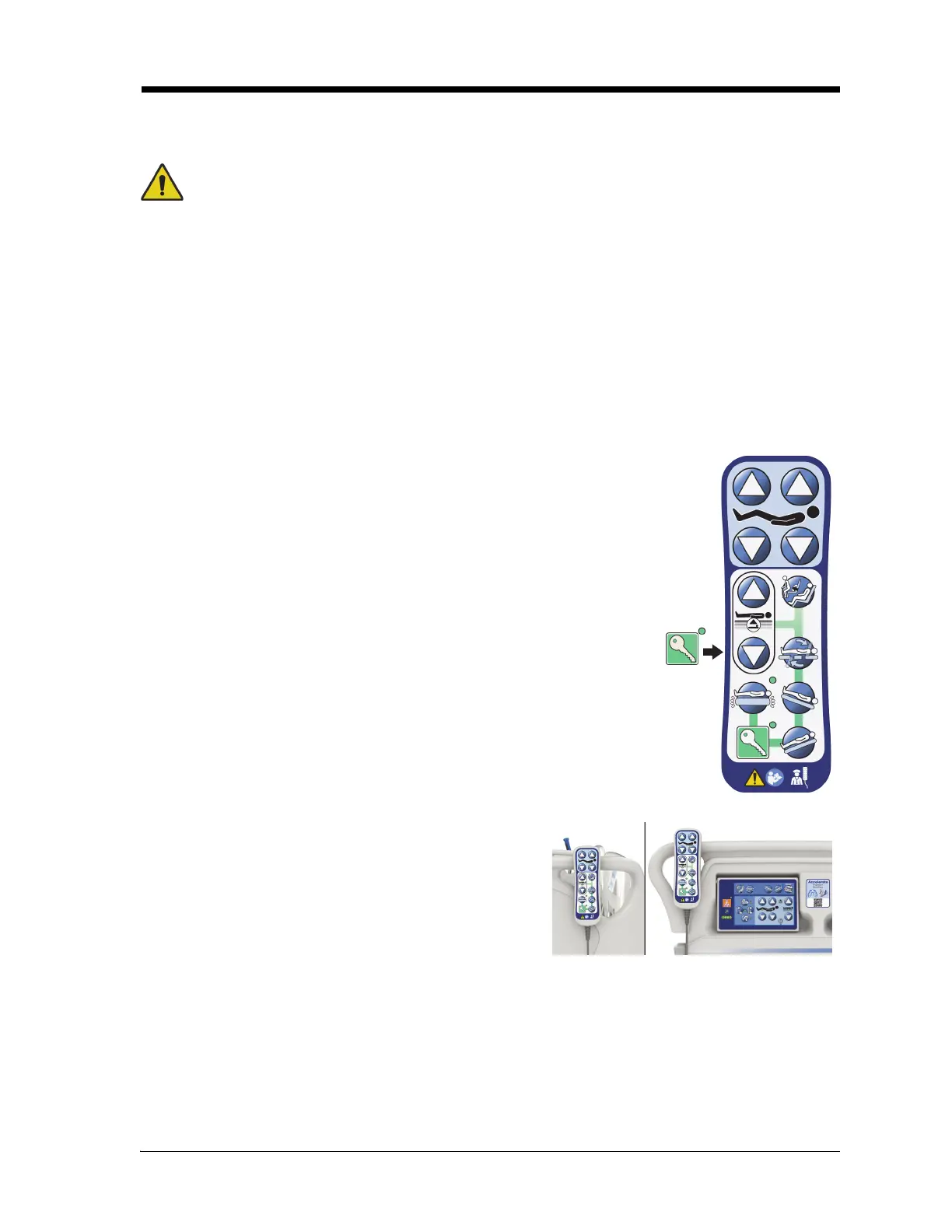
The Enable control (a key symbol) located on the caregiver pendant helps prevent unauthorized
operation of the controls on the pendant. The Enable control is required to be active to use the controls
connected by the green line. The controls in the blue area can be used without the use of the Enable
control.
The Enable indicator stays on for 60 seconds. While this indicator light is on, the caregiver can activate
any pendant control.
To Activate
• Press and hold the Enable control until the indicator light comes on.
The Enable indicator light stays on for 60 seconds.
• During the 60-second period, you may activate bed controls on the
pendant without pressing the Enable control again.
• If the enable control process is done incorrectly, the bed will beep three
times and instructions will show on the GCI screen.
• If during the 60-second enabled time you want to turn it off, press the
Enable control. The indicator light will turn off when the Pendant
controls are no longer enabled.
To Remove from the Siderail or Footboard
• Pull straight up on the pendant.
or
• Rotate the pendant in a clockwise or counterclockwise
direction until the mount clip disengages from the
siderail or footboard.













 To Next Page