CPR Control
Progressa+ Bed Instructions for Use (216321 REV 2) 13
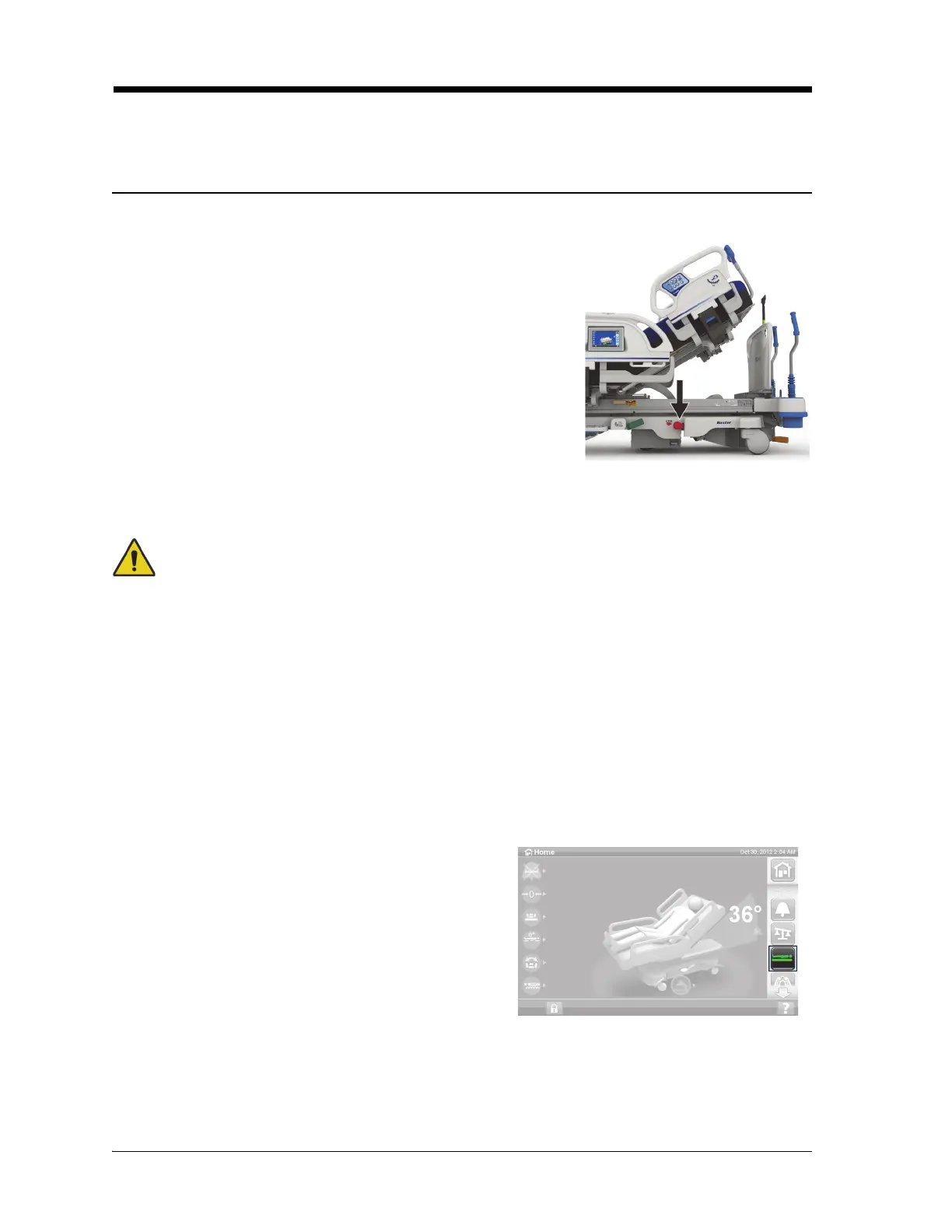
CPR CONTROL
The red CPR control pedals are located on each side of the base frame between the head-end and foot-
end casters.
USE THE CPR CONTROL
To Activate
Warning—Do not use your hand to activate the CPR foot pedal. Injury could occur.
1. Step down and hold the red CPR pedal with your foot until the head section reaches the flat
position and you hear the audible tone. If you release the CPR pedal before the bed is flat, the head
section will stop.
– The foot and knee sections will automatically move to a flat position from any position
including chair.
– The surface automatically goes into P-Max Inflate for 60 minutes. After 60 minutes, the
surface will go into the previous pressure redistribution mode.
Use of a CPR board may increase the effectiveness of CPR.
2. To stop foot section movement, press any siderail control except Nurse Call.
The Bed Up/Down controls are usable when the CPR function is activated.
When CPR is activated, any controls that are locked out will become unlocked.
When connected to AC power, the HandsFree CPR Control lowers
the head and knee sections, and raises the foot section. After the
head section is flat, a tone sounds and the foot section rises. The
foot section moves to a flat position within a maximum of 30
seconds if fully articulated.
If the bed has an integrated air surface—
• The surface will go into P-Max Inflate to provide a firm
surface to support a CPR board.
• After 60 minutes of P-Max Inflate, the optional air surface
will go into the previous pressure redistribution mode.
• If AC power is lost, the air surface stays at the level of
pressure that existed at the time of power loss.
3. To stop P-Max Inflate, press the Surface menu control
on the GCI home screen. Then press desired pressure
redistribution mode.
When the AC power is lost, the head section will lower
and the foot section will raise. The optional integrated air
surface will not P-Max Inflate and CPR board effectiveness
may be reduced.













 To Next Page