Graphical Caregiver Interface (GCI) Controls
54 Progressa+ Bed Instructions for Use (216321 REV 2)
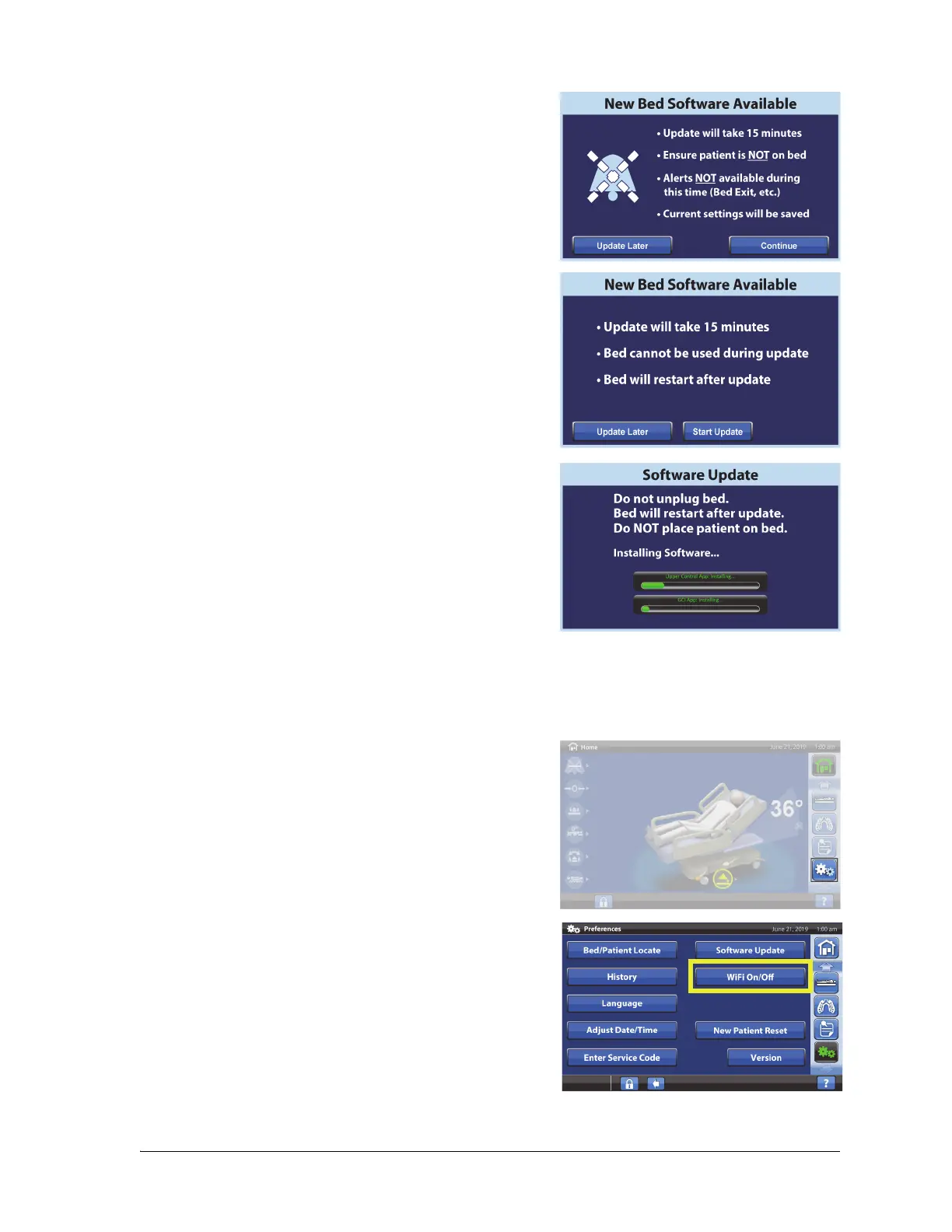
WiFi On/Off
To use the WiFi option, the bed must be connected to a wireless network. Contact your local
representative to complete this setup.
3. The New Bed Software Available screen will show. Do
the following:
• Press Update Later to return to the Home screen.
or
• Press Continue to continue with the software
update.
4. Press Update Later to return to the Home screen.
or
Press Start Update.
A Software Update screen will show the progress of the
update.
1. Press the Settings menu control.
2. Press WiFi On/Off.













 To Next Page