Graphical Caregiver Interface (GCI) Controls
Progressa+ Bed Instructions for Use (216321 REV 2) 47
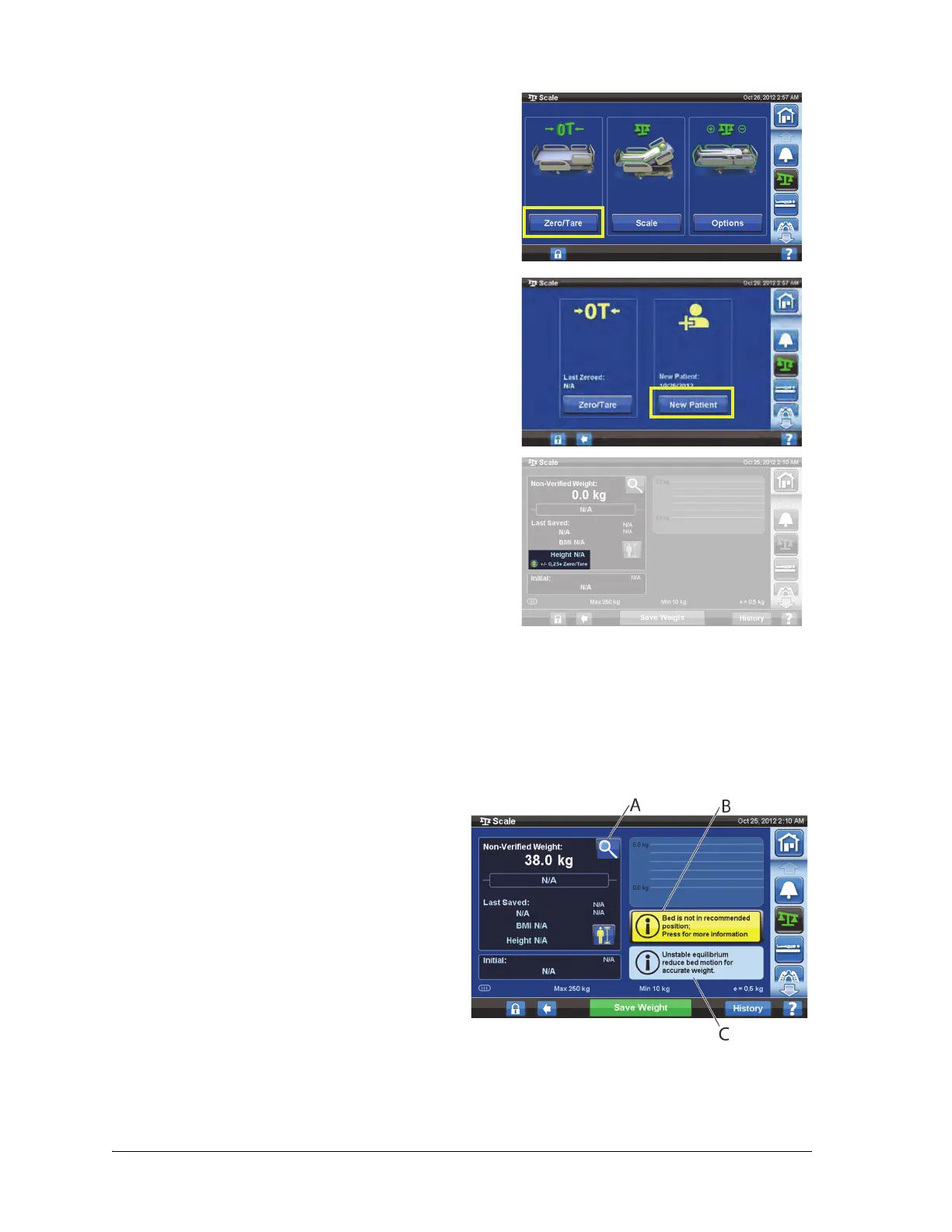
After the scale is zeroed/tared, and the empty bed is in a stable position, a green indicator with
+/- 0,25e Zero/Tare will appear on the Scale screen. This indicates the bed has an acceptable zero/tare.
Once there is weight in the bed this indicator will not show. If there is an unstable equilibrium +/- 0,25e
Zero/Tare indicator will also not show. If the empty bed has been zeroed/tared, is in a stable position,
and the indicator is not on, the bed will need to be re-zeroed/tared.
Magnification Mode (Extended Weighing Device)
4. Press Zero/Tare.
5. Press:
• New Patient
– Erases Scale History (all previously recorded
patient weights will be erased)
– Zeroes the scale
– Returns the surface to Normal (CLP) mode
– Turns off all RemindMe reminders
or
• Zero/Tare
–Does not erase Scale History
– Zeroes/Tares the scale
Magnification Mode is only available on the NAWI
Compliant (EN 45501) Scale. Pressing the
magnifying glass will change the scale display
increments to 0.1 kg for 5 seconds. Weights cannot
be saved in the Magnification Mode.
– Magnification Mode (A)—changes the
scale display increments to 0.1 kg for 5
seconds
– Bed not in recommended position
(B)—shows the recommended bed
position for weighing
– Unstable equilibrium indicator (C)













 To Next Page