Graphical Caregiver Interface (GCI) Controls
Progressa+ Bed Instructions for Use (216321 REV 2) 49
Add/Remove Items
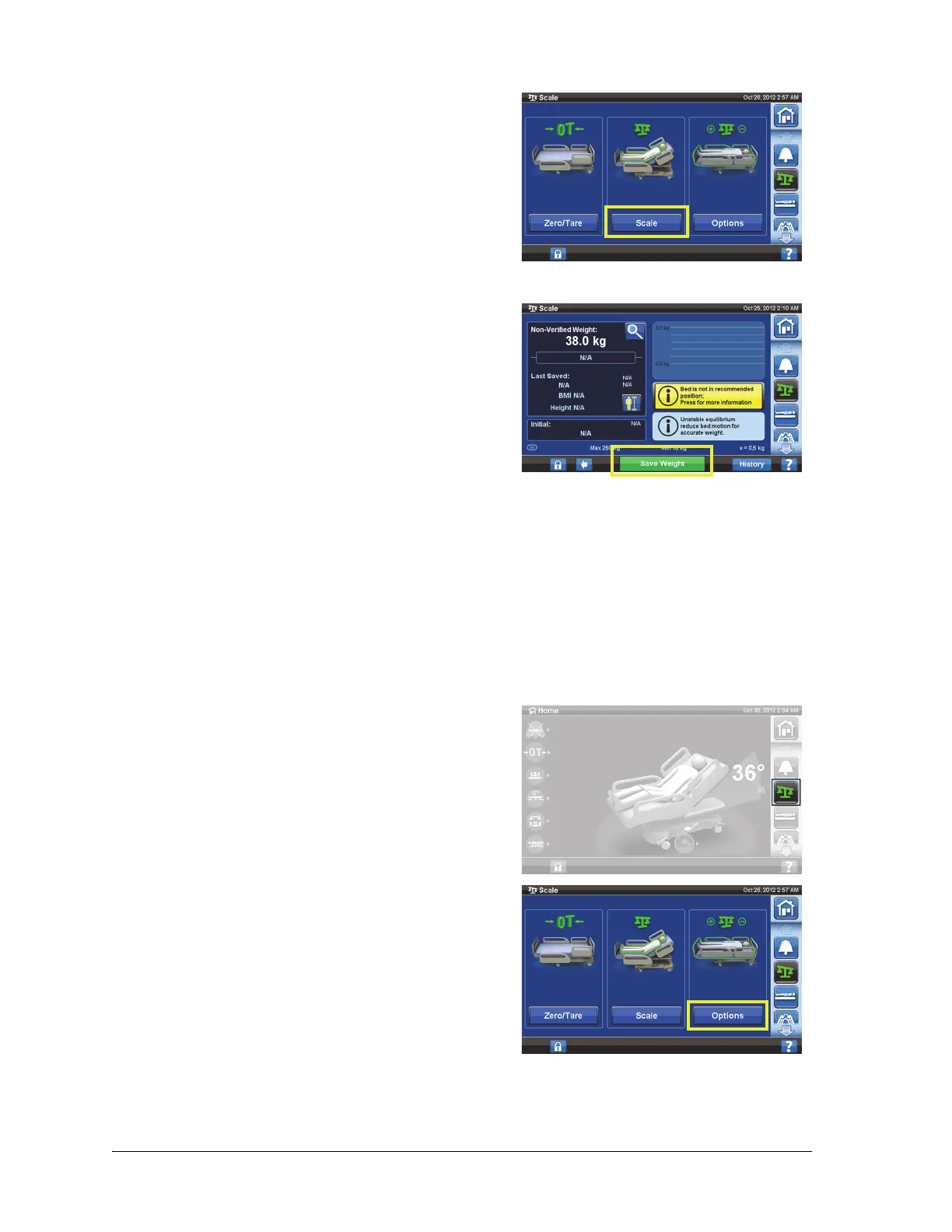
3. Press Scale.
4. Verify the weight by removing items from the weighing area that were not zeroed.
5. Press Save Weight. Follow the on-screen instructions.
– Caregiver has verified and saved the patient
weight.
If the Non-Verified Weight has two red dashes and the
Save Weight control is grayed out, then re-zero/tare the
bed.
Add/Remove Items lets the caregiver change items on the bed and correct the weight reading while
the patient is on the bed.
If the patient is not on the bed, use the Zero/Tare function after you change the items on the bed.
The Add/Remove Items function keeps the patient’s weight in memory as you change items on the
bed. Before you add or remove items, use the Add/Remove Items option to keep the weight reading for
the items being changed.
1. Press the Scale menu control.
2. Press Options.













 To Next Page