Graphical Caregiver Interface (GCI) Controls
Progressa+ Bed Instructions for Use (216321 REV 2) 43
Warning—Do not unlock or change the scale units without facility authorization. To do so may cause
personal injury.
The option for a caregiver to change the scale units may be not be available for your bed. If you follow
the instructions below and the lb/kg units do not change, you will need to get facility authorization to
have maintenance or Baxter change the units.
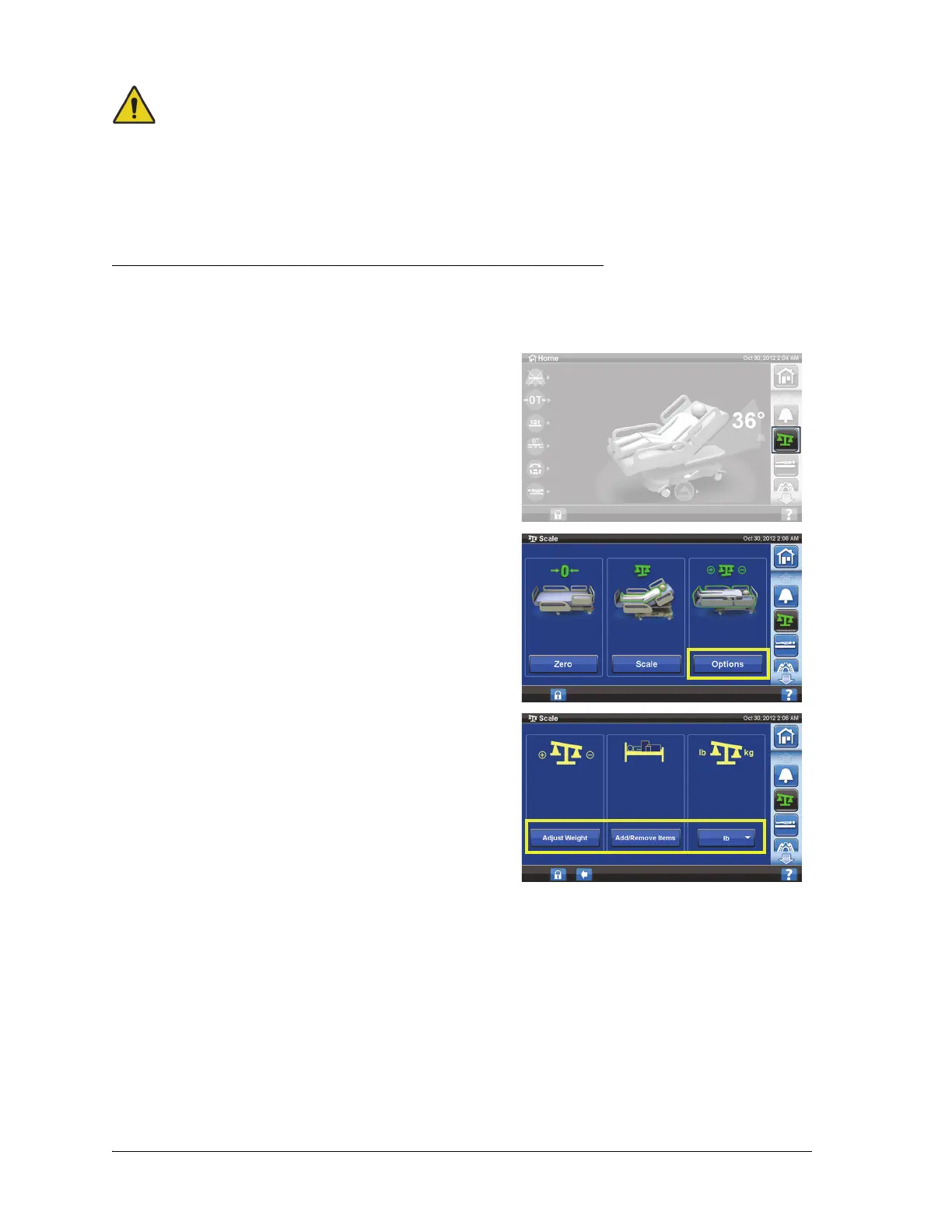
Change between Lb and Kg, Adjust Weight, or Add/Remove Items
Adjust Weight: Manually enter patient's estimated weight.
Add/ Remove Items: Manually account for items added or removed.
1. Press the Scale menu control.
2. Press Options.
3. Press the desired function. Follow the on-screen
instructions.
• Adjust Weight—manually enter the patient’s
estimated weight.
• Add/Remove Items—manually change the
weight for items added or removed from the bed.
• lb—change weight units (available on some beds)













 To Next Page