Bed Frame Features
78 Progressa+ Bed Instructions for Use (216321 REV 2)
To Use the IntelliDrive Transport System
• Make sure the patient, equipment, and all lines are securely placed within the perimeter of the
bed.
• Lower IV poles as applicable so they do not impact doorways or ceiling fixtures.
• Remove the proning accessory.
10. Grip one or both of the transport handles located at the head end of the bed.
1. Raise all four siderails to the up and locked
position.
2. Raise the bed so the transport handles are at a
comfortable height.
3. Make sure the head section is low enough to
have a clear view of the travel path.
4. Make sure of these (if applicable):
• Shorten the length of the bed if
necessary.
• If the Patient Helper or Experience Pod Device accessory
is installed, make sure that it will not impact doorways or
ceiling fixtures.
• If multiple accessories are in use, distribute them evenly
from side to side or head to foot. Use and position of
accessories may affect stability. Do not overextend IV
poles or similar accessories and do not overload
accessories.
5. Secure all equipment being transported with the bed, such as
monitors, oxygen tanks, and IV poles.
6. Make sure the transport handles are up and locked in position.
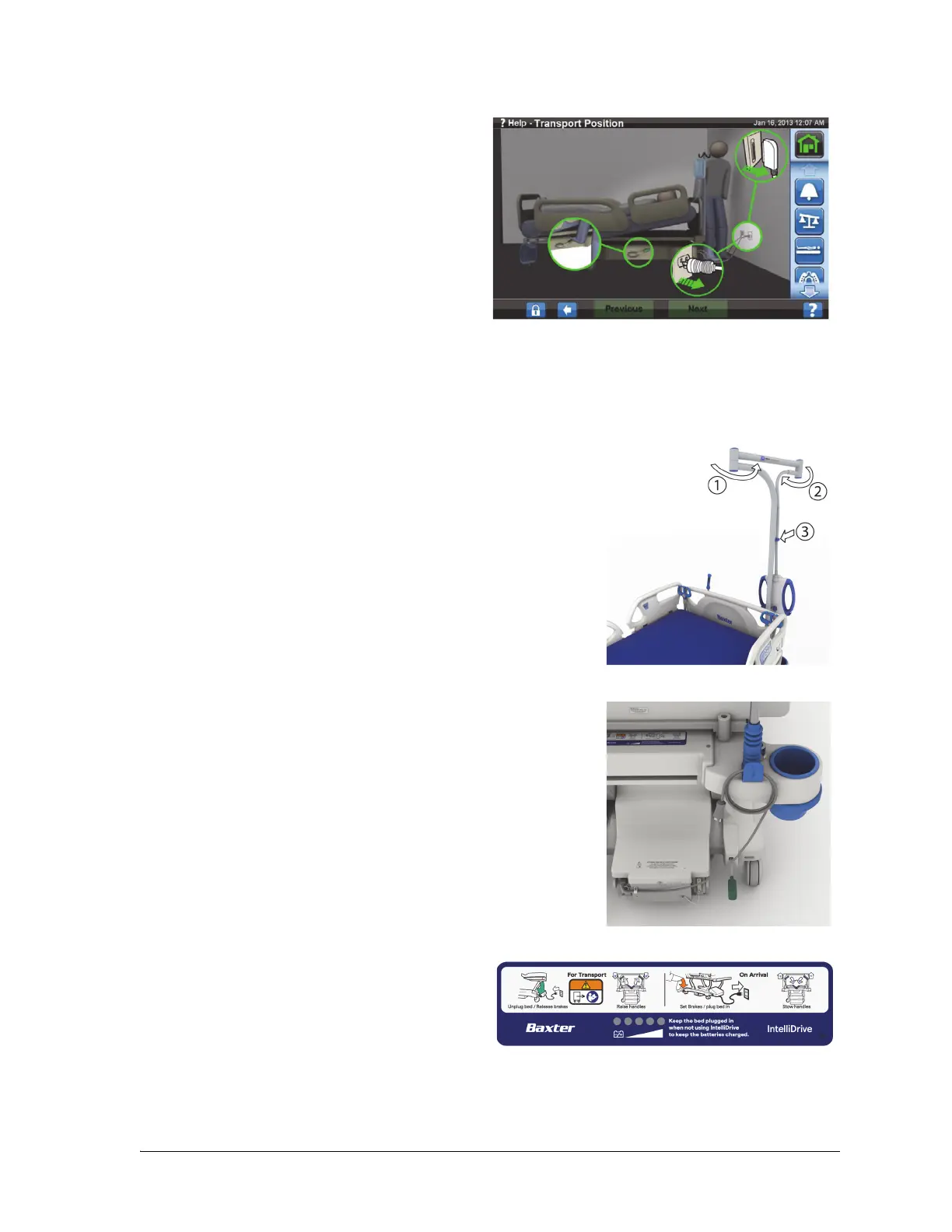
7. Unplug the bed from its power source.
8. Unplug and stow all power cords and communication cords
on the hook at the bottom of the transport handle.
9. Set the steer pedal to Steer (step down on the green brake
pedal until it stops).
Unplugging the bed, and putting the bed in steer mode will
automatically deploy the drive wheel, but will not power the
IntelliDrive Transport System.
Sequence label—located between the transport
handles.













 To Next Page