Chapter 2: Software Windows and Toolbars 33
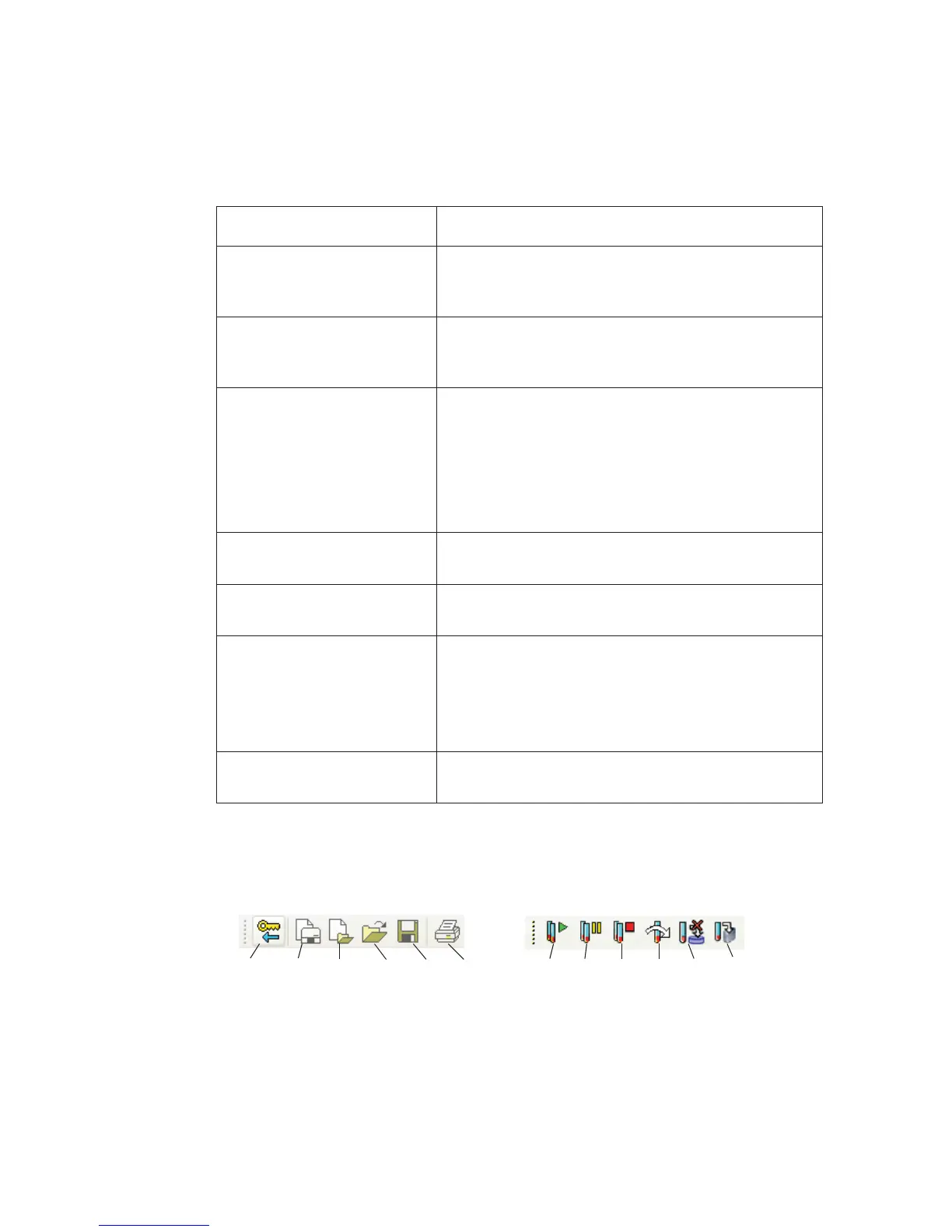
BD FACSCanto Toolbars
c. workspace Displays the Worklist, Acquisition, Lab Report, and
Levey-Jennings tabs, depending on where you are in
the workflow
d. status bar Provides information about the flow cytometer’s
current state, the cytometer-software connection, and
the amount of time elapsed since logon
e. Minimize, Maximize, and
Close buttons (in title bar)
Minimize button—reduces the application to a button
on the Windows taskbar
Maximize button—fills the screen with the main
window
Close button—exits the application and prompts the
Fluidics Shutdown procedure
f. Carousel window Shows a graphic representation of a carousel rack and
the rack ID of the currently selected sample
g. Status window Provides information on the current status of the flow
cytometer
h. cytometer control windows Includes three tabs:
• Detectors tab
• Thresholds tab
• Spectral Overlap tab
i. docking area Provides a default home for the Carousel, Status, and
cytometer control windows
Table 2-2 Main window components (continued)
Component Function
optimize
logout new acq.
worklist
new anal.
worklist
open
worklist
save
print
run pause
stop
skip
end
recording
Standard toolbar
Worklist toolbar



 To Next Page