8-28
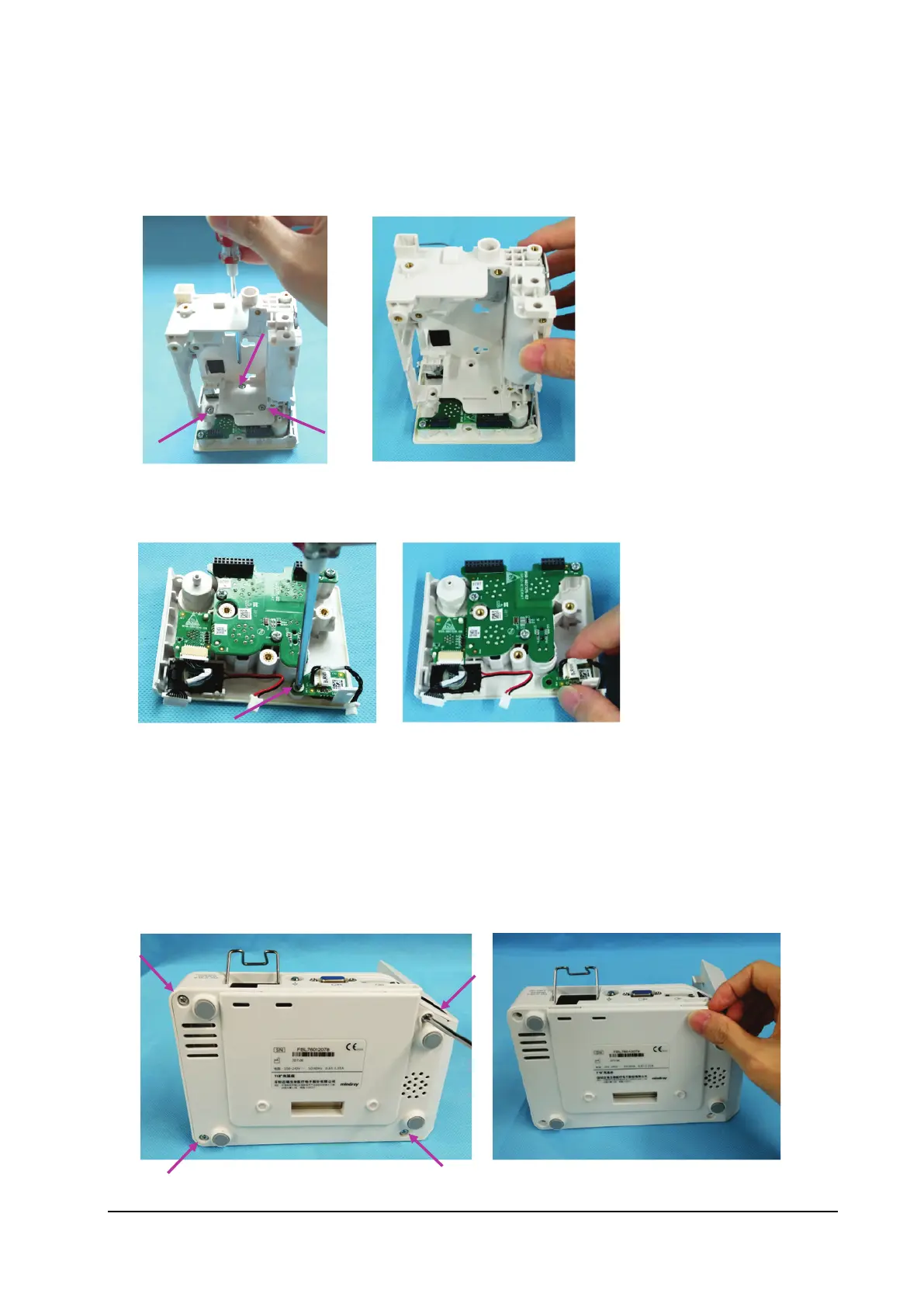
8.4.9 Removing the Interface Board
1. Loosen the three M3×5 screws fixing the main frame.
2. Remove the main frame.
3. Loosen the M3×5 countersunk head screw fixing the power button.
4. Remove the power keypad.
8.5 Removing the N1 Dock
8.5.1 Removing the Bottom Housing
1. Remove the four M3×8 screws from the bottom housing.
2. Remove the bottom housing.



 To Next Page