8-35
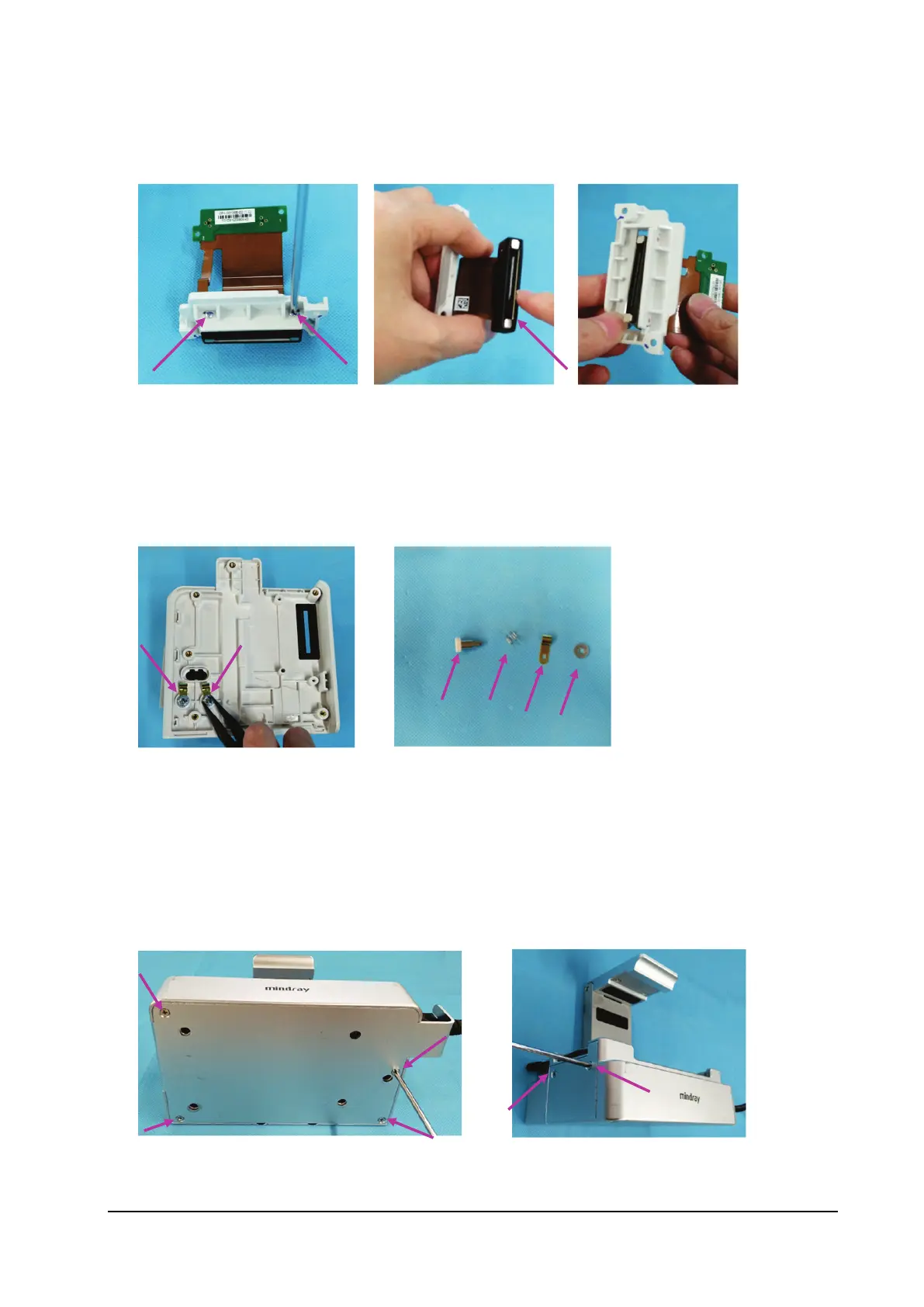
3. Loosen the two M2×8 screws fixing the transition board.
4. Remove the waterproof jacket from the transition board socket.
5. Remove the transition board.
8.6.5 Removing the Contact Screws
1. Loosen the M3 self-locking nuts from the contact screws, and then remove the contact screws, contact springs and
spring plates.
8.7 Removing N1 Transport Dock
8.7.1 Removing the Transition Board
1. Loosen and remove the four M3×5 countersunk head screws from the bottom of bottom plate.
2. Loosen and remove the two M3×5 countersunk head screws from the left side of bottom plate.



 To Next Page