8-3
8.3.2 Removing the Display Assembly
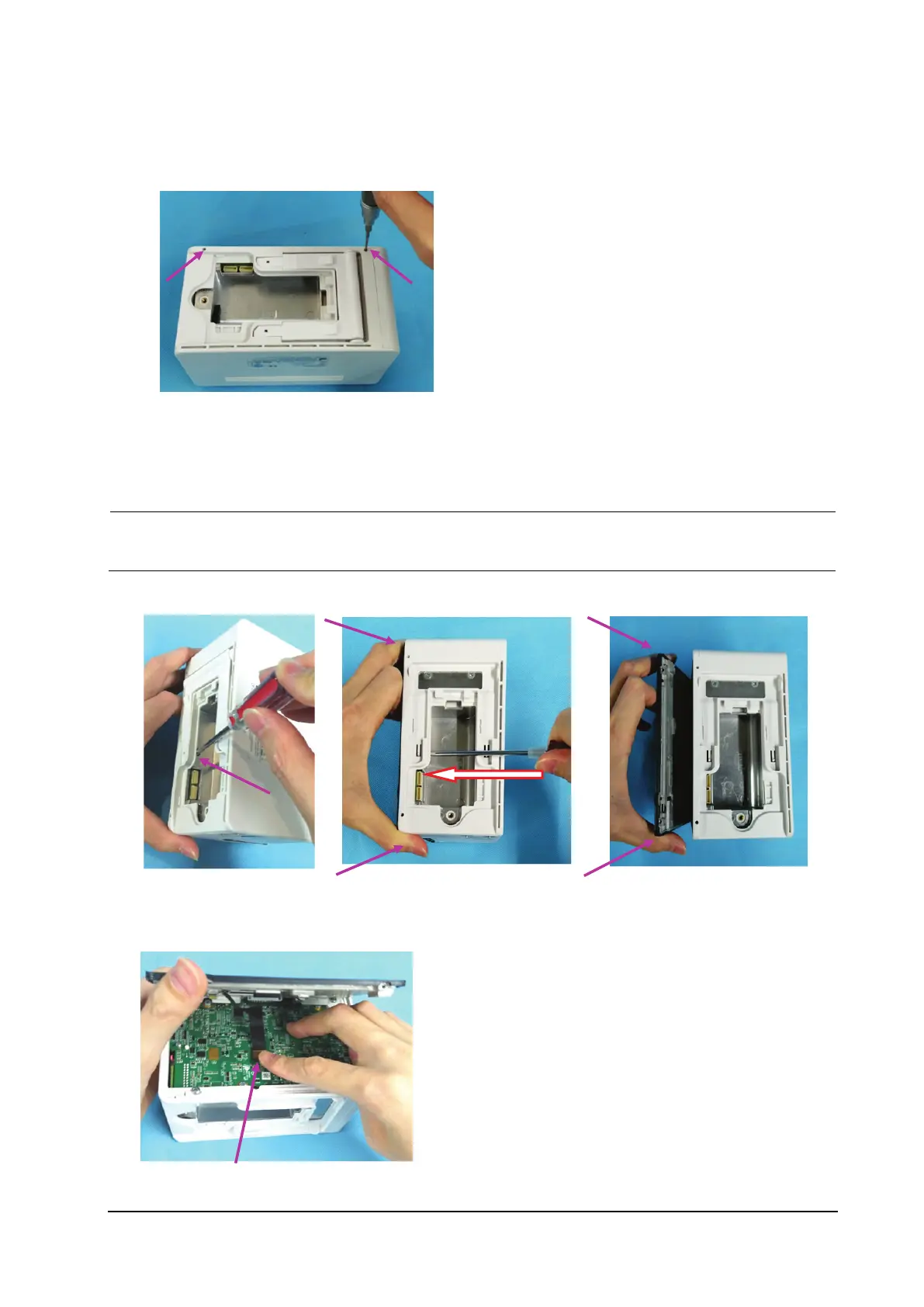
1. Use the small Phillips screwdriver to remove the two screen pins fixing the display assembly.
2. Use one hand to support the display assembly, and use the screwdriver to press the hole in the battery housing and
push out the display assembly, as shown below.
Use one hand to support the display assembly as shown below. Otherwise, the FPC plug wire of the
display assembly will be damaged.
3. Use your hand to hold the display assembly after it is pushed out.
4. Use one hand to hold the display assembly as shown below, and the other to loosen the FPC plug wire on the
display assembly, and remove the display assembly.



 To Next Page