5-5
Calibrate to check that the current CO
2
flow rate is less than 10 ml/min. If the alarm message remains on the
screen, it indicates that the module does not leak.
Microstream: After 3 seconds, the alarm message "CO
2
Purging" is displayed on the screen. Block the gas
inlet for another 30 seconds. If the alarm message "
CO
2
Airway Occluded" is displayed, it indicates that the
module does not leak.
5.2.3.2 Accuracy Test
Tools required:
Steel gas cylinder with CO
2
(concentration range 3%~7%) and balance gas N
2
T-shape connector
Air tubing
Flowmeter
1. Connect the module and the monitor.
2. Wait until the CO
2
module warmup finishes. Check the airway for leakage and perform a leakage test as well to
make sure that the airway has no leakage.
3. Select Main Menu → System → Maintenance → Module → CO
2
→ Calibrate.
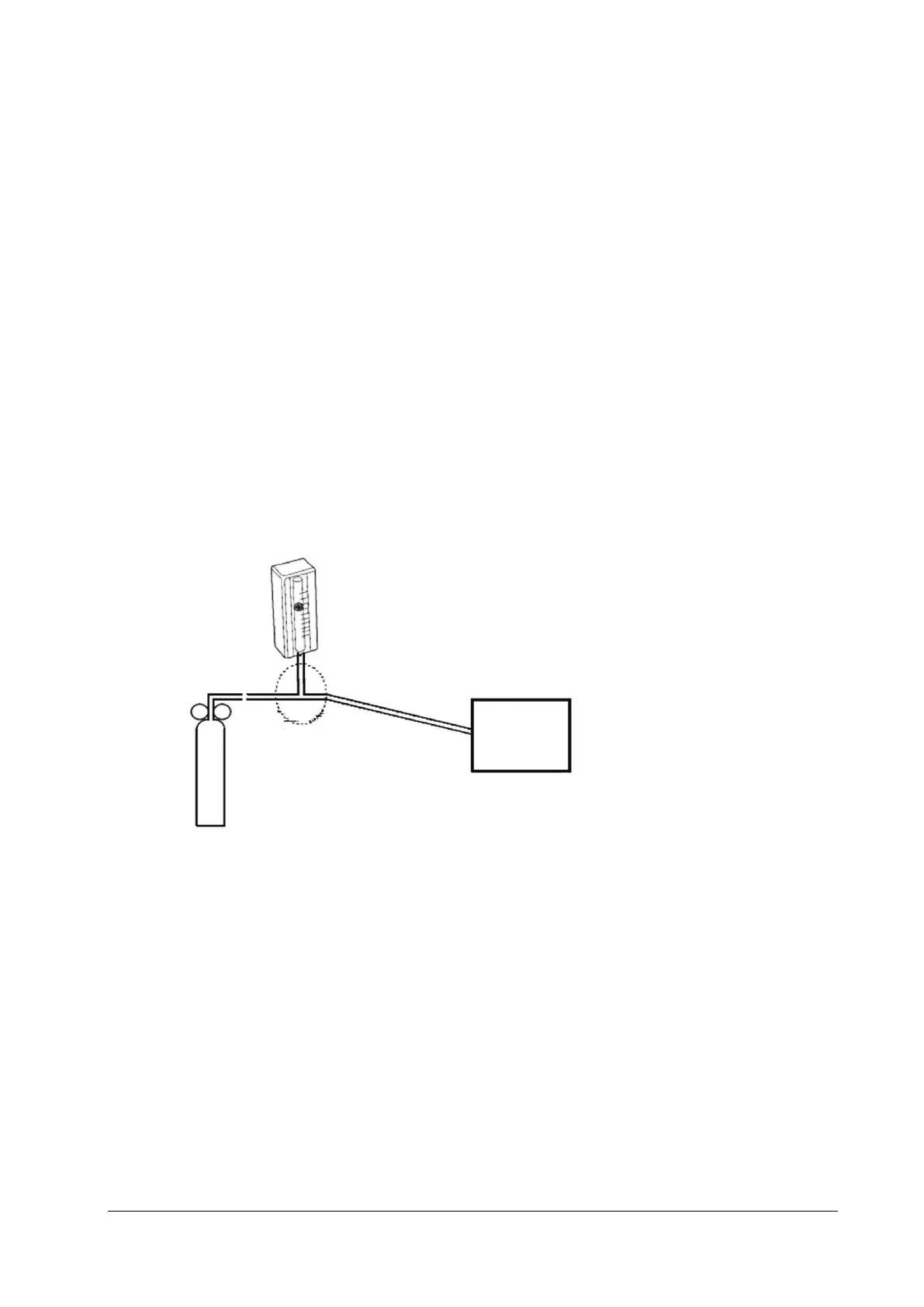
4. Connect the test system as follows:
Relief
valve
T-shape connector
Gas
cylinder
Tubing
Monitor
Flowmeter
5. Open the relief valve and adjust it until the flowmeter has a stable reading between 10 ml/min and 50 ml/min.
6. Check the real-time CO
2
value in the Calibrate menu and make sure the variation from the actual concentration is
within±0.3%.
5.2.3.3 Module Calibration
Tools required:
Steel gas cylinder with 6±0.05% CO
2
and balance gas N
2
T-shape connector
Air tubing
1. Make sure that the sidestream or microstream CO
2
module has been warmed up or started up.
2. Check the airway for leakage and perform a leakage test as well to make sure that the airway has no leakage.



 To Next Page