8-15
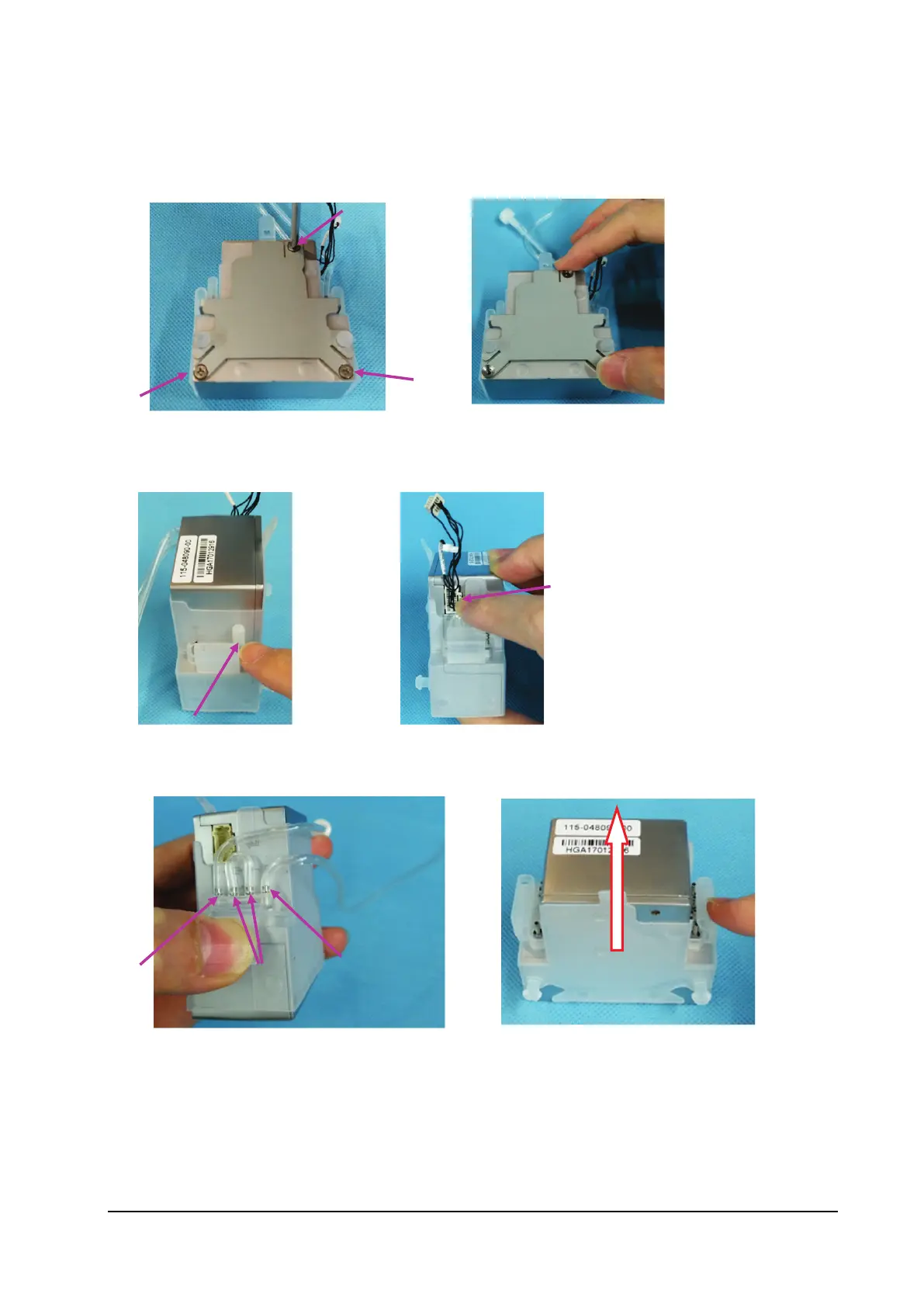
8.3.10 Removing the CO
2
Module Assembly
1. Loosen the three M2.5×4 countersunk head screws on the cover plate of the CO
2
module.
2. Remove the cover plate of the CO
2
module.
3. Remove the end cap of the CO
2
module gas circuit.
4. Press the latch of the CO
2
module connection cable, and remove the connection cable.
5. Remove the zero calibration pipe, short circuit pipe and exhaust pipe on the CO
2
module.
6. Remove the silicone cover.



 To Next Page