8-34
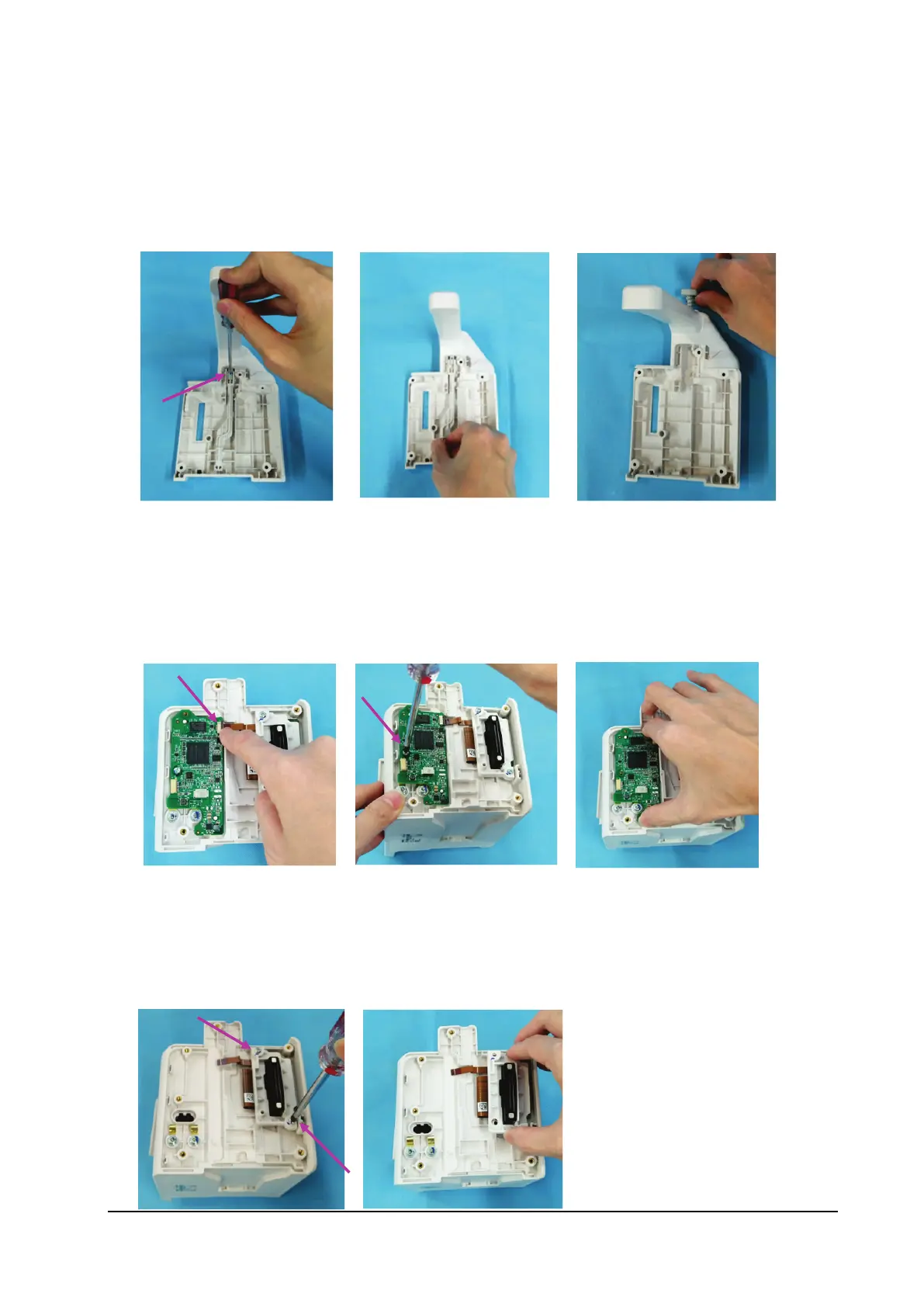
8.6.2 Removing the Unlock Rod
1. Loosen the M2.5×8 screw on the unlock rod.
2. Remove the unlock rod.
3. Remove the unlocking button and spring.
8.6.3 Removing the Infrared Backboard
1. Loosen the connection cable on the infrared backboard.
2. Loosen the M3×8 screw on the infrared backboard.
3. Remove the infrared backboard.
8.6.4 Removing the Transition Board
1. Loosen the two PT3×10 self-tapping screws on the transition board.
2. Remove the transition board assembly.



 To Next Page