5-12
8. Set the patient simulator to output ART signal to the pArt channel and CVP signal to the pCVP channel. Check
whether the IBP waveform is correctly displayed.
5.4.9.2 Pressure Calibration
Method 1:
Tools required:
Patient simulator: Medsim300B
PiCCO IBP test cable (P/N: 040-001300-00)
1. Connect the patient simulator, the PiCCO IBP test cable, and the PiCCO module.
2. Set the patient simulator to output 0 mmHg to the pArt channel and the pCVP channel.
3. In the pArt Setup menu, select pArt
Zero >>→Zero.
4. In the pCVP Setup menu, select pCVPZero >>→Zero.
5. Set static pressure to 200 mmHg on the patient simulator.
6. Select
Main Menu→Maintenance >>→User Maintenance >>→ enter the password →Cal. IBP Press. >>. In
the
Cal. IBP Press.menu, set the calibration pressure to 200 mmHg.
7. In the Cal. IBP Press.menu, select the Calibrate button next to the target IBP channel to start calibration.
If the calibration succeeds, the message "
Calibration Completed!" is displayed. If the calibration fails, a corresponding
message is displayed.
Method 2:
Tools required:
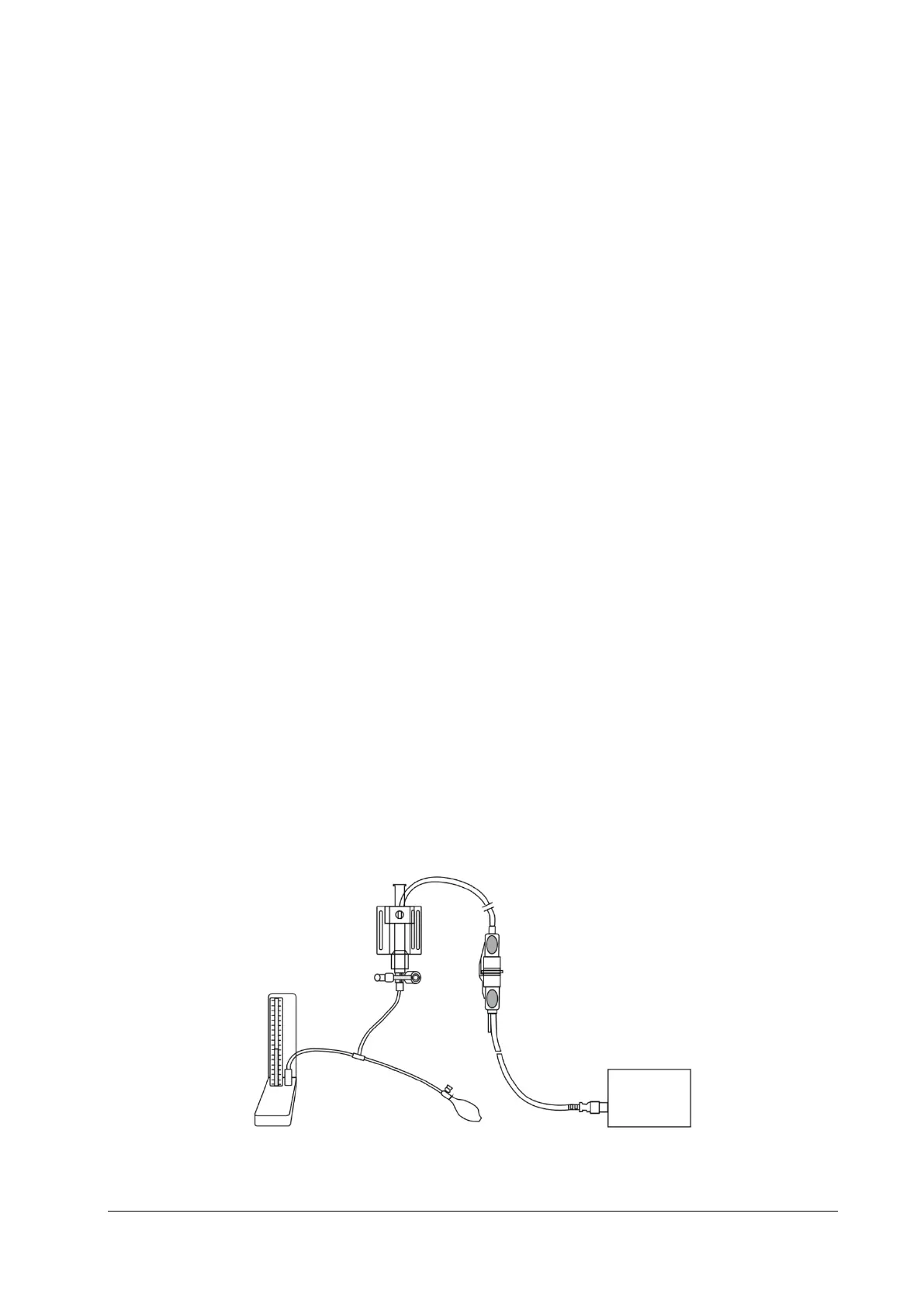
Standard manometer
Balloon pump
Air tubing
T-shape connector
1. Connect the 3-way stopcock, the sphygmomanometer and the balloon pump using the T-shape connector, as
shown below.
2. Turn on the 3-way stopcock to the air to zero the transducer. Then open the stopcock to the sphygmomanometer.
3. Select Main Menu→Maintenance >>→User Maintenance >>→ enter the password →Cal. IBP Press. >>. Set the
calibration value.
Sphygmomanometer
T-shape
connector
3-way stopcock
Pressure adapter cable
IBP



 To Next Page