8-20
8.4.3 Removing the Rear Housing
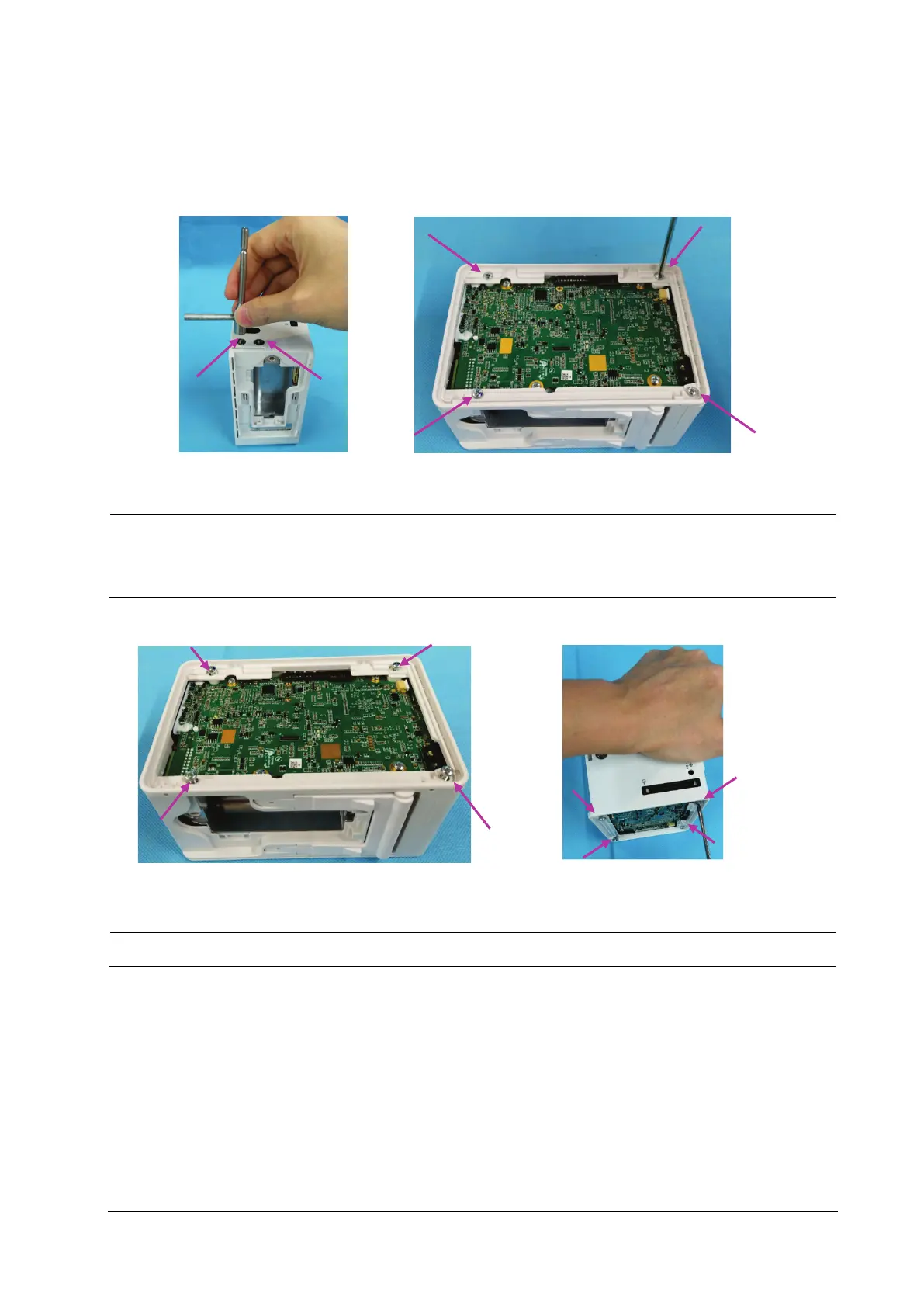
1. Use the terminal screw dismounting tool to remove the two terminal screws fixing the rear housing.
2. Remove the four M3×5 screws fixing the rear housing.
To ensure flat assembly of the face plate, when fixing the four screws on the rear housing, do as follows:
lay the N1 main unit flatwise, and turn the four screws by 2-3 circles for preliminary fixing; place the N1
main unit vertically, and use one hand to press the main unit and the other to tighten the screws.
After assembly, check that the silicon cover shown in the figure below is assembled properly.



 To Next Page