8-6
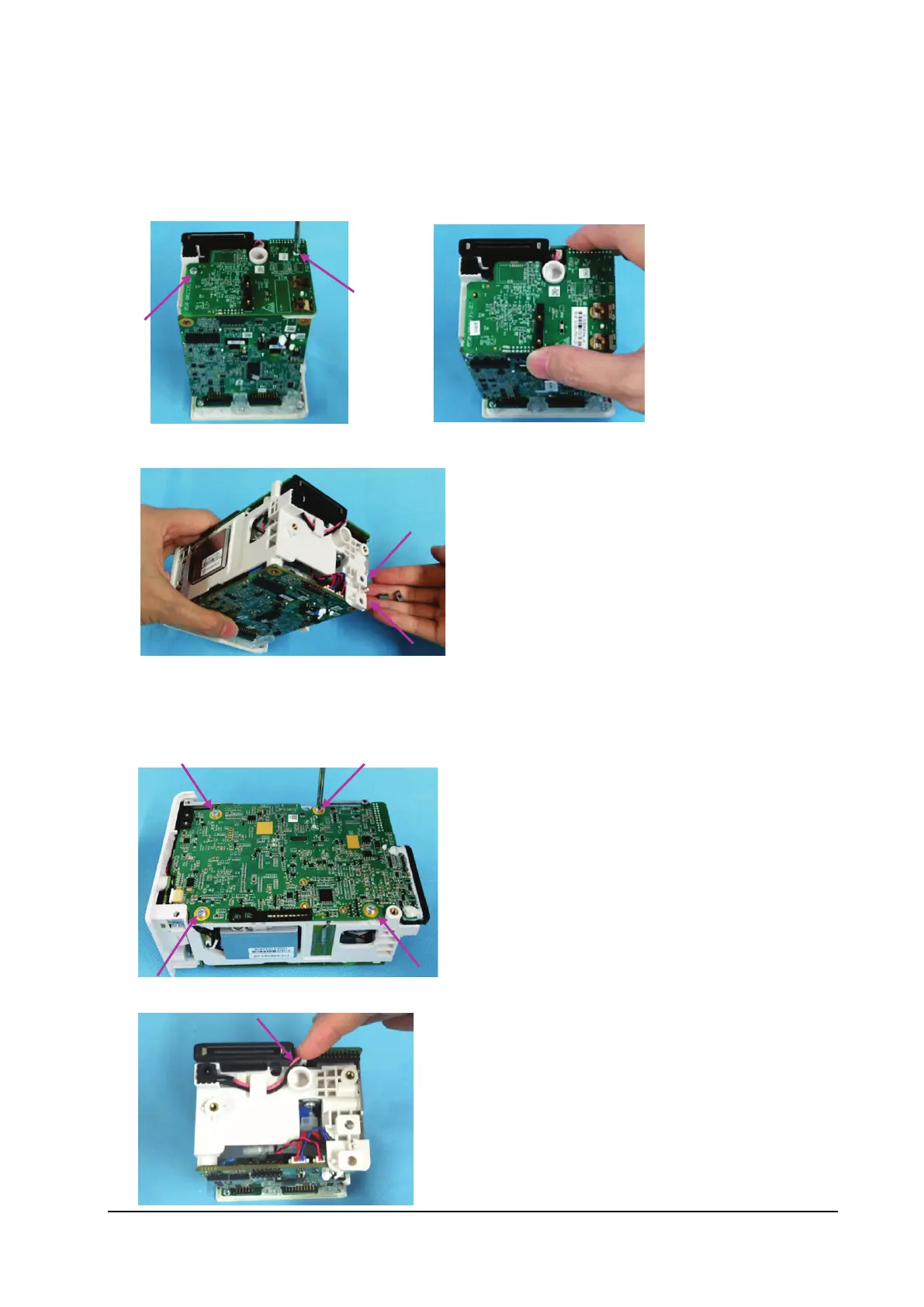
8.3.4 Removing the Infrared Backboard
1. Loosen the two M3×5 screws fixing the infrared backboard.
2. Remove the infrared backboard.
3. Tilt the N1 main unit as shown below, and remove the two terminal nuts shown in the figure below.
8.3.5 Removing the Main Board
1. Remove the four M3×5 screws fixing the main board.
2. Remove the DC-in connection cable.



 To Next Page