8-30
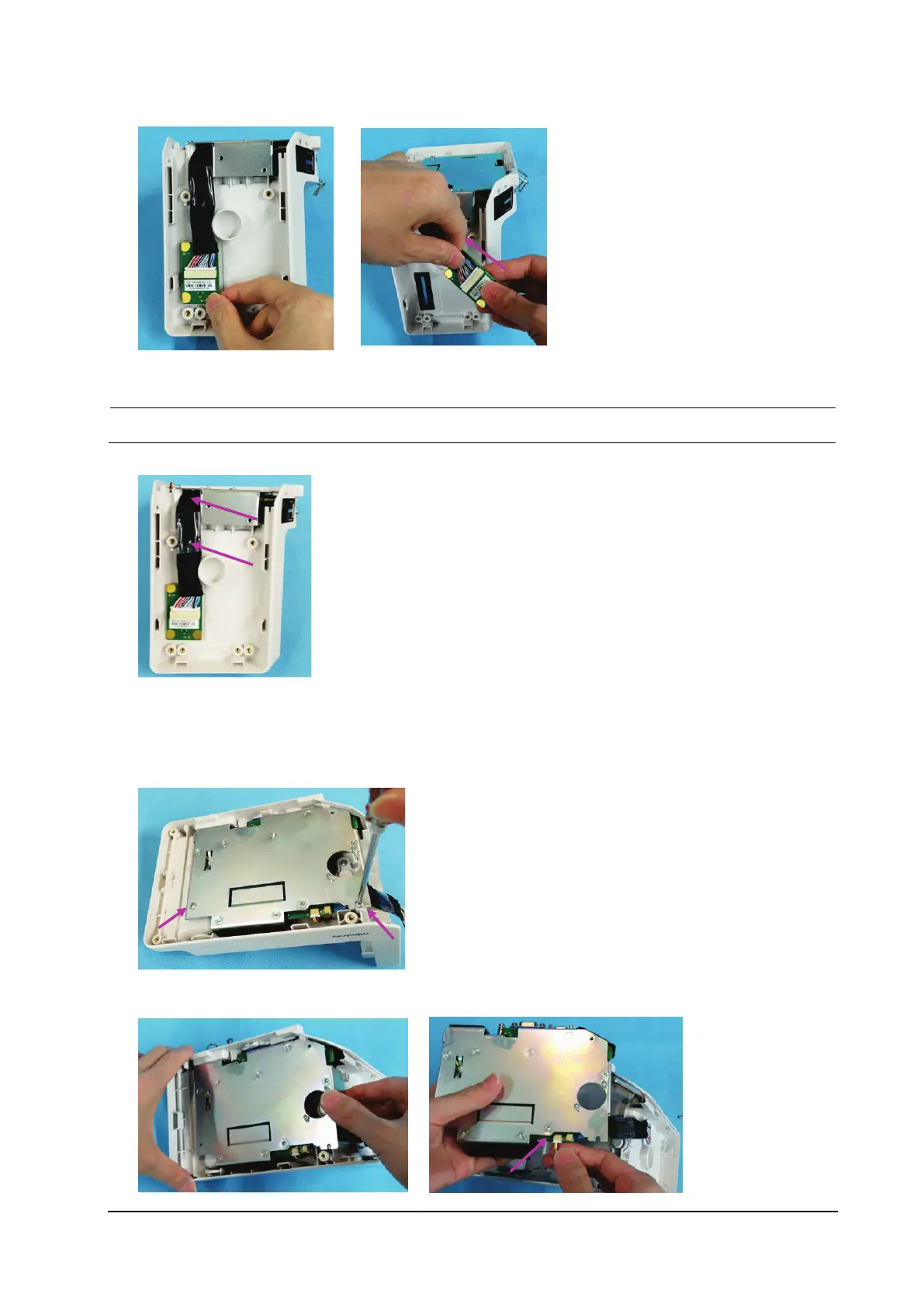
3. Remove the transition board, and loosen the connection cable.
During reassembly, route the connection cable as shown below. Do not press any cables.
8.5.5 Removing the Port Module
1. Remove the two M3×6 screws from the port module.
2. Remove the port module, and loosen the indicator connection cable.



 To Next Page