7-3
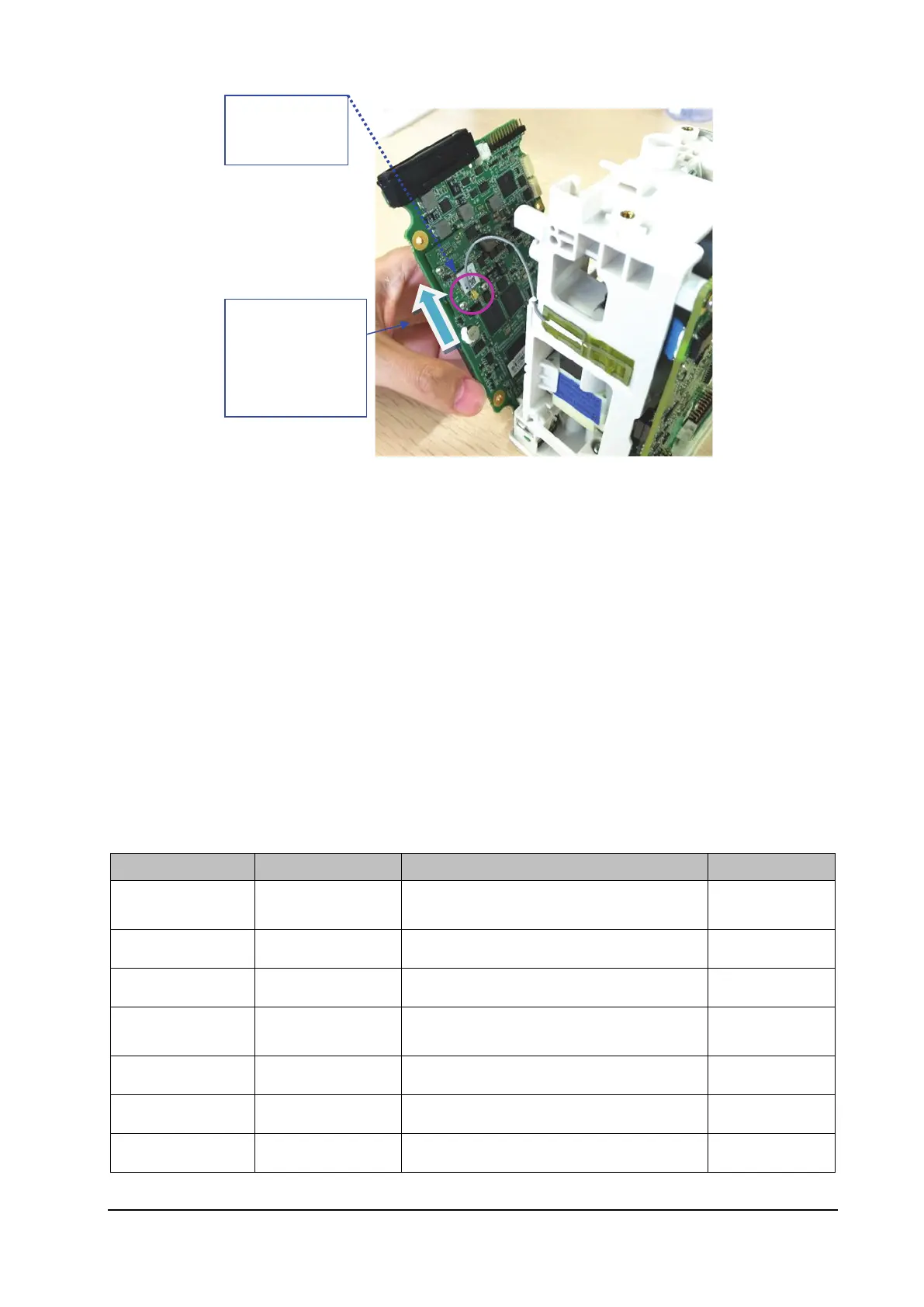
5. Install the main board and reassemble the monitor.
6. Start the monitor to test whether the Wi-Fi function is normal.
7.2 Software Upgrade
This monitor supports network upgrade through a PC or upgrade through a USB drive to complete the update function
for the monitor and peripherally related firmware.
You can upgrade the software by using the System Upgrade Tool (P/N: 110-005614-00 PC upgrade tool) through
the network. This tool can directly run on a PC. You can upgrade the following programs through the network or by
connecting the monitor to a PC via a crossover network cable.
The programs of this monitor can also be upgraded using a specially authorized USB drive (which contains the USB
drive upgrade BIOS program P/N: 110-004854-00).
Software P/N Name and Specification Remarks
System software
package
/ N1 system package /
Handle software / Handle RACK software /
M4 software / Parameter related software /
Built-in M02D
module
/ Bluetooth firmware function program /
M51C module / M51C module software /
Power management / Power management firmware /
Others / External one-slot module software /
Wi-Fi module
Wi-Fi antenna outlet
direction



 To Next Page